Changing Lorebook Token Budget (Chub / SillyTavern)
Changing the lorebook token budget setting, among other options, is very simple. Higher number isn't automatically better, but it gives more space for a lorebook. If you're here, means someone made a bot that's a little lorebook hungry.
Chub
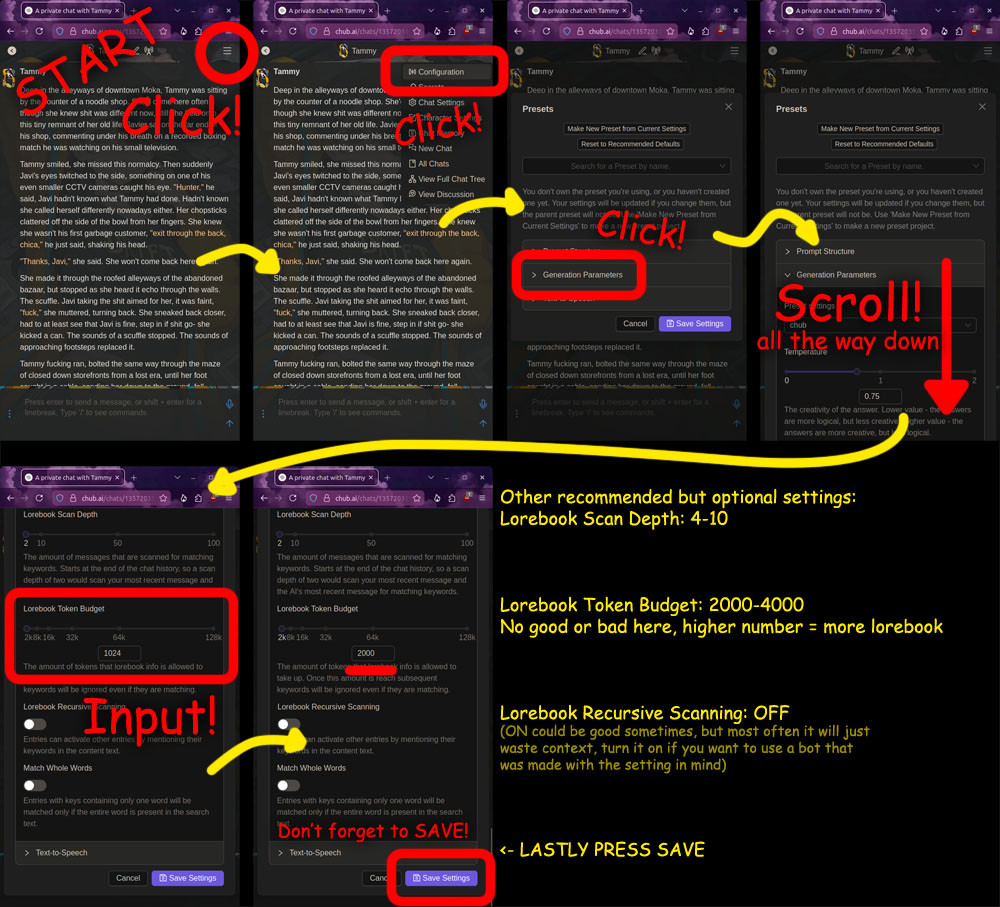
If the image doesn't load:
- Click the ☰ Menu symbol, top right
- Click "Configuration" in the dropped menu
- Click "Generation Parameters" in the window that opened
- Scroll all the way down
- The "Lorebook Token Budget" setting should be on screen now, it's usually 1024 by default, type in your desired number
- Click "Save Settings" below
NOTE: If you hop between presets, it will overwrite your settings, so change this after picking a preset
SillyTavern
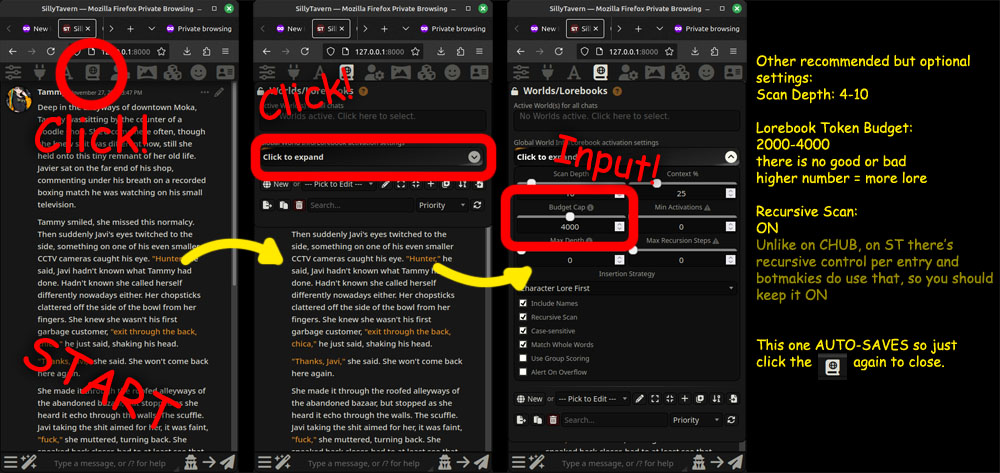
If the image doesn't load:
- Click the book looking icon on the top bar, it's fourth from the left
- Click "Click to expand" in the panel that popped up
- The setting is called "Budget Cap" here, type in your desired number