OldSchool Tera with Bottles on Linux
This was tested on PikaOS, a Debian-based gaming distro. Should work on any distro with access to the Bottles flatpak.
Covers both the Linux-friendly TERA launcher (enterance) and a foundation for Toolbox.
The launcher process is quite jank, but the game runs well once you get this process nailed down.
Pre-requistes:
- Download latest client from https://oldschool.to.
- If planning to use TERA Toolbox, clone the repo from https://github.com/chinponya/tera-toolbox.
-
- To do this, run
git clone https://github.com/chinponya/tera-toolboxfrom the terminal.
- To do this, run
-
- It is recommended to download this to an empty folder.
- Install the Bottles flatpak from your preferred method.
This guide was written using the Discover app to install the Bottles flatpak.
Walkthrough
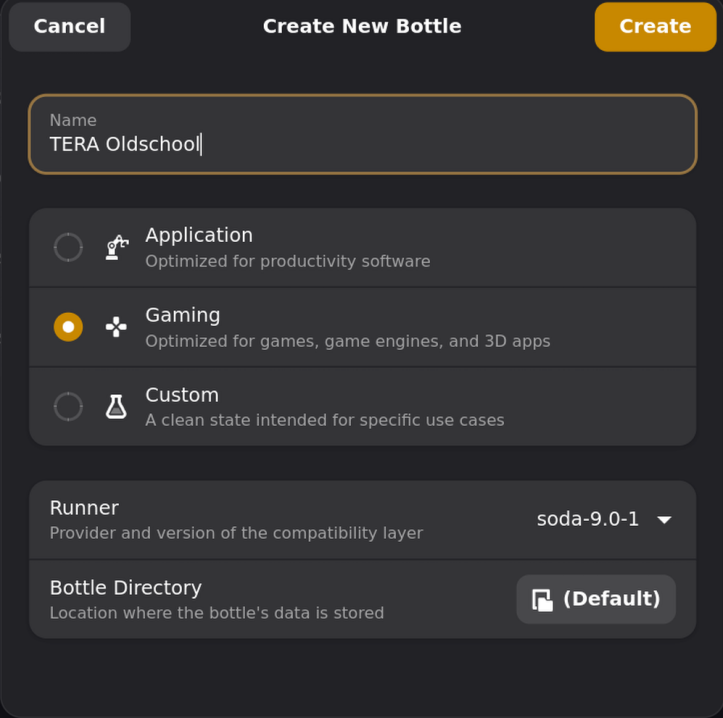
- Create a new Bottle inside of the Bottles app.

- Use this configuration for the new Bottle.
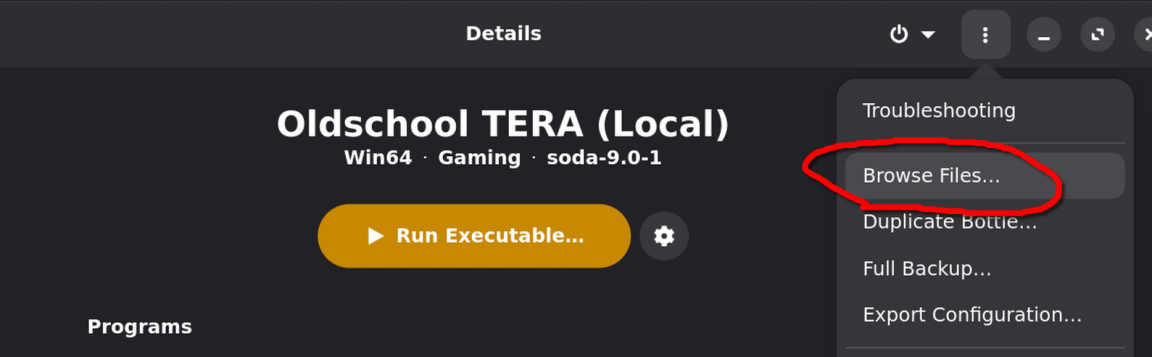
- Once the bottle is created, browse the Bottles' folder.
- Open the drive_c folder and create a new subfolder called TERA.
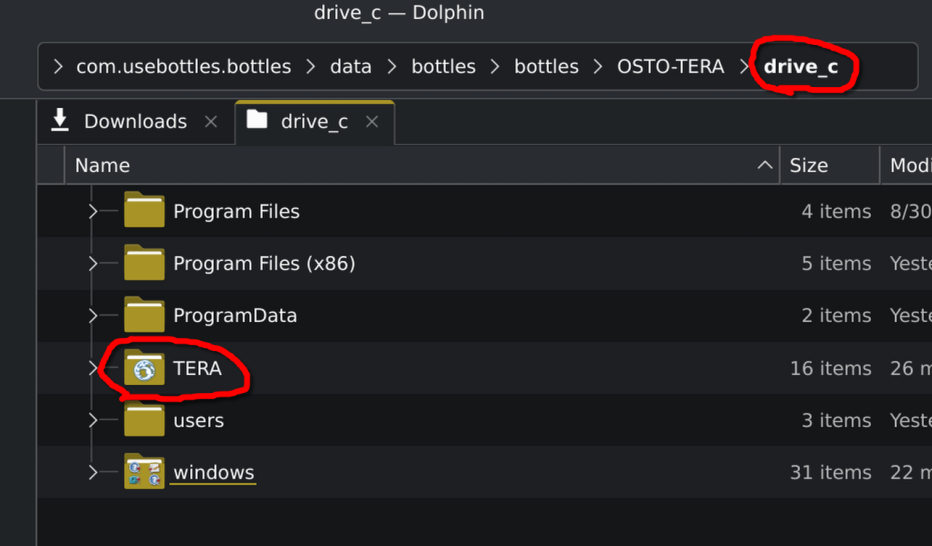
- Extract the contents of the osto-client-latest.zip file into the TERA folder inside of your drive_c directory.

- Once that completes, navigate back to the Bottles app, and click on Dependencies.
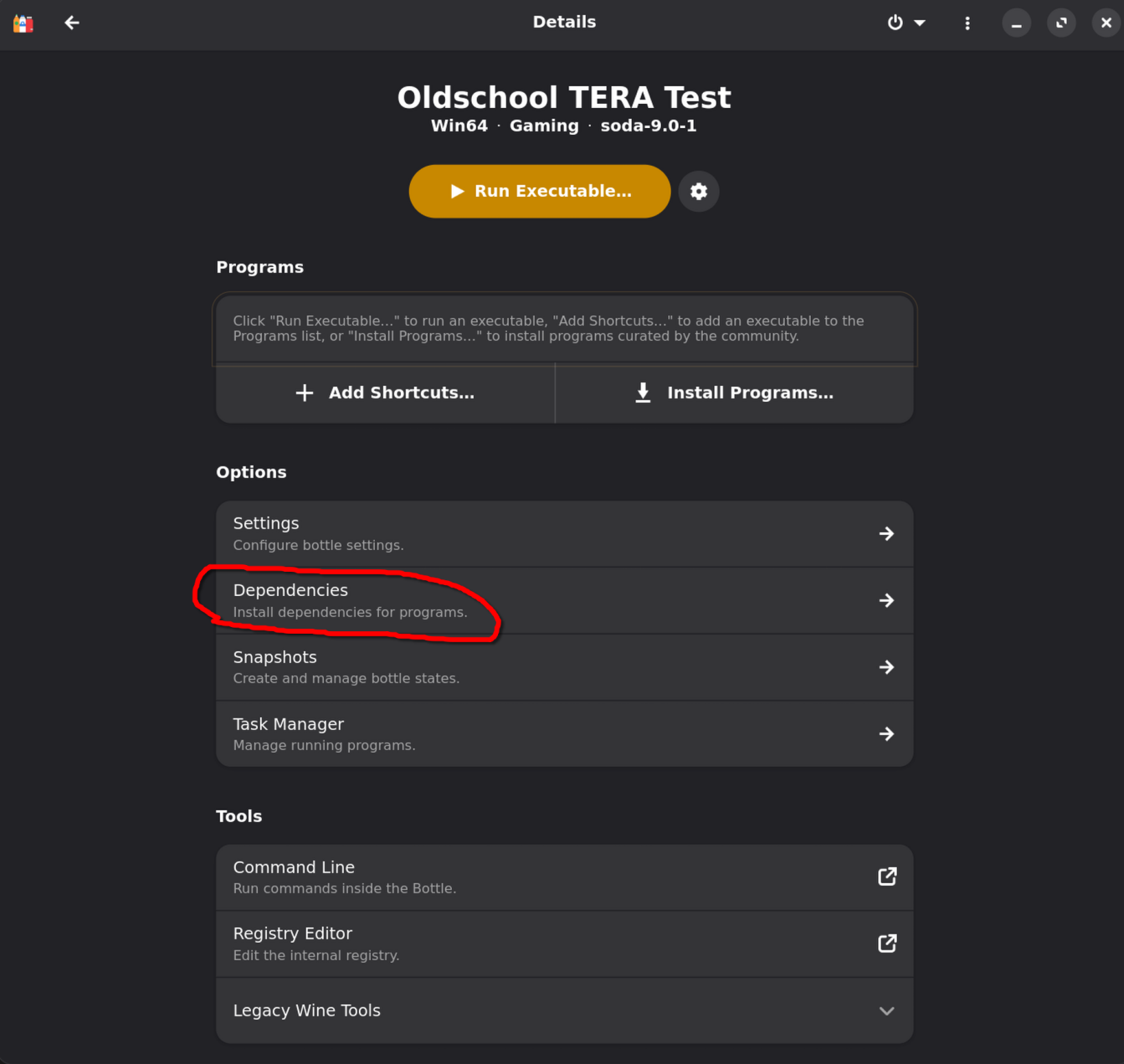
- The following dependencies are required for TERA Toolbox:
- iertutil
- urlmon
- Find the two above items in the list, and click the diskette icon on the right to install each one.
- Note that this step can take a few minutes per dependency. Be patient! (:


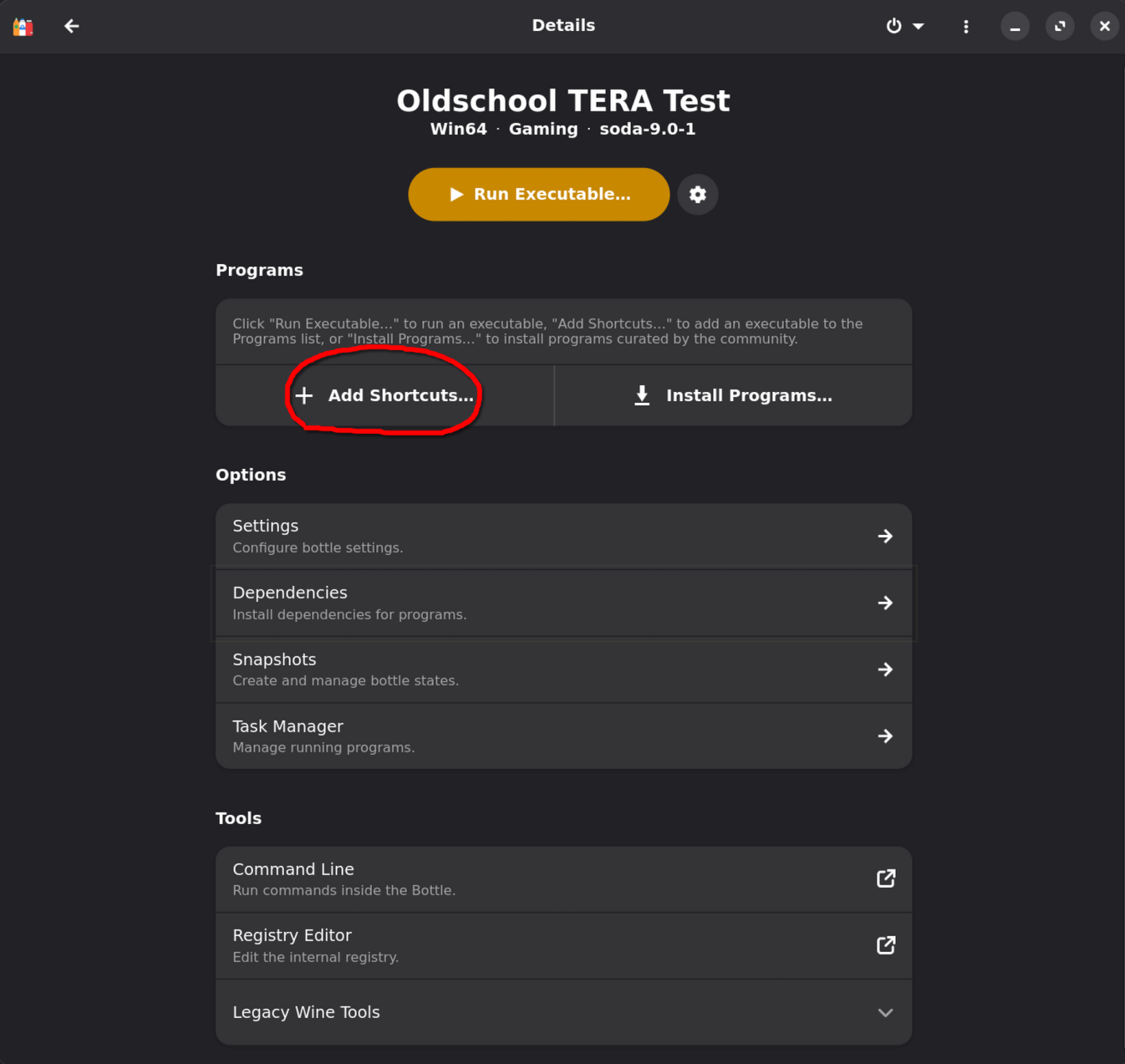
- Next, navigate back to your TERA Bottle page, and click + Add Shortcuts.
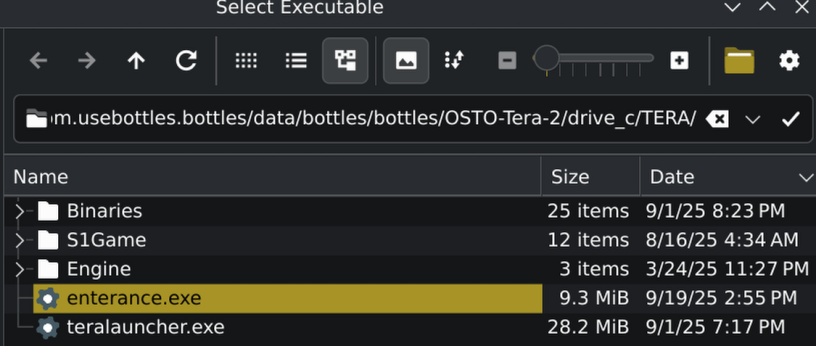
- Find enterance.exe inside of your TERA folder, and click Add
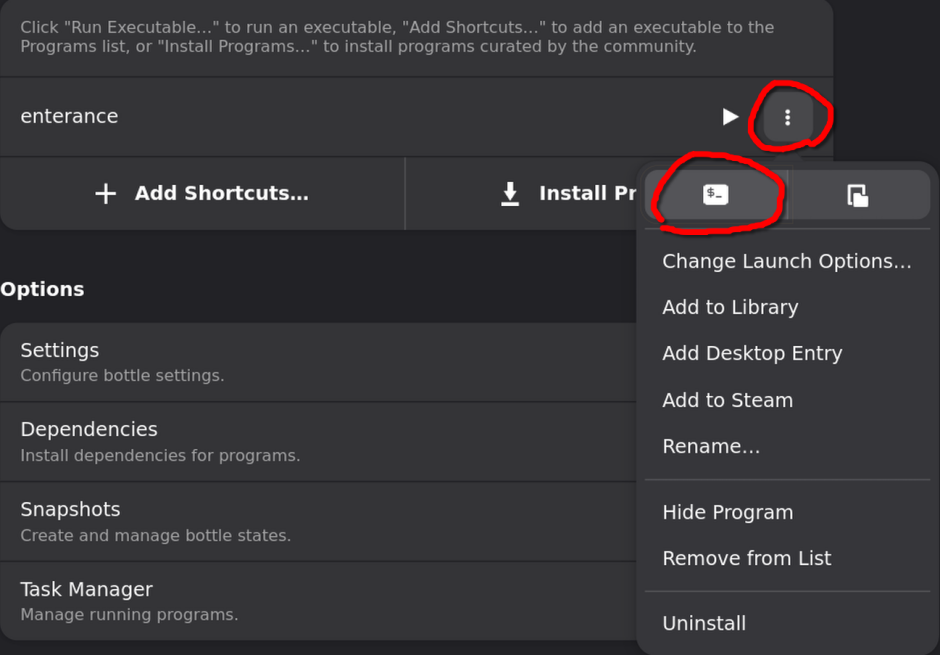
- Next, run your enterance shortcut by clicking on the 3 dots to the right and clicking the shell icon.
Important!
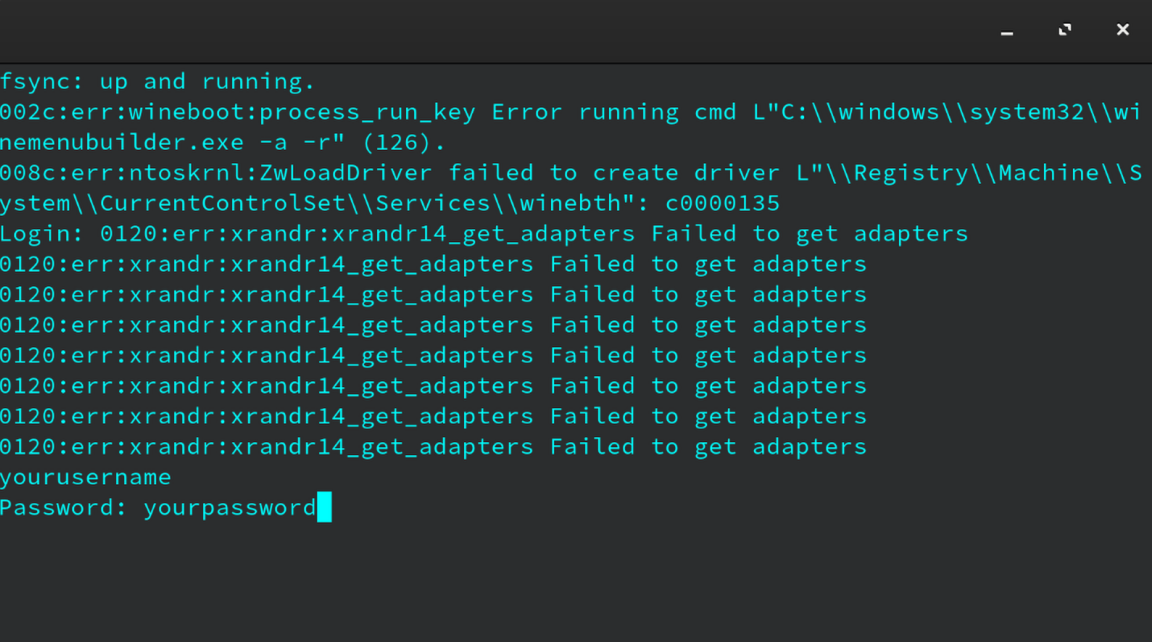
You need to run Enterance with a shell until you successfully login. Once you've logged in, you can run it by clicking the play icon to the right. If you experience ANY issues with the game launching, open it with the shell and report the logs to Discord.
- Login like normal and let your game patch.
- If you receive any errors in the shell, ignore them. The game will function properly.
- If you are unable to login, report the issue to the Discord.
- You should be able to play the game normally.
TERA Toolbox
- Download the TERA Toolbox following the process at the top of the guide.
- Once downloaded, open the folder and edit the config.json file.
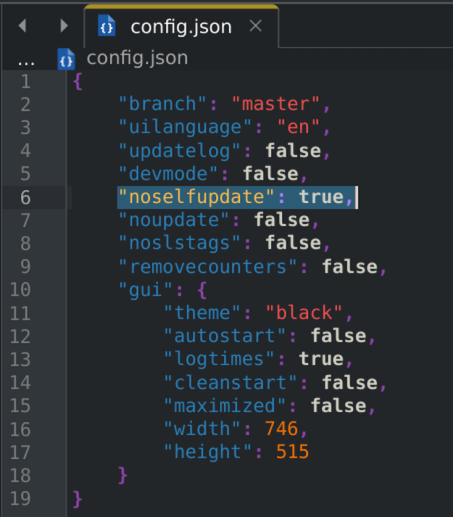
- Update the 'noselfupdate: false' line to read 'noselfupdate: true' as pictured below and save your changes:
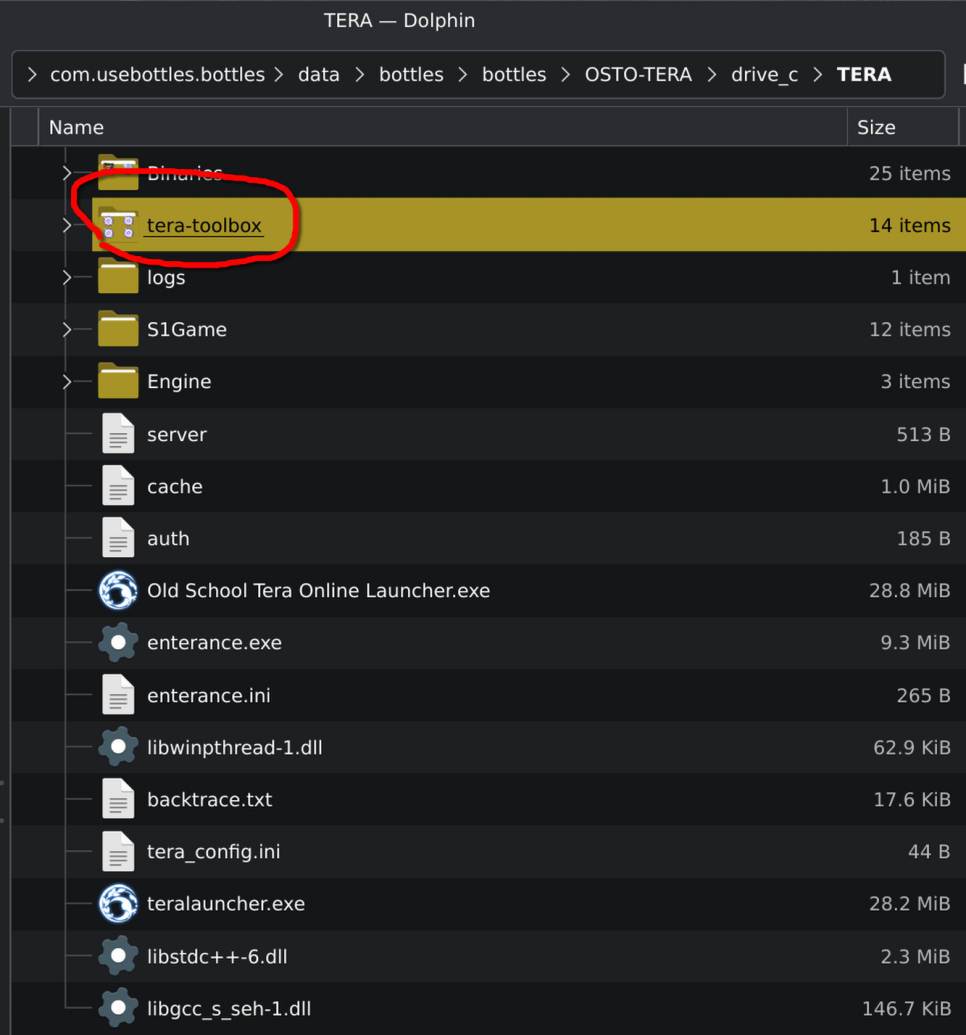
- Next, open your TERA Bottle and browse to your TERA folder:
- Next, copy the downloaded tera-toolbox folder to your TERA folder:
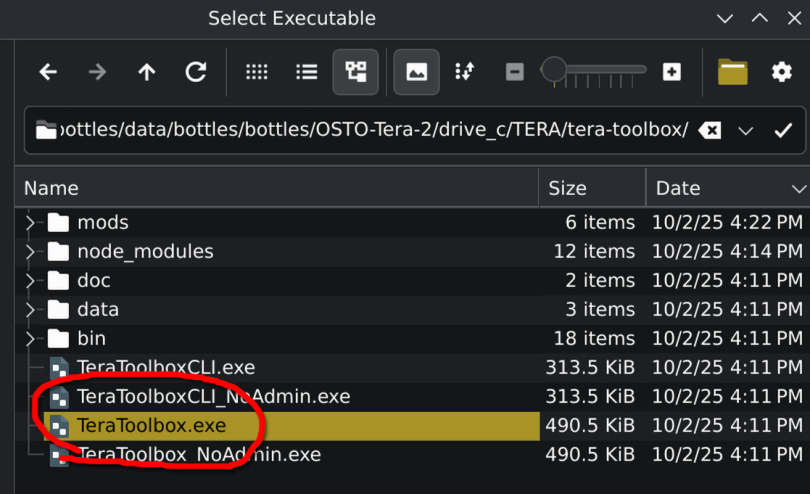
- Lastly, add a new shortcut to your bottle for the Toolbox exe:
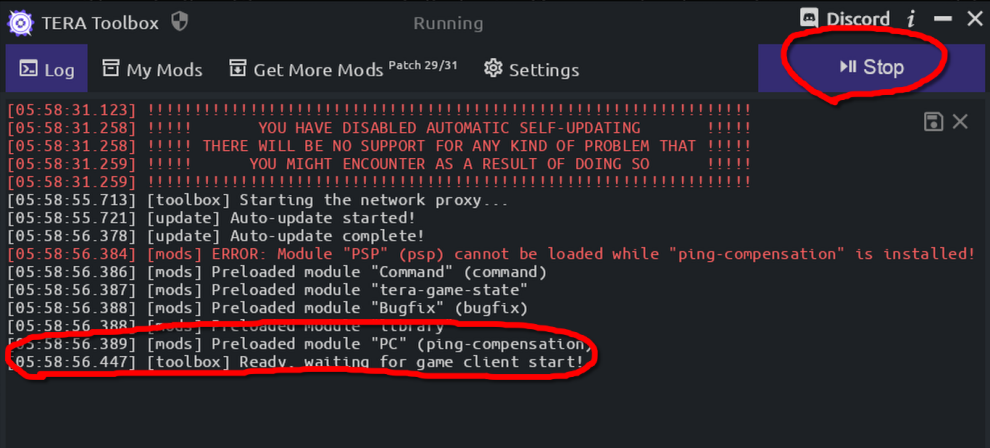
- In order to use the Toolbox, make sure you launch the shortcut for it first, then click Start in the top right.
- Once you see the
[toolbox] Ready, waiting for game client start!message, you can run the game normally.
Special thanks to chinponya from the OSTO Discord for forking Toolbox and getting this working.