Prompt Writing Awareness NAID V1-3 (DEPRECATED)
Updates
28.02.2023
-Rebuilt collages with a newer and better version of the script (https://github.com/Xovaryu/NovelAIDiffusion-API) so that the metadata looks cleaner and emojis are actually readable
-Adjusted mentioning of base noise as this has been fixed along with the sampler update pushed on 21.02.2023
-Slightly extended the section on symbol styles to include some more final examples
-Added a brief section on resolution
24.03.2023
-Added a section about the implications of how NAI extended the token window from 75 to 225
27.12.2023
-Verified that this in general still holds up with V3
23.06.2024:
-Fixed all the broken image links
26.12.2024:
-Marked this guide as deprecated, as a huge host of things in here do NOT apply to NAID V4 anymore, a new guide will follow eventually
Introduction
This rentry will focus purely on one thing, and that's broadening horizons on how good prompts can be written and finetuned. This is gonna get technical and weird. This isn't gonna be how to make prompts as if you're building a list of tags for an image board search machine. This read will serve you best when you have at least all the starting knowledge and have messed around a little with Stable Diffusion, ideally NovelAI Diffusion (NAID Curated/Full/Furry V1, or now V2 or ideally V3), and you have already gotten the one or the other good generation. A good chunk of the knowledge and perspectives in here should translate to other models and future updates to NAID too, but not necessarily all of them, and to varying degrees. Then again... that holds true for just about any technique. New models will need you to adapt, so be ready for that.
(This rentry will stay SFW-ish. There will be some panty-shots and at least one nude generation without any bits drawn, but no explicit content.)
With the rise of AI art, creating wonderful stuff for yourself and others will become increasingly more democratized, which is a beautiful thing. So much artistic beauty is yet to be created and too much of it is currently still so prohibitively hard to create that even colossal corporations struggle with it. And AI can make these things possible. Most of our creative ideas are perpetually imprisoned in our heads, and bending and breaking those bars is hardly a bad thing. Could you make some beautiful artworks all by yourself without AI? Sure. A fully voiced anime? Yeah... nope. Not yet anyway. Soon though that may change. But for that we need ever more powerful tools. Like AI.
This rentry was written at the start of things becoming serious. Stable Diffusion and the likes have made it possible to turn text into images, and effectively so. A year later there's SDXL, LoRAs, ControlNet... and more. NovelAI has also released versions 2 and 3 of NAID, 2 which is a severely improved normal SD, and 3 which is based on V3.
One thing I found fairly lacking in other places was information on how to write prompts and what you can do with the text.
Chances are if you know a little about writing prompts to generate images, you have seen classic formats like this for example:
{{{{masterpiece}}}},incredible detail,autumn leaves,{fox girl},{{disheveled hair}},{{{{fluffy tail}}}},smile,{{nightsky}}
Does this work? Well. Yeah, kinda. Especially the more you have a really powerful model at your hands.
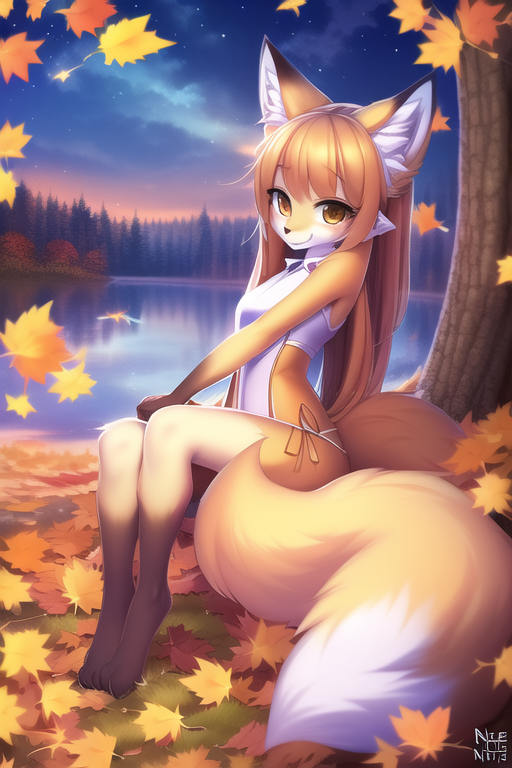
Case closed, let's all write prompts like that? Not quite. That picture is decent, relative to the early NAID model V1 and some relative tastes, but not exactly perfect, and the prompt isn't crazy consistent and good either. There's issues with the tails and paws and that glitchy watermark isn't a beauty enhancement. She's also a tad more fluffy than expected.
Now, when I find something I want to understand and work with I like to get a little excessive, to push the limits, run into every corner I can think of and see what there is too see. And unsurprisingly there is a ton to find.
And that's precisely what this Rentry is about. Purely the how of writing prompts, thinking outside as many boxes as I could find myself in. Naturally there will be examples (and fairly involved ones) but I'll try to focus simply on the syntax of creating a given prompt, and this will to some degree include other settings and Undesired Content.
Disclaimer:
I try to set very high standards for myself but naturally I may make mistakes, last but not least because a lot of the stuff in here was and will be trying to unearth some intuitive perspectives on the underlying math that is so hideously complicated that trying to understand the raw numbers would be pointless insanity. Figuring out what is placebo and what isn't can be needlessly difficult. Second-guess yourself. Second-guess me and this rentry too. I will gladly fix up and improve this rentry though should any issues be brought to my awareness.
Contact/Other Stuff:
I'm running more operations than just this one rentry. I've got a Discord server where you can drop in to look around, or even deliver some criticism/feedback that might make it into this rentry. The script I've used to create the collages here has since turned into a fully visual UI on GitHub, so you can use it too. It's not able to use local SD and SDXL, that is not YET. And I've got a Patreon too, should you be able and willing to support me, since creating this stuff... takes a lot of time and dedication.
All of that can be found here https://linktr.ee/xovaryu
Taking a step back
First of all, let's take a step back. Your average prompt just uses English words or short phrases, one at a time, separated by commas. That's not all there is, far from it.
With what can prompts be written?
Just about anything. Everything you write is a vector. SD and by extension models built upon it have at least some idea about most languages you can think of, and you can throw most symbols into it you can get your hands on. And you would be surprised how much the AI can more or less understand. Emojis work, unicode symbols work, and a pretty usable and hefty chunk of them do stuff that is actually kind of intuitive. ♥ or ♡ will make things cuter in their own respective ways, ✩ can make stuff more sparkly and bias towards necklaces and hair accessories and indeed 😺 is gonna make cats. ü⁂¾¥䇳⇌ꕢ? Sure. You have tens of thousands of symbol options.
Beyond that, these AI's also have their own, often rather peculiar understanding of language. More on that later.
Tokenization
Having at least a rough awareness of how tokenization works in CLIP/SD is also helpful. The things you are writing are turned into tokens, and if you don't know what a token is and don't want to bother with the details, imagine a token in this context basically like an "AI word". A whole lot of standard words are single tokens like flying, while annihilation is made up of 2 tokens. So with a token allowance of 225 and an otherwise static and deterministic prompt you could write flying 225 times in succession, generate 225 pictures and get a different result each time. Any more and the rest is simply cut off and ignored.
Symbols can have different costs, especially in sequences. Any symbol by itself will generally cost you 1 token. Some will cost 2 tokens. However ♥♥♥♥ will only cost a single token.
Also "symbols" and "letters" stick to one another, and are automatically separated by spaces before being passed to the AI. A comma is considered a symbol, so any variant of a,b/a, b/a ,b/a , b is passed to the AI as a , b. You may be using spaces after a comma for readability, but they (usually) do not affect the final result.
Multiple spaces in a sequence or at the beginning/end of the prompt are stripped away too. a ,b=a , b.
Numbers do not stick to anything. 12345abc♥♥♥=1 2 3 4 5 abc ♥♥♥.
This isn't useless knowledge either, because things sticking together or not will affect the AI differently. If you put a space between things that would otherwise stick together it breaks them up and changes their effects. Writing pint sized is not the same as pintsized at all, they hit quite differently. We'll get to that in more detail later.
Quirky Brackets
Brackets sometimes behaved a little off before V3. Putting just [] and {} into a prompt actually creates tokens and changes the outputs. a,{b and a, {b also are NOT the same. While I'm fairly certain about the basic rules here, exceptions exist, and I may well not be aware of them all, in which case they aren't in this Rentry either. V3 seems to have received some deliberate fixes for these things however.
Non-Deterministic Base Noise/Unexpected Differences
Before the update with which NAI introduced their samplers nai_smea and nai_smea_dyn there used to be some base noise. Back then adding and subtracting spaces could be used deliberately to generate an image with slight differences since there was a bit of non-deterministic base noise that got stronger at higher scales. This however is a thing of the past now. If you have 100% the same settings, you get 100% the same image. Be advised that importing an image may at times fail to give you the exact settings. The usual culprits would be the configured model (it might not even be available anymore like the older Furry models) or img2img, because the used image is of course not saved. This bug was also briefly present for V2 and V3, but shouldn't be there anymore.
There is still one tiny thing though as of writing this that may cause minor differences that are not deterministic, which is NAI using different hardware to generate, which may then give you one of 2 (or theoretically more) slightly different options. I think even this was addressed, though I'm not sure, and this may well change.
Your prompts are being sliced
You are most likely aware that NAI supports up to 225 tokens. You might also know that normally CLIP only supports up to 75. There is a very high chance though you do not know what exactly this means for your prompts. While the way the 225 tokens were attained is explained in an old blog post, the exact implications aren't explained either there, nor in the official documentation. The relevant quote from that blog:
To do this, we determine the maximum length prompt inside a batch of prompts and round its length up to the nearest higher multiple of 75. All shorter prompts within the batch are padded to the same length as the longest prompt with CLIP’s end-of-sentence token. Should the total length be above our determined cutoff point of 225 tokens, the batch is truncated along the sequence dimension to a length of 225. Thereafter it is split into individual chunks of 75 tokens along the sequence dimension. Each chunk is passed through CLIP’s text encoder individually. The resulting encoded chunks are then concatenated.
Well. So how is that important to how you write prompts? Well, while it is a nice fix for the issue, because the base way that CLIP handles it is inadequate the solution is necessarily hacky.
To put it short, your prompt is cut into 3 chunks, with 2 harsh cuts at 75 and 150 tokens, and then blended. Did you ever just notice that strangely enough some stuff in your prompt seems to just get completely ignored? There may just be a good explanation for it. Have a look at these two collages with that issue:
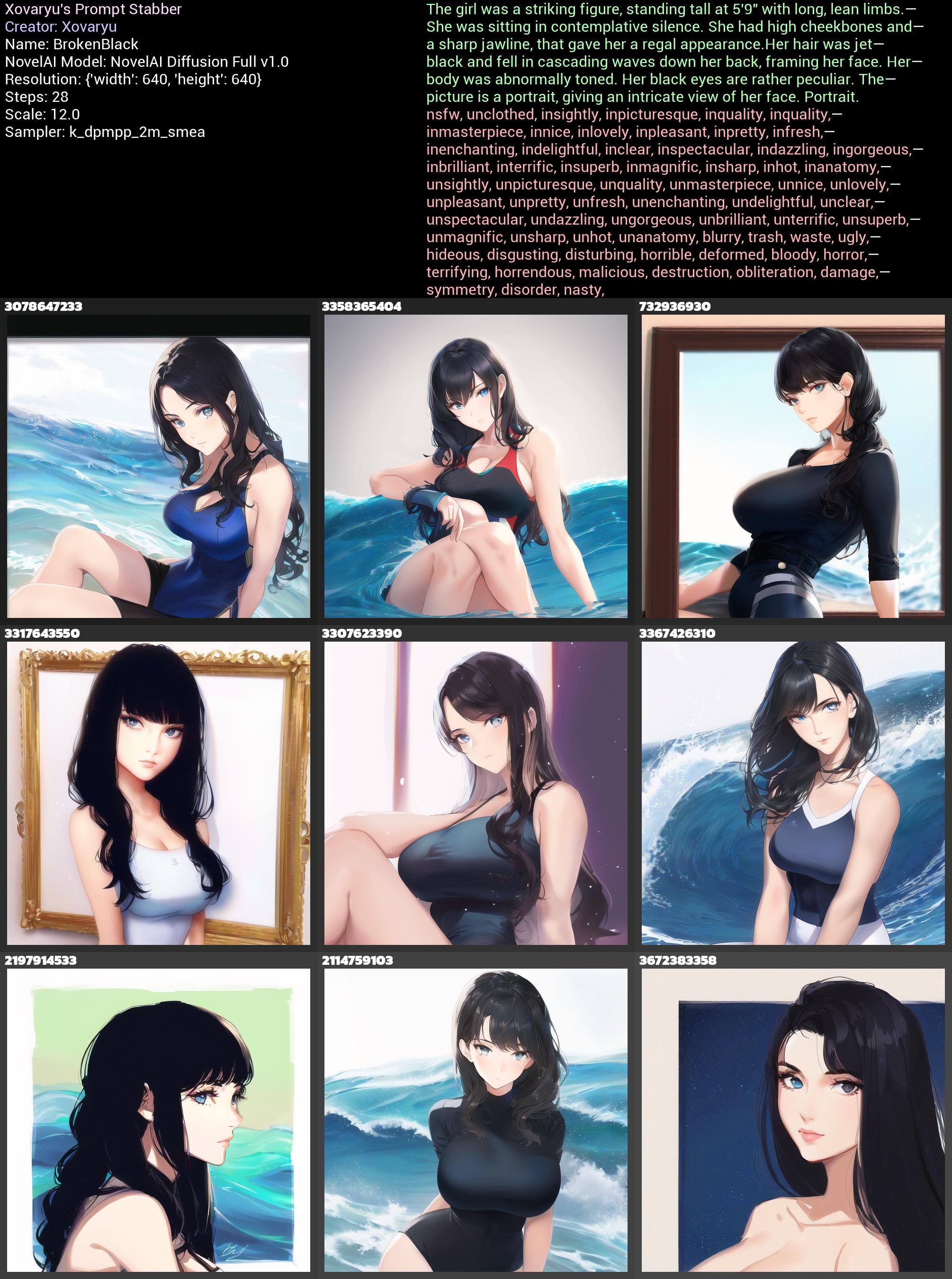
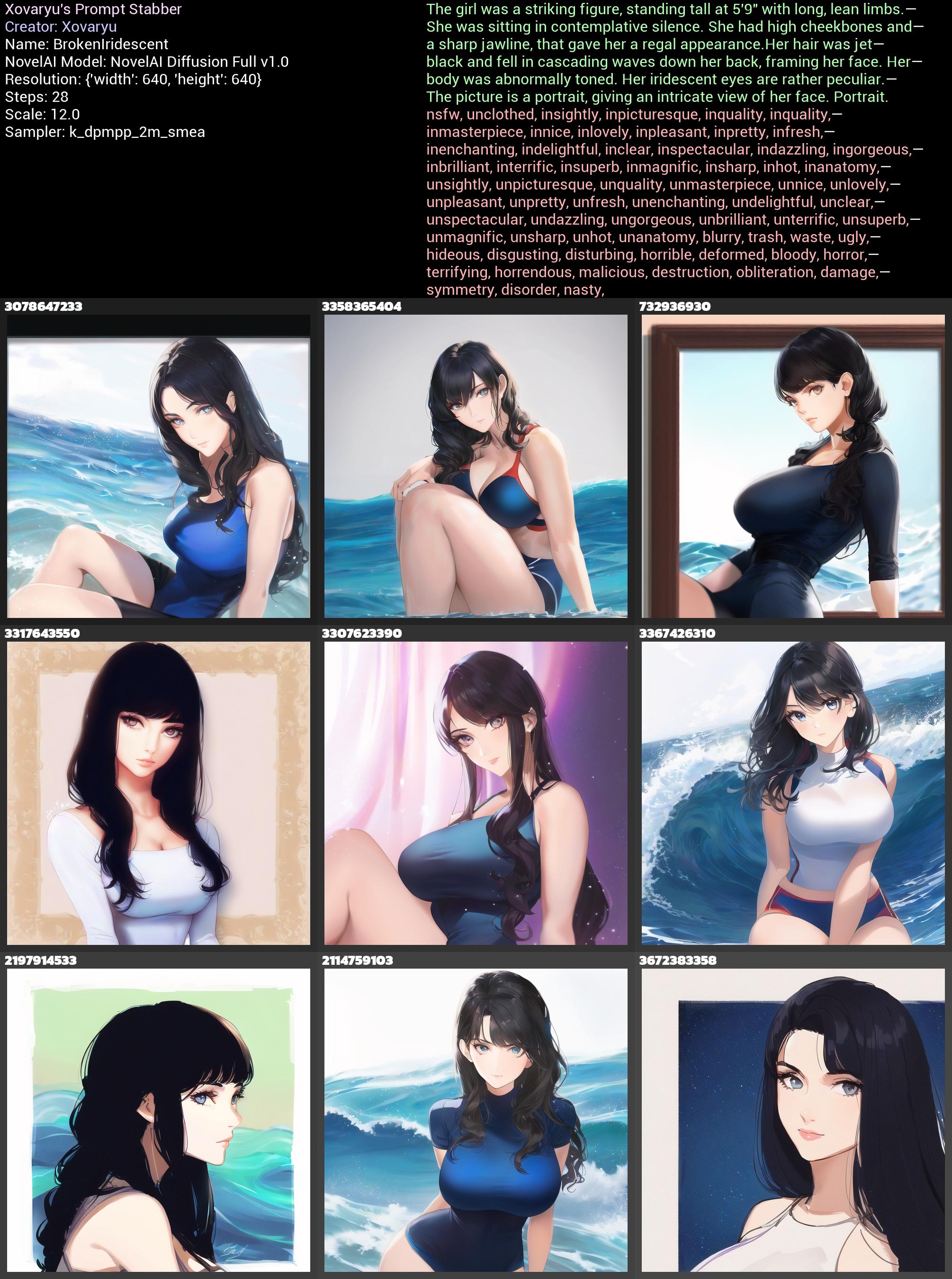
So, where are our black or iridescent eyes here? There's nothing really of the sort. The reason is pretty simple. The 75 token cut is right past the her, so there is no black eyes really, there's rather black in the first prompt section and eyes in the second. Not really that helpful to the AI. iridescent is two tokens, and it gets sliced in the middle, so that vector gets actually destroyed completely. If so... what if we add just one more comma?
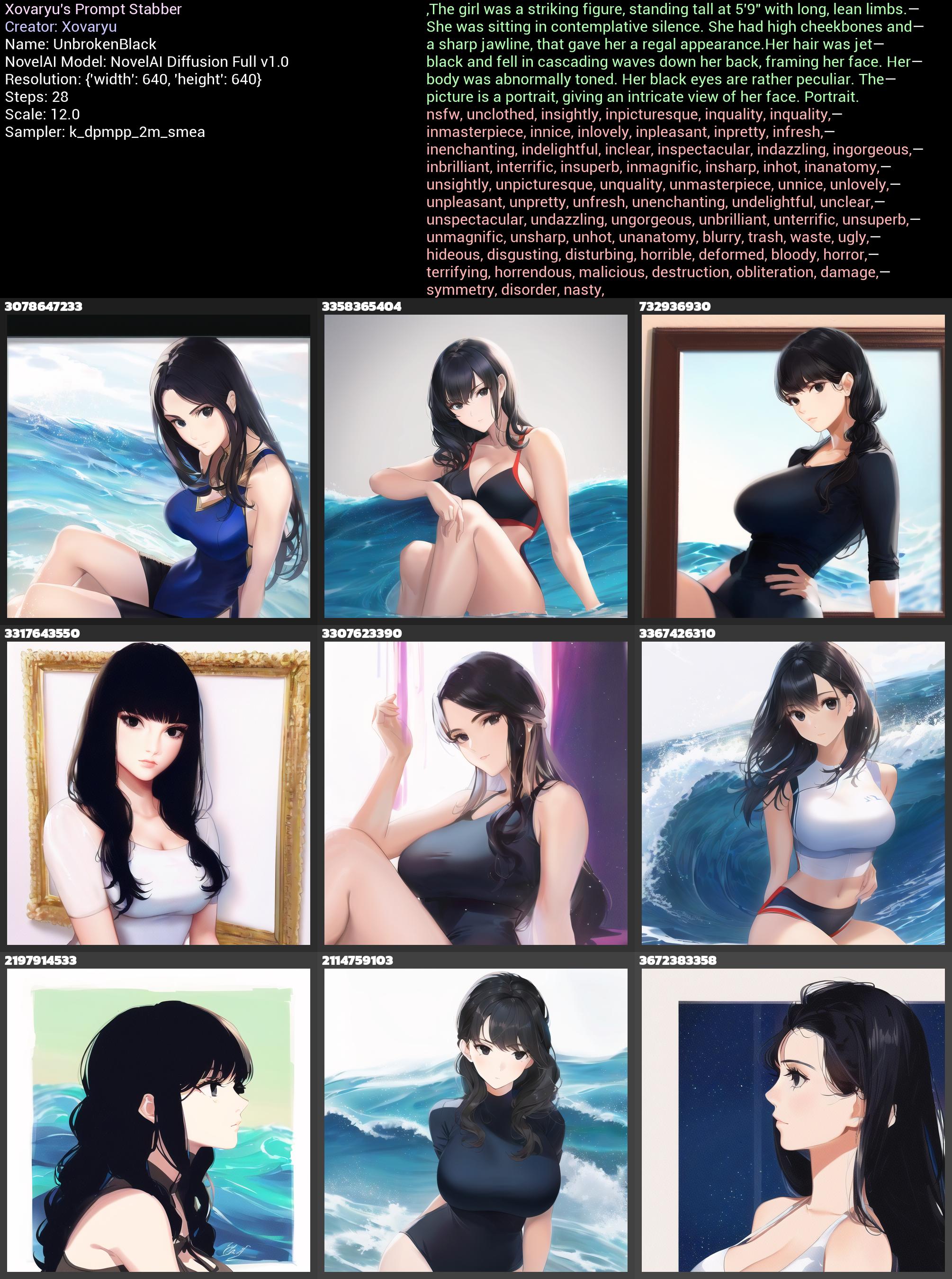
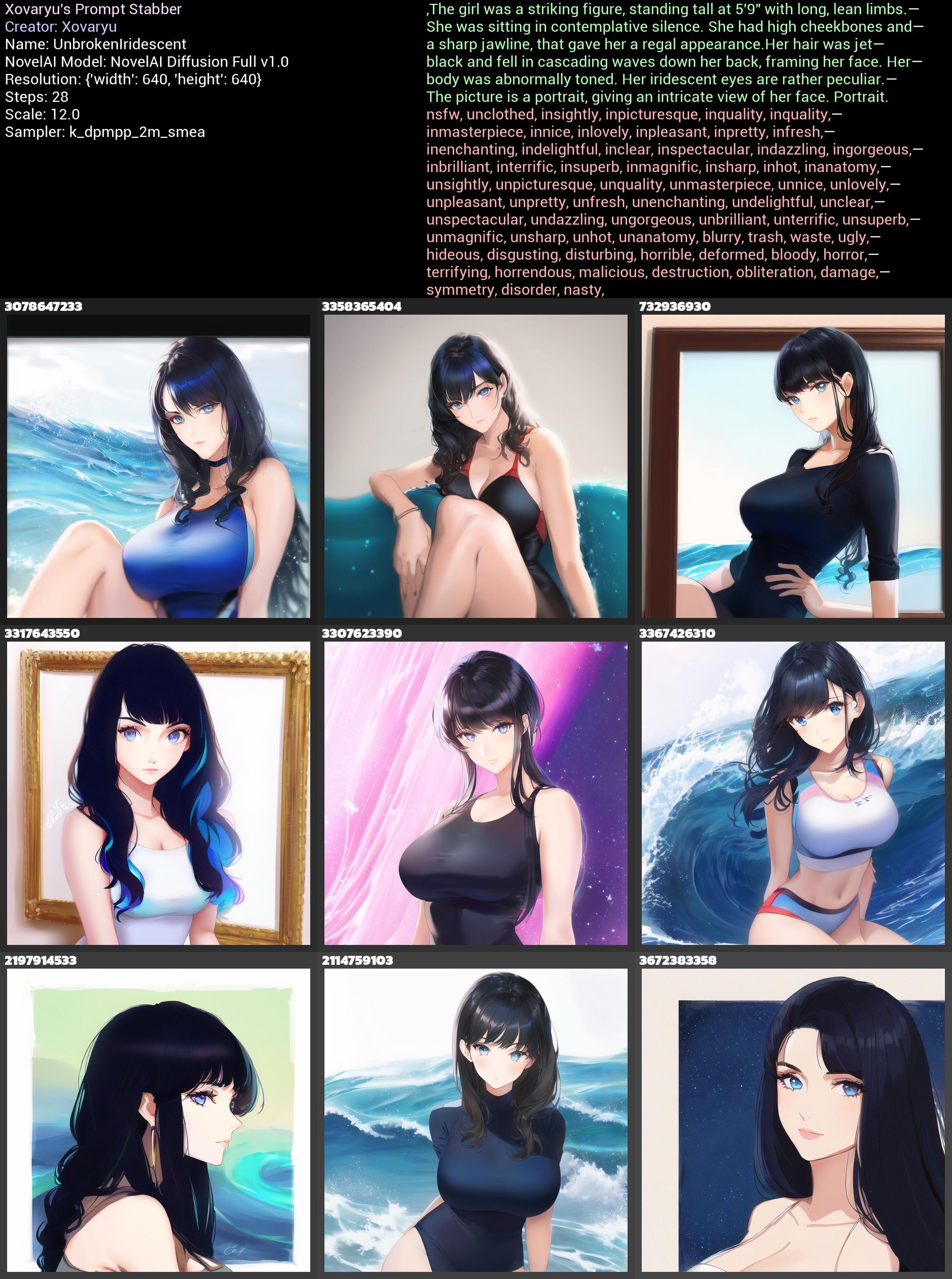
And yup. There it is. Black eyes and while the iridescence doesn't hit quite as hard, you can very easily tell the difference too. Let's just hit this home one more time. kitsune is also made of two tokens. What if we pad out a prompt with two instances of that vector at exactly 75 tokens distance (74 symbols with a cost of one token, and girl which is one token)... and then push both kitsune vectors through the cuts by adding just one more symbol at the beginning two times?
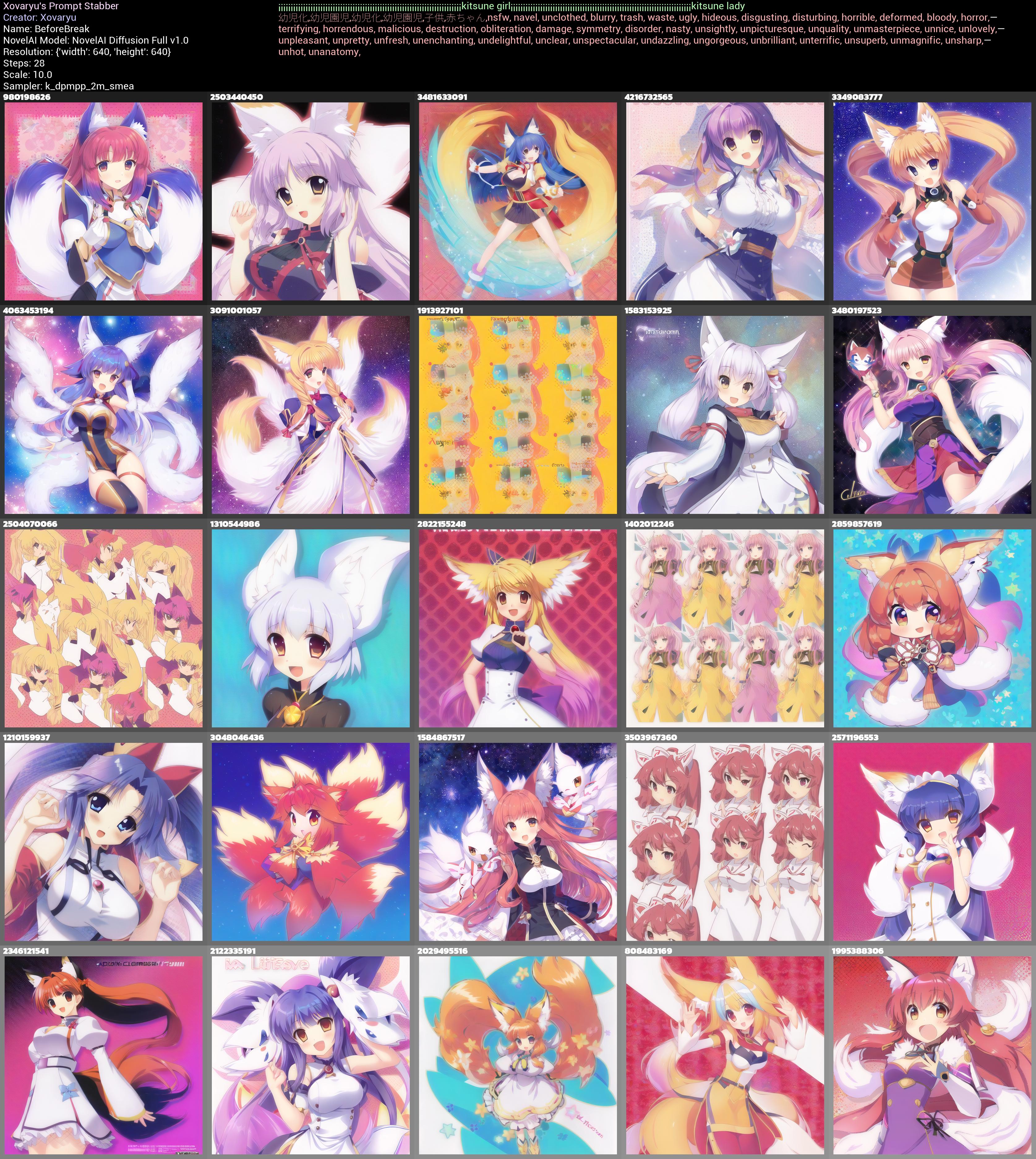
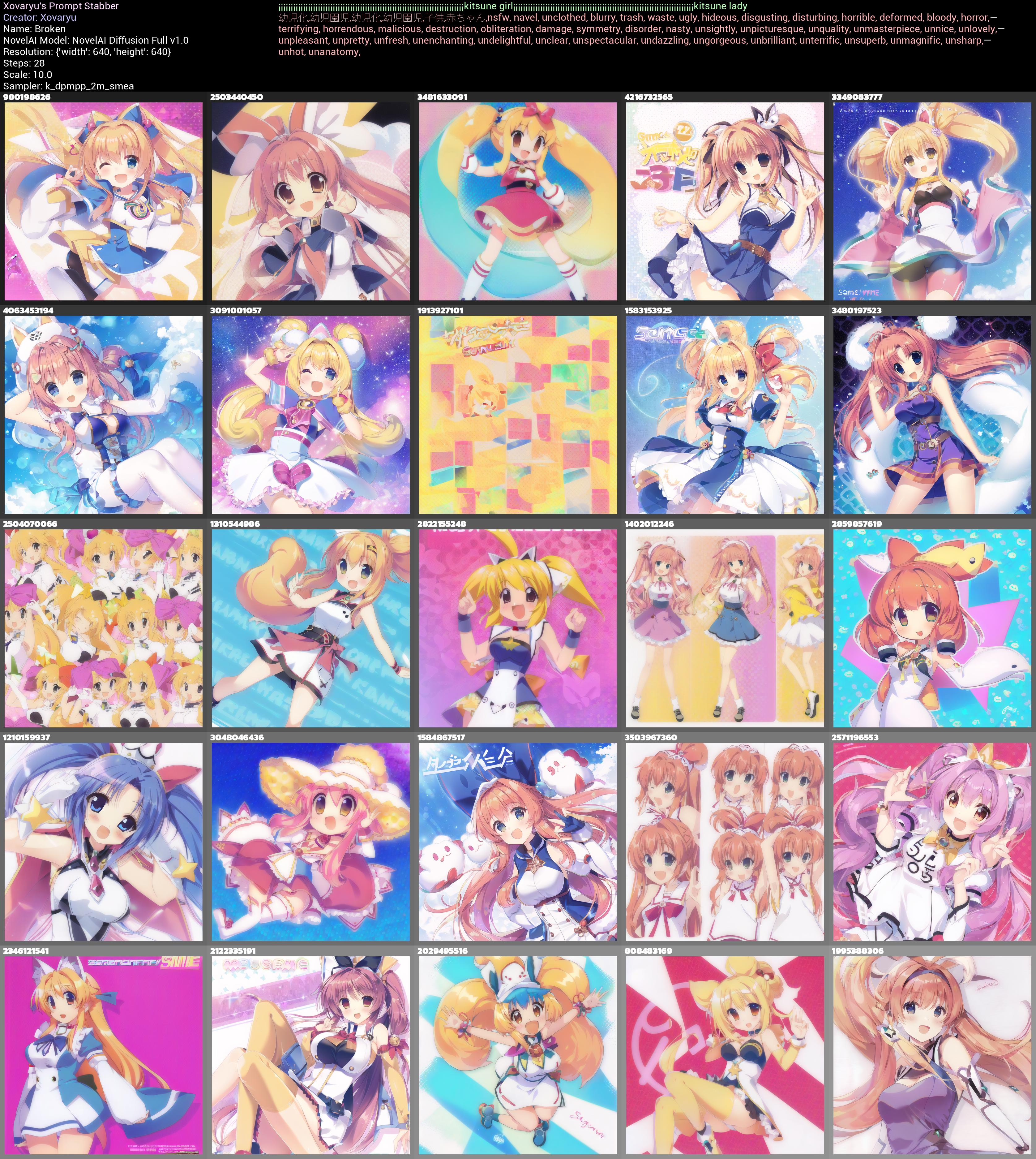
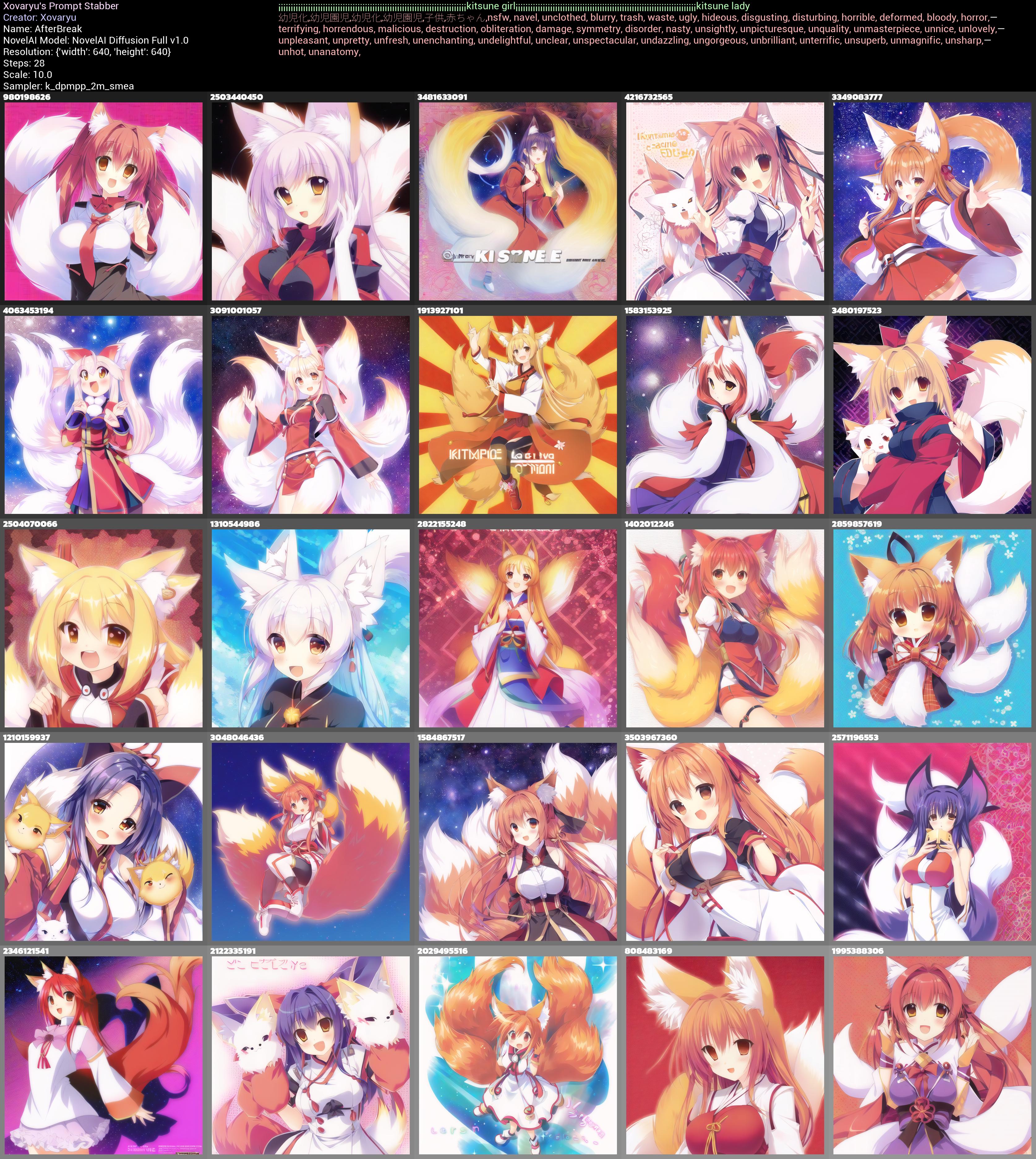
The difference is as one should expect now, devastating. When both kitsune vectors are right where the cuts are, they get split in half, and their effect is nigh extinguished from the prompt.
And let me draw your eyes to another detail. See how the last collage, where the kitsune is the first in chunks 2+3, is a little more sane on the whole "I want a kitsune" business then the first one where kitsune is the last vector in chunks 1+2? How in the first collage when kitsune isn't at the beginning of any prompt section you even have 3 seeds that kinda fail just generating a single proper person, one of them with an epic fail, while the last collage with the kitsunes at the beginning really has no such problem?
When it's said that the first vectors in your prompt hit a little different and are more decisive, this doesn't merely count for whatever you put right at the beginning of the prompt overall, but rather it counts for all tokens at positions 1/76/151 and up.
So my personal recommendation when you're not just winging a prompt but are actually trying to fine-tune it, maybe to get something hard or to push the quality: Use the token counter (but also keep in mind the token count on the website may be slightly off, you've been warned), pad out the cut zones with a couple of fitting symbols or at least non-critical content, and do not write sentences or words that need each other across the cuts.
Awareness of the latent space
All of this together means that there is truly a lot of stuff you can do to alter a prompt and also a specific generation. For any generation you have there is a myriad of possibilities just around some corner. Think of your generation as being a single point in a vast space, and there is an obscenely large number of similar yet slightly different generations in the vicinity waiting to be discovered. Likely the most prevalent one to mess around a little with is the scale/cfg/guidance (it's constantly called different things), giving you a single dimension, up and down. But any tiny change you can make in your prompt will also get you to a slightly different place. Add or remove a well-placed space or symbol in the UC/prompt and you might just navigate
your way to a more agreeable place in the latent space. This can be useful when something in the picture (like hands, notoriously) failed to generate properly, but the picture is otherwise good.
As for that picture in the beginning, here's what we find with a couple symbols at the end and scale reduced to 10.
{{{{masterpiece}}}},incredible detail,autumn leaves,{fox girl},{{disheveled hair}},{{{{fluffy tail}}}},smile,{{nightsky}}. . . ,
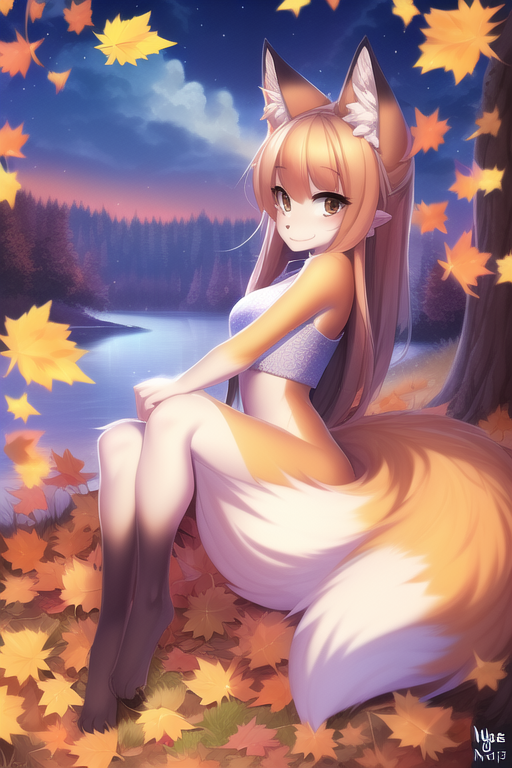
Would you look at that? Both tails are attached now. Obviously there's any number of things one might want to change still. Like the face. The smile is kind of... off.
Now this was all written back for V1 where in-/outpainting wasn't a thing. But now it is, so really, that's most likely what you will want to go for instead.
Syntax and AI grammar
General Rules
English, as is customary for language, has grammar. Stupid grammar.
Plurals for example. Apple? Apples. Orange? Oranges. Cat? Cats.
Woman? Women...
Child? Children...
Goose? Geese...
Matrix? Matrices...
Let's make ourselves right away keenly aware of one fact here. AIs like CLIP don't learn their understanding of English from a textbook, dictionary or teacher. They try to derive general knowledge from the things they encounter, that's image/text pairs for CLIP. General rules like an "s" at the end of a word for plurals? Good. Crap like irregularities? Bad. And that even aside from the simple fact that these irregularities waste space. In normal human language this is just inefficient and annoying, but in AI systems that generate content deterministically from prompts that's actively detrimental and problematic. Old ChatGPT will pray up and down you should always use perfect English grammar because that's what stuff like current image generators are training on, but let's say the truth out loud... for image (and in the future video) generation it isn't that simple. When you write prompts you will first and foremost want the AI to understand it and give you the results you are thinking of. Now sure, if you have no clue, in case of doubt, try the intuitive standard way first. If it works perfectly? Great, no need to fix what isn't broken. If not, you might want to try and write in a way that may look weird to a human, but will make more sense to the AI.
Assume for a moment you have a plural noun with an irregular form, and that irregular form isn't in the dataset or not sufficiently, for whatever reason. Then that irregular form simply will not have the right meaning to the AI. How could it? The standard way may fail you for whatever reasons.
Of course it gets worse. Moose? Moose. Bison? Bison. Aircraft? Aircraft. Now we're explicitly relying on external context to tell singular from plural apart. Brilliant. What could possibly go wrong? Well for AI systems as it is, a lot. Heck even as the systems will naturally get a lot better this will remain a hassle. And if you go that far with your engagement with AI systems, what about custom words you have coined yourself that are trained into the AI and may not follow the general rule? Same issue.
Let's briefly sanity check that. What if we use just aircraft as a prompt? We'd expect mostly a single aircraft, but because the word inherently will be contaminated with its own plural, we shouldn't be surprised at generations that come cracking out of the gate with a plural. At the same time we'd expect aircrafts to be more reliable at giving us multiple aircraft. Right?
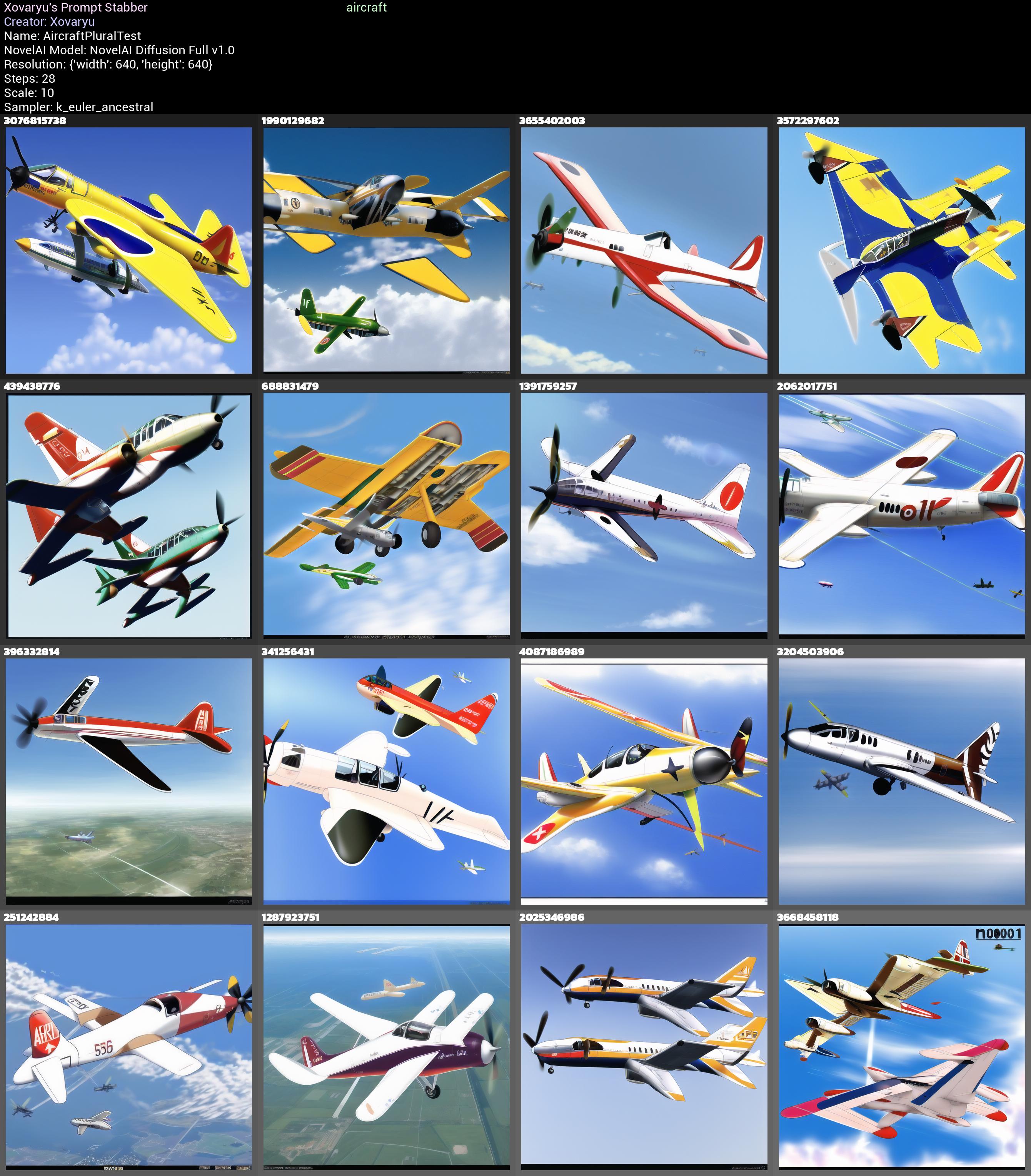
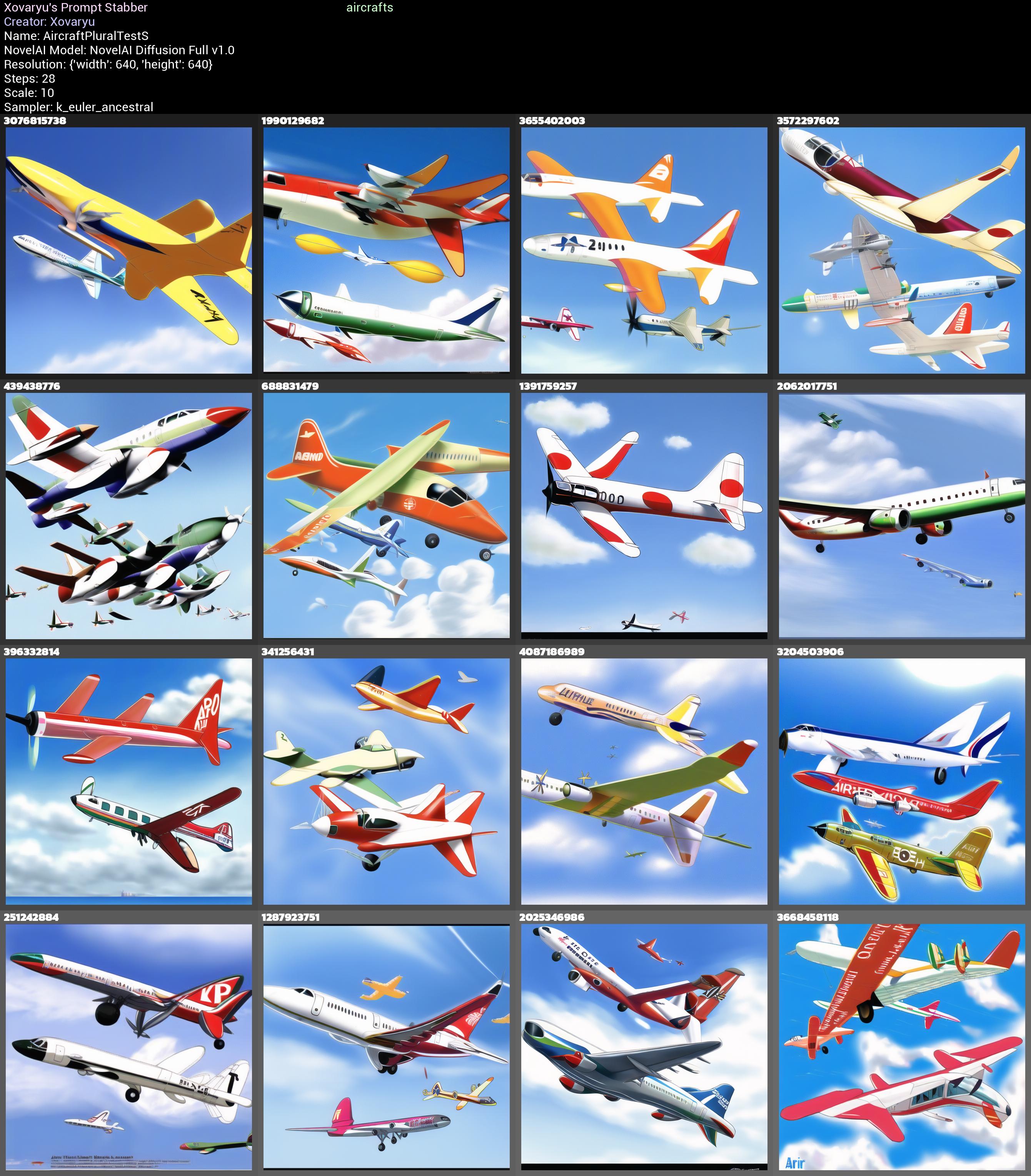
Right... sort of. The contamination of the plural interpretation is pretty heavy already. Stupid language norms, stupid results.
So if we'd want really just one we could opt for single aircraft and search for a cooperative seed (thanks to the contamination of our glitchy language that is still not perfectly reliable), or something like multiple aircrafts on the other hand if we really mean the plural. Of course multiple aircraft also helps, but it's certainly most effective to just combine them, and one s at the end isn't precisely costly. Don't kneecap yourself with perfectly human English when it's an AI and not a human you're talking to. Of course the story is different for a text-based AI with which you generate text to be read by humans. But that's probably not what you're after here. It's the generated imagery.
(If you ask me... such generative AIs should be trained on a version of English or possibly other languages that are brutally pruned and have 100% of their irregularities excised. Ideally numerous ambiguities should simply be disentangled too. That'd make things substantially more straightforward and reliable, and probably would increase quality as well. But... let's be real. That isn't gonna happen.)
Let general rules be your friend and helper wherever you find them, and don't get bogged down in whether it looks kosher or not. And especially if you investigate the tags of the datasets and how certain models were trained there's much in the way of useful general rules, and more often than not, if they are general, they are GENERAL. Take for instance two ways of getting monster people out of NAID Furry, X monster girl or species:X. Be a little wary of the latter way of writing since : is re-interpreted when prompt mixing and will mess your crap up. But that's fine, just species X will do it. Nigh any other symbol in between shouldn't pose an issue either, though of course some will work better than others.
If these rules are general... why not test that with something a tad out there? Squirrel people... but instead of just using squirrel why not use their family name Sciuridae instead? Would that work?
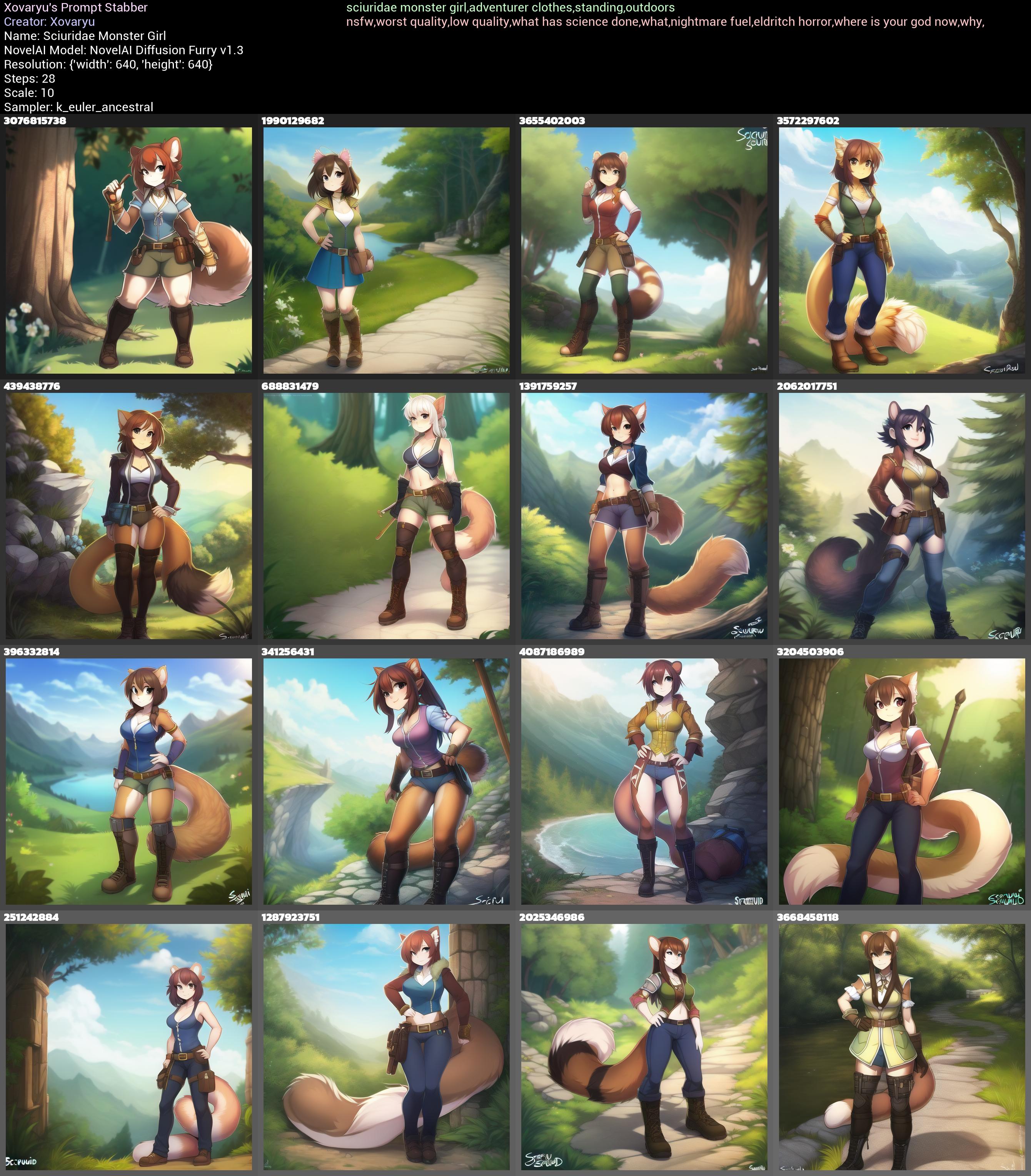
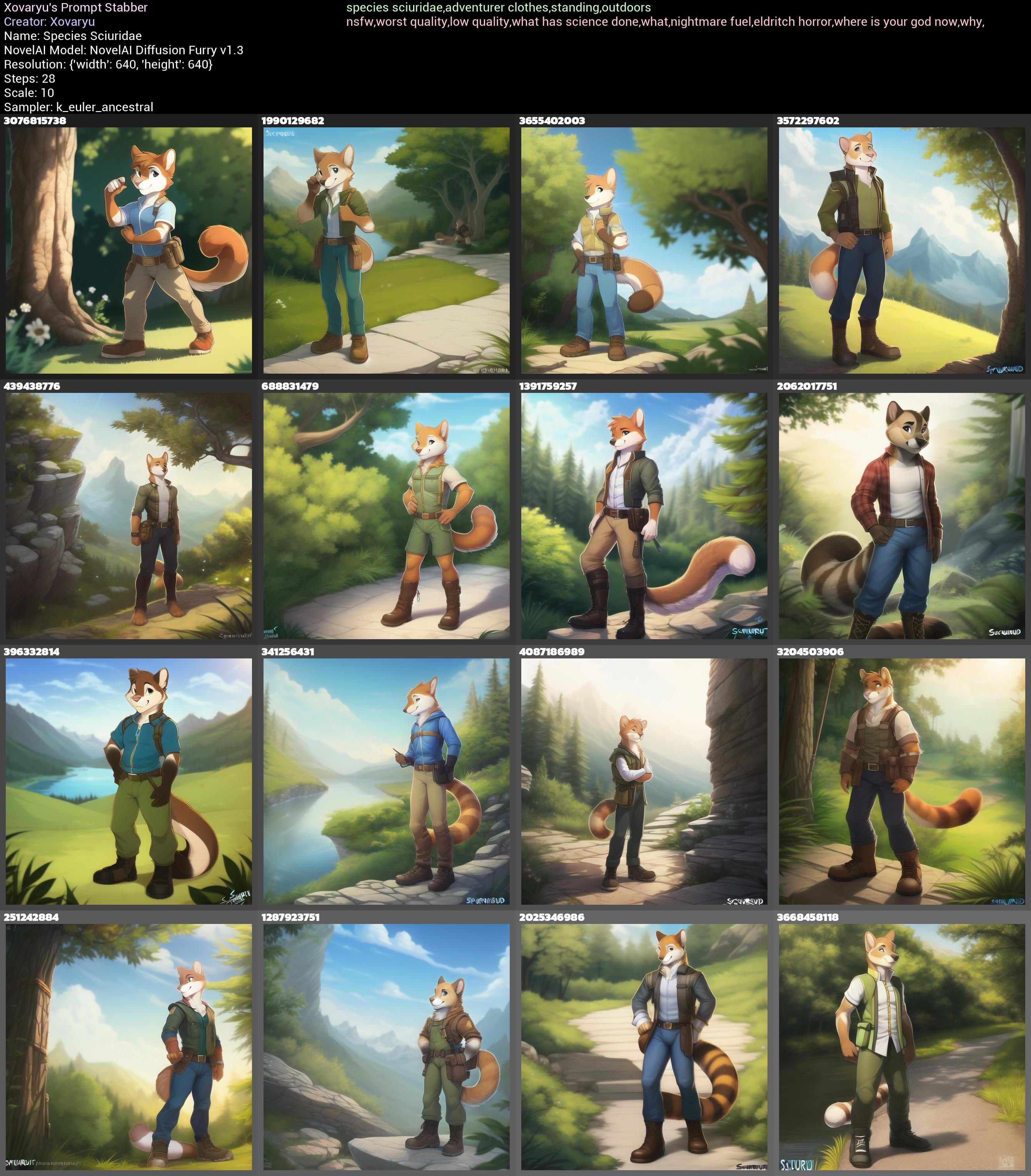
Yup. That works perfectly fine. Again, picture quality is questionable, but keep in mind this is about the working principle, this is neither how I'd really write a good prompt, nor how I'd go about generating good pictures.
Of course the female term can be replaced too. squirrel monster lady or squirrel monster lass are workable too. You could even roll with 🦊 monster 👩 and get mostly expected and useful results.
Strengthening VS Repetition
Certainly you are aware (or should be if you got this far) that you can strengthen parts of the prompt. In NAID that is done with curly braces {} (which multiplies the weight for the contained vectors by 1.05 for each set of braces, or divides by 1.05 when weakening with []). But sometimes strengthening something just doesn't cut it, and strengthening something too far breaks stuff. There's another simple and obvious tool you should have in your toolbox, that you may... or may not have thought about enough. Repetition.
Let's take a somewhat peculiar examples. Panties on a bed, but without a person. The issue here is, the AI is a wee bit horny, and where would panties be on a bed if not on a girl wearing them?
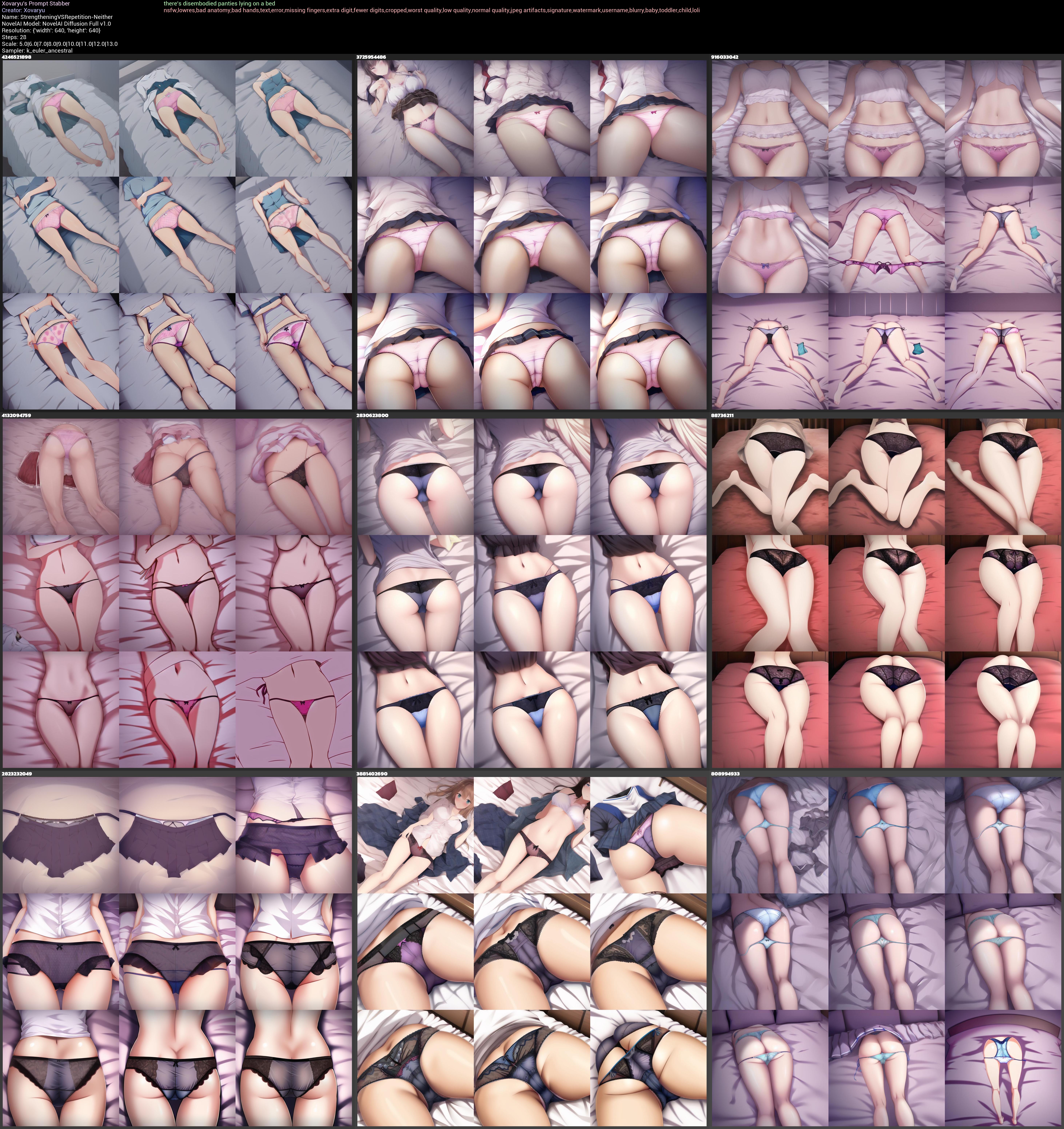
Indeed there's disembodied panties lying on a bed is pretty reliable in not getting us where we're trying to get. Strangely enough removed panties or panties removed tends to perform even worse, despite panties removed technically being the correct Danbooru tag.
Let's check in with just strengthening:
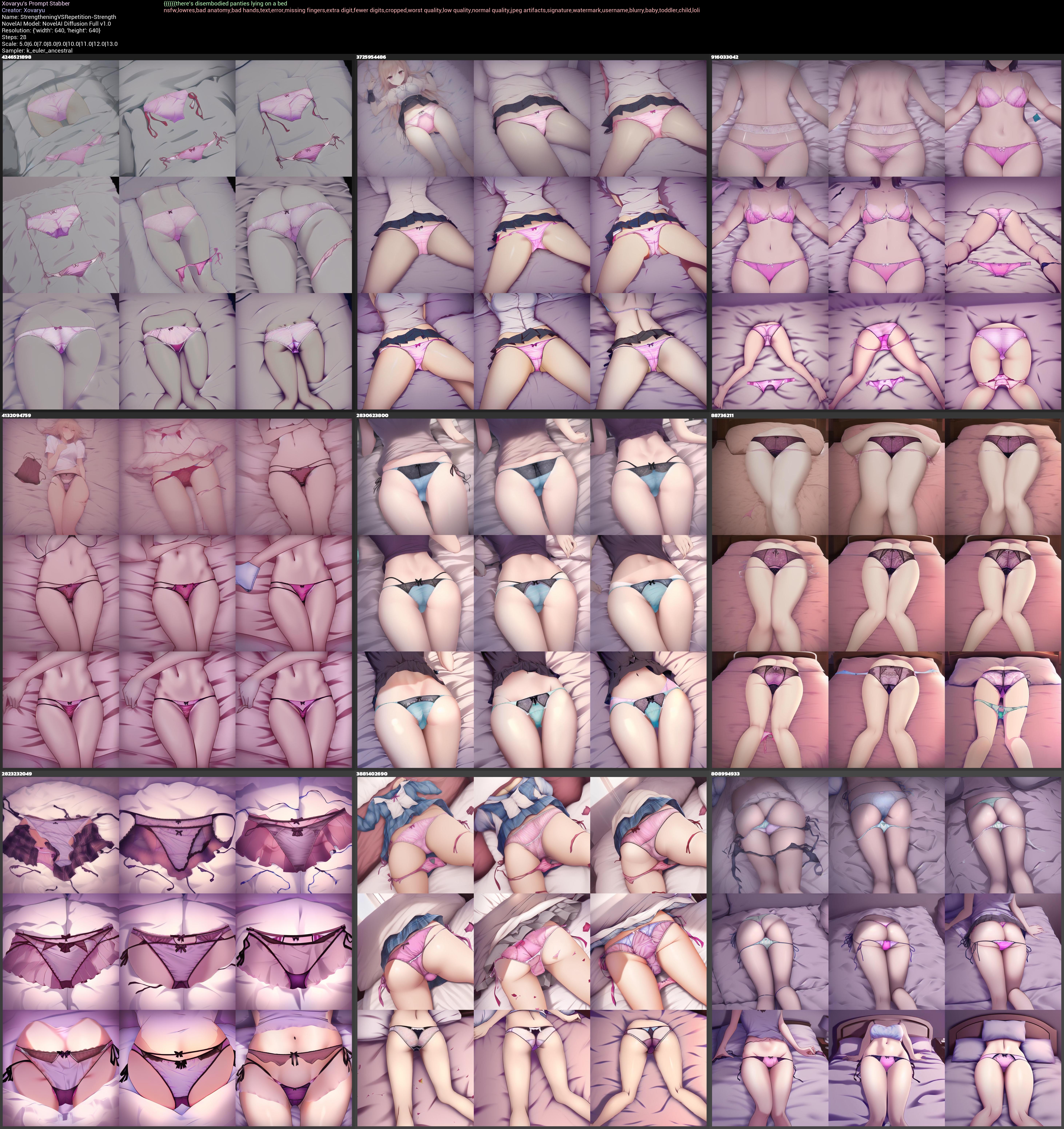
That's clearly a little better, but also really not much. Repetition?
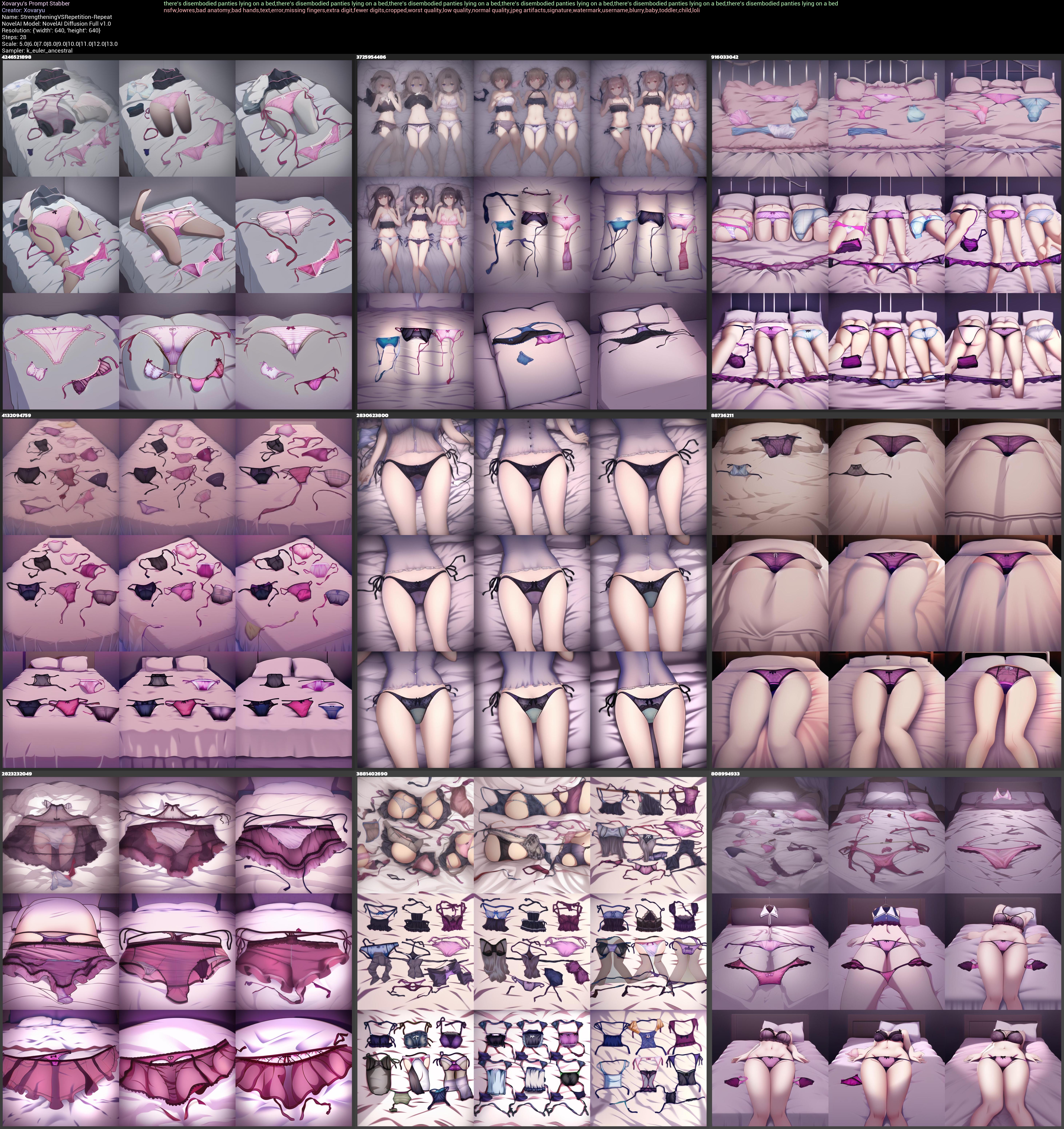
Even better. It's certainly trying at least, though it's far, far from perfect. But it's good enough at least that enough seed exploring should find the one or the other one that works well, and it should be good enough too for img2img to work sufficiently reliable.
Of course strengthening and repetition can be combined too:
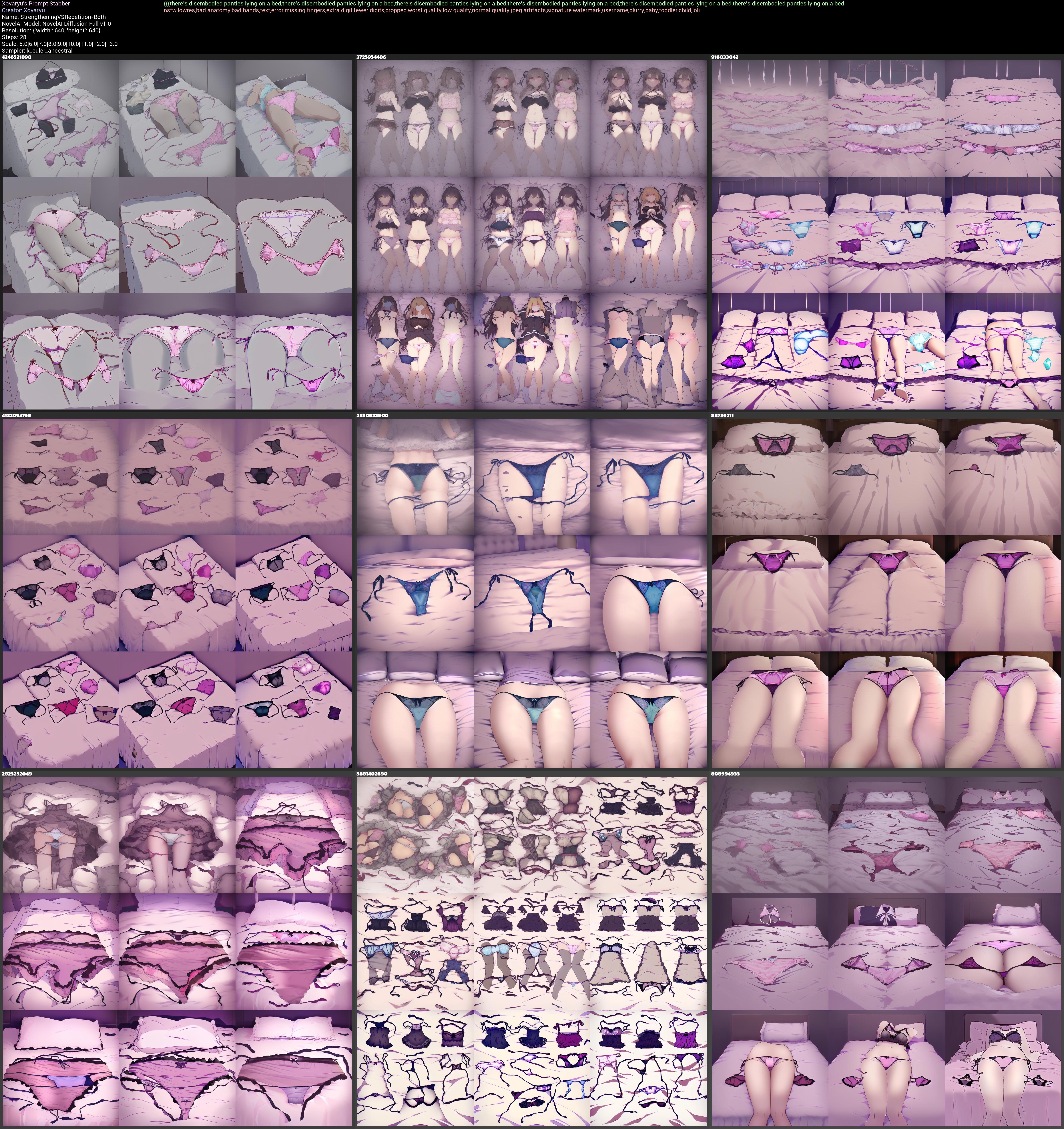
There's at least a couple workable results.
(And I also have no doubts that there are better, possibly substantially better ways of prompting this. But this is all the same a decent way to get the point of using repetition across.)
So yes, sometimes repetition is just good to have around. Especially with symbol sequences, which we're gonna have a peek at in the next segment. In some ways repetition is similar to strengthening (albeit with a token cost), but it's also different. And the two can be combined. Of course no one is stopping you from reinforcing concepts by using multiple similar ways of referencing a certain thing, like kitsune,foxy lady,vulpes girl or girl,lady,woman,female.
Symbol Styles
Symbols? Yeah. They can be great. And I mean if used correctly they can be ridiculously powerful and useful. Let's have a look at a... wee
little problem that NAID V1 Anime suffers from (this isn't really an issue with V3 anymore).
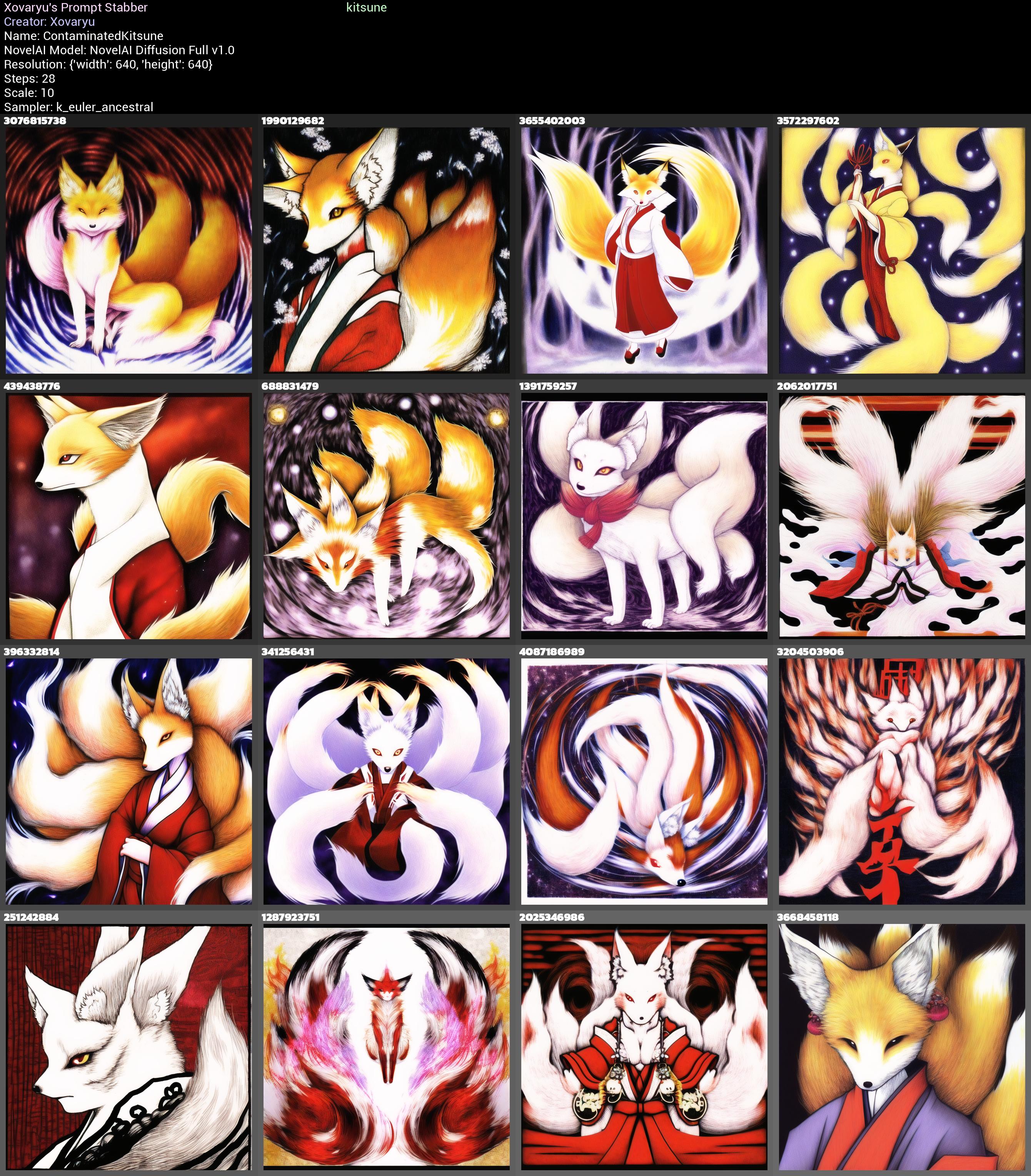
Well frickin ouch. kitsune as a vector is just contaminated as fuuuuuuuck. Sure, technically speaking the word just means fox, so it's not entirely off-base, but don't think that fox girl or even kitsune girl or the likes will be just patently clear to the AI in turn.
Of course a nearly blank prompt with no UC is going to show this harsher than it will be even with just slightly more serious prompt writing. But even then don't think you won't get the occasional or regular visit of random animals instead of foxy ladies, because you more than likely will. Or humans with fox heads. Possibly also just humans without any foxy traits.
Well there's no way we'd just throw a couple specific symbols at it and nigh magically make it interpret kitsune as "foxy lady in an anime style". Right? Well...
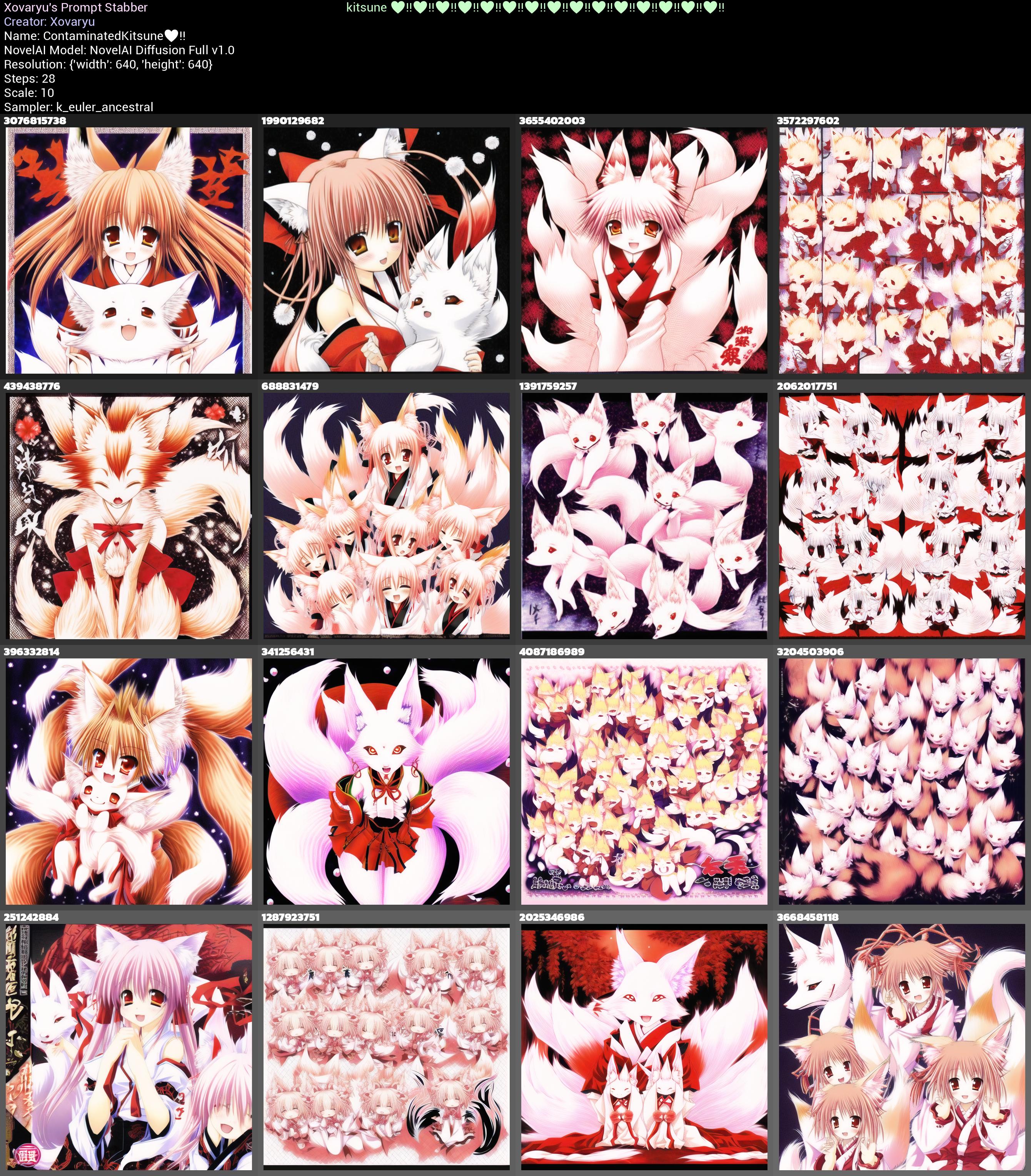
kitsune ♥‼♥‼♥‼♥‼♥‼♥‼♥‼♥‼♥‼♥‼♥‼♥‼♥‼♥‼♥‼ gives us this:
kitsune ♥‼♥‼♥‼♥‼♥‼♥‼♥‼♥‼♥‼♥‼♥‼♥‼♥‼♥‼♥‼♥‼♥‼♥‼♥‼♥‼♥‼♥‼♥‼♥‼♥‼♥‼♥‼♥‼♥‼♥‼♥‼♥‼♥‼♥‼♥‼♥‼♥‼♥‼♥‼♥‼♥‼♥‼♥‼♥‼♥‼ gives us this:
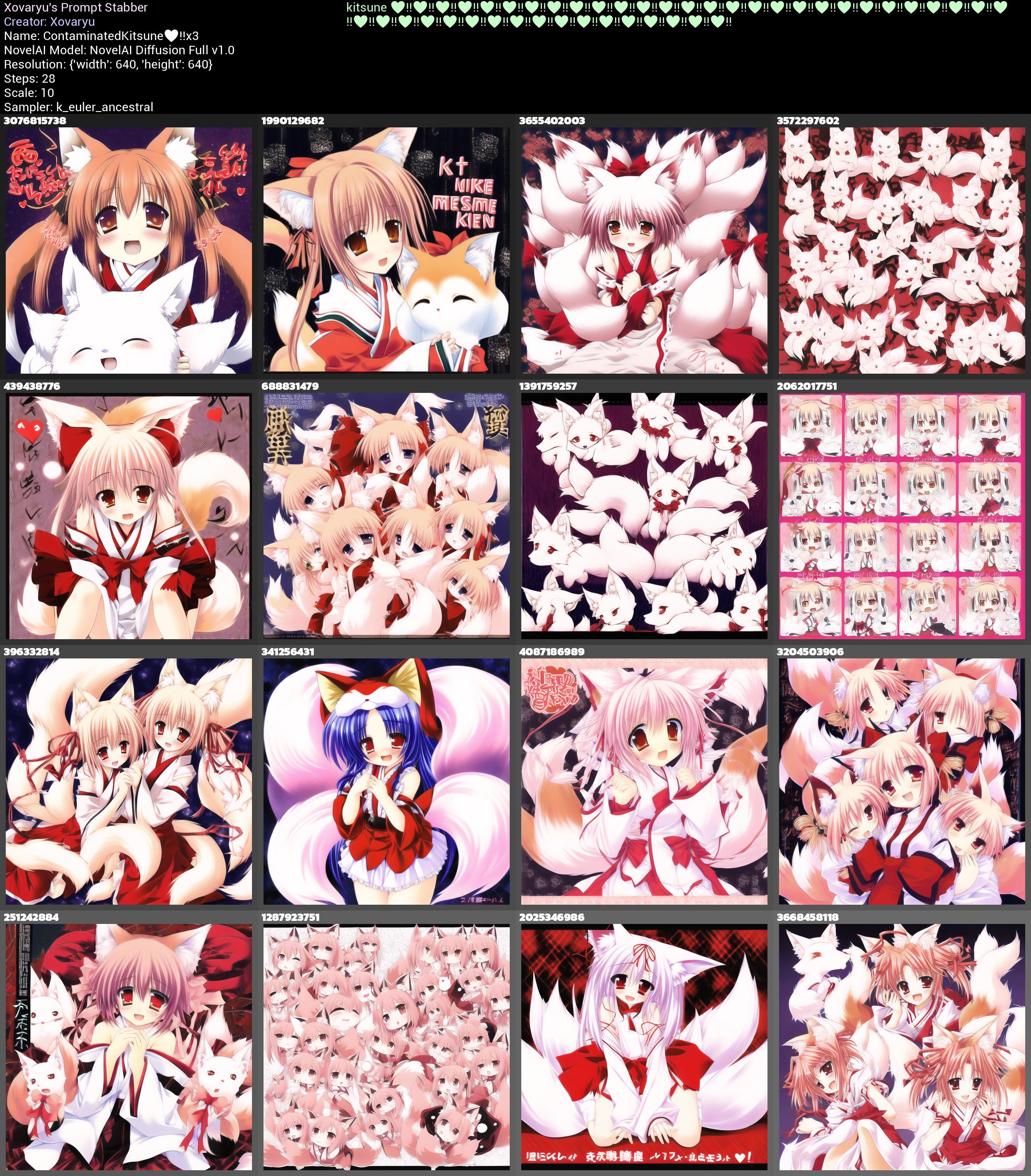
That difference is so extreme that even months later making these sample collages for this Rentry I'm still surprised. Sure it's not a 100% success rate here, but this level of improvement without any other improvements to the prompt and a completely empty UC? I wouldn't believe it if I hadn't seen it work so flawlessly myself. In the second case it's actually a change from 0% foxy humanoids to 87.5% foxy humanoids if we consider that only seeds 3572297602 in the upper right corner and 1391759257 in the middle upper right corner stayed feral.
And let's check in with strengthening just those two symbols as well:
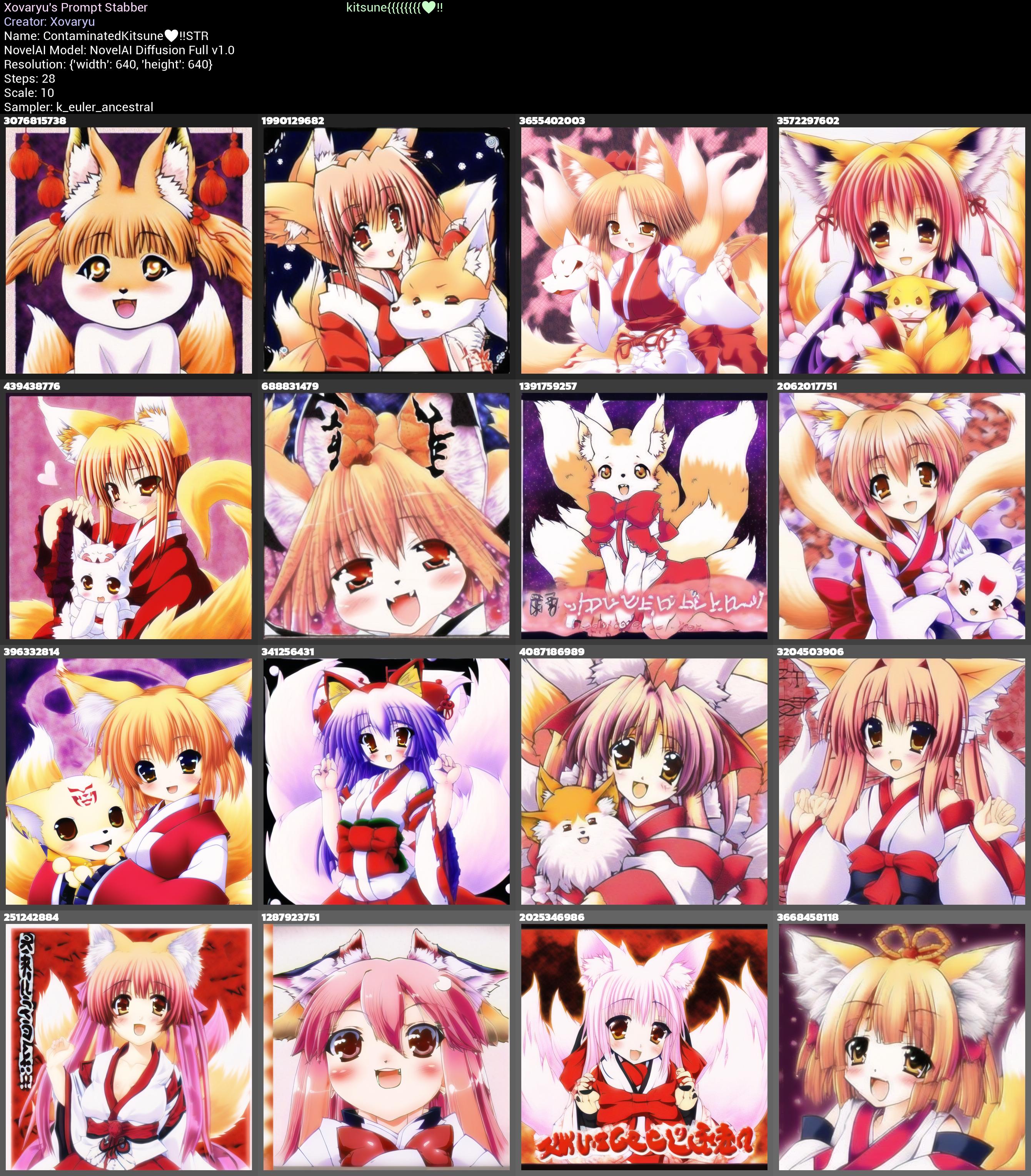
Clearly shows a very powerful effect as well. Though the results are still a little... on the strange side.
Well then let's try this with a just slightly better prompt and some UC. kitsune,couch,sitting as the prompt and NAI's default LQ+BA UC gives us this:
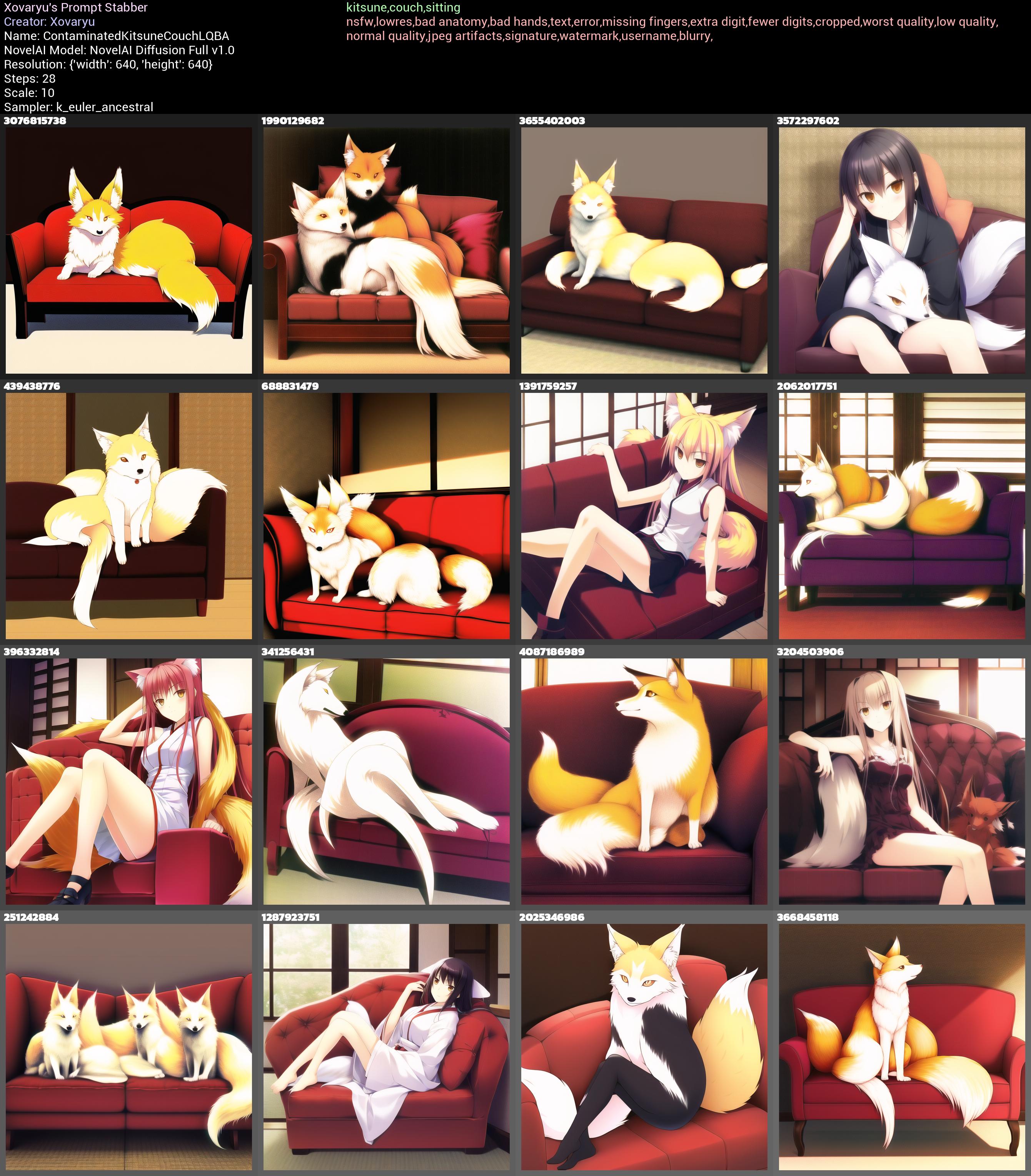
It's... better, as we'd expect. But it's also really not perfect. We've got 2 actual kitsune now and 3 humanoids albeit without fox ears. Not great. Let's just slightly alter it to kitsune lady,couch,sitting:
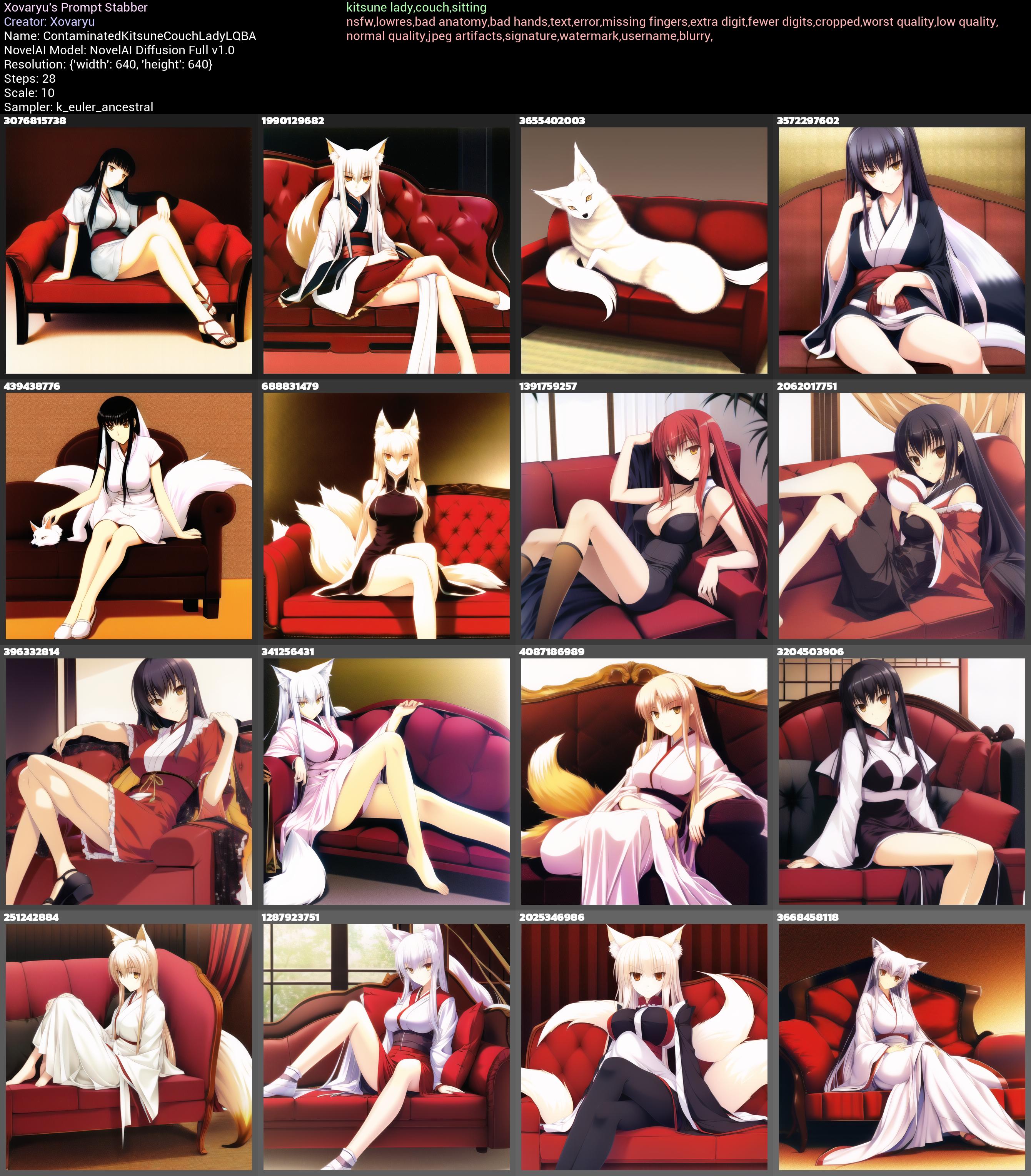
Again a bit better but... the 7 hits we got came at the cost of the 2 hits we previously had turning into fails now. And 7 out of 16 is still barely more than half. But then we add that symbol sequence and test kitsune lady,couch,sitting ♥‼♥‼♥‼♥‼♥‼♥‼♥‼♥‼♥‼♥‼♥‼♥‼♥‼♥‼♥‼♥‼♥‼♥‼♥‼♥‼♥‼♥‼♥‼♥‼♥‼♥‼♥‼♥‼♥‼♥‼♥‼♥‼♥‼♥‼♥‼♥‼♥‼♥‼♥‼♥‼♥‼♥‼♥‼♥‼♥‼:
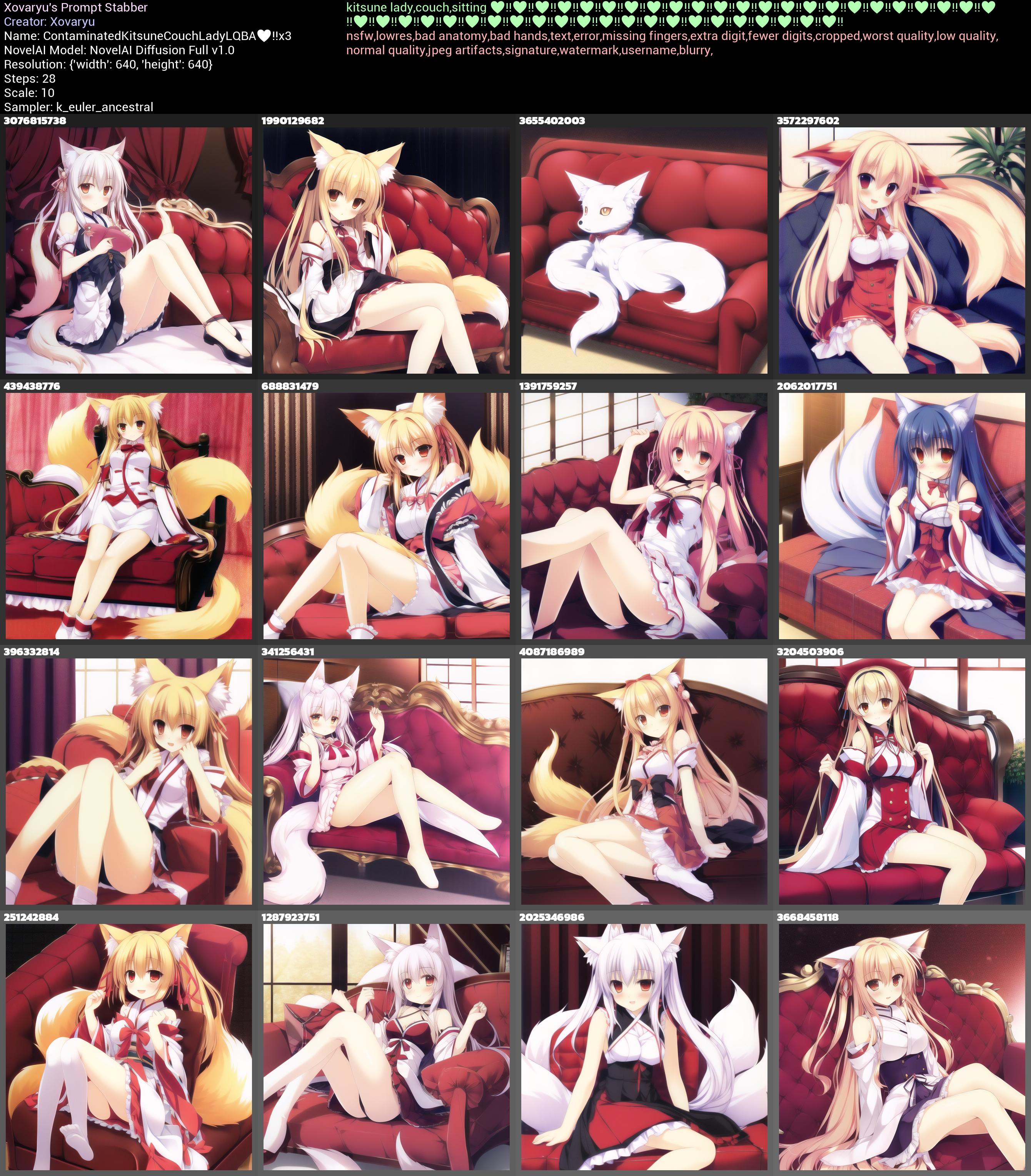
And that is 14 out of 16, with the only exceptions being 3655402003 which failed on all 3 of these tests and gave us an animal, and even then... that fox looks better with the symbols than without I'd argue, and 3204503906 which has no fox traits, though I would imagine that hat will change into fox ears somewhere close by in the latent space.
And not just that, but the style and details are, if you ask me anyway, substantially better. It's not even a contest.
Now let's just take what we learned and adjust it a tiny little more and reach that 100%. Adjust the usage of our symbol sequence a little, be a tiny bit more descriptive with the ears and tails, the basic quality tags...
best quality,masterpiece,kitsune lady,fluffy ears,foxy tail,couch,sitting,smile {{{{♥‼♥‼♥‼♥‼♥‼♥‼♥‼♥‼♥‼♥‼♥‼♥‼♥‼♥‼
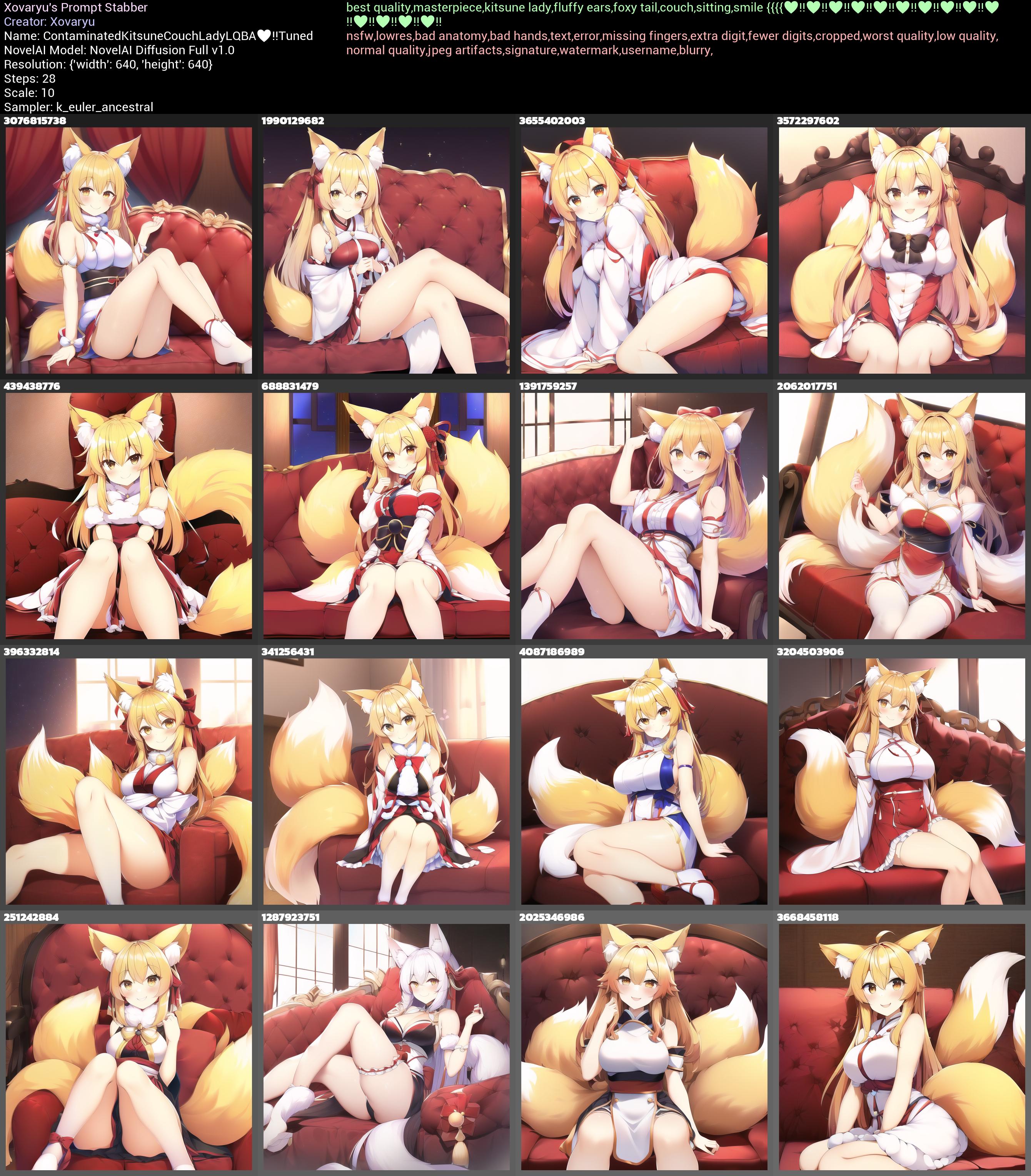
And there it is. Foxy ladies with fluffy ears and tails from beginning to end.
And if we check this final result against the alternative without the symbols?
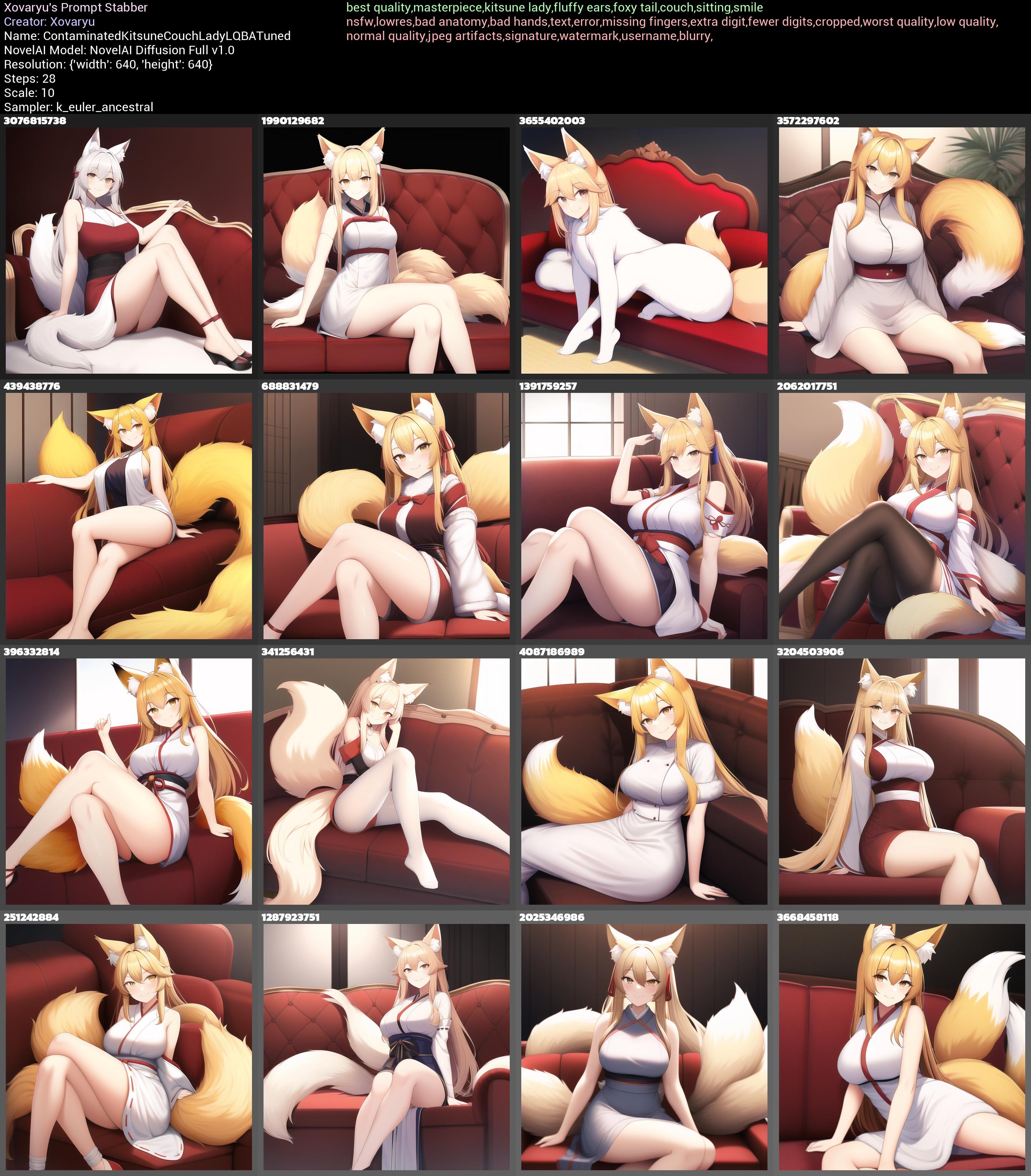
Well... The better prompt clearly already helps a ton by itself. But if you remember me saying that you're a lot more likely to be visited by undue attempts at making animals instead, may I draw your attention to the third image, seed 3655402003, again? Not to mention that with the symbol sequence everything is livelier and more detailed. Try to be aware of your options, what kinds of techniques can improve the understandability of the prompt to the AI, and what parts of your prompt may cause issues, and how to overcome them. Obviously it's not as simple as big booba,masterpiece,greatest art ever, click, and you're creating something groundbreaking. But if you're willing to learn, practice and experiment, the sky is the limit, especially as the technology matures.
Okay. Well then how the heck does that even work? Is it limited to NAID Full?
Let's answer that second question first. No. This also works in NAID Curated and Furry respectively, and also with V2 and V3. And we're gonna have a look at another use case in NAID Furry in a moment to try and answer that question. As for other models...? I'm pretty sure that many symbols will be useful in other models just as well, but the details may and probably will differ dramatically. I've only made rudimentary tests with Curated since I rarely use it, and also kitsune seemingly works much better by itself in Curated than it does in Full, so Curated doesn't need that trick as much to begin with.
Now NAID Furry has a somewhat similar issue with contamination. Humans and somewhat older characters tend to bring in... a pretty hefty corrosion of style.
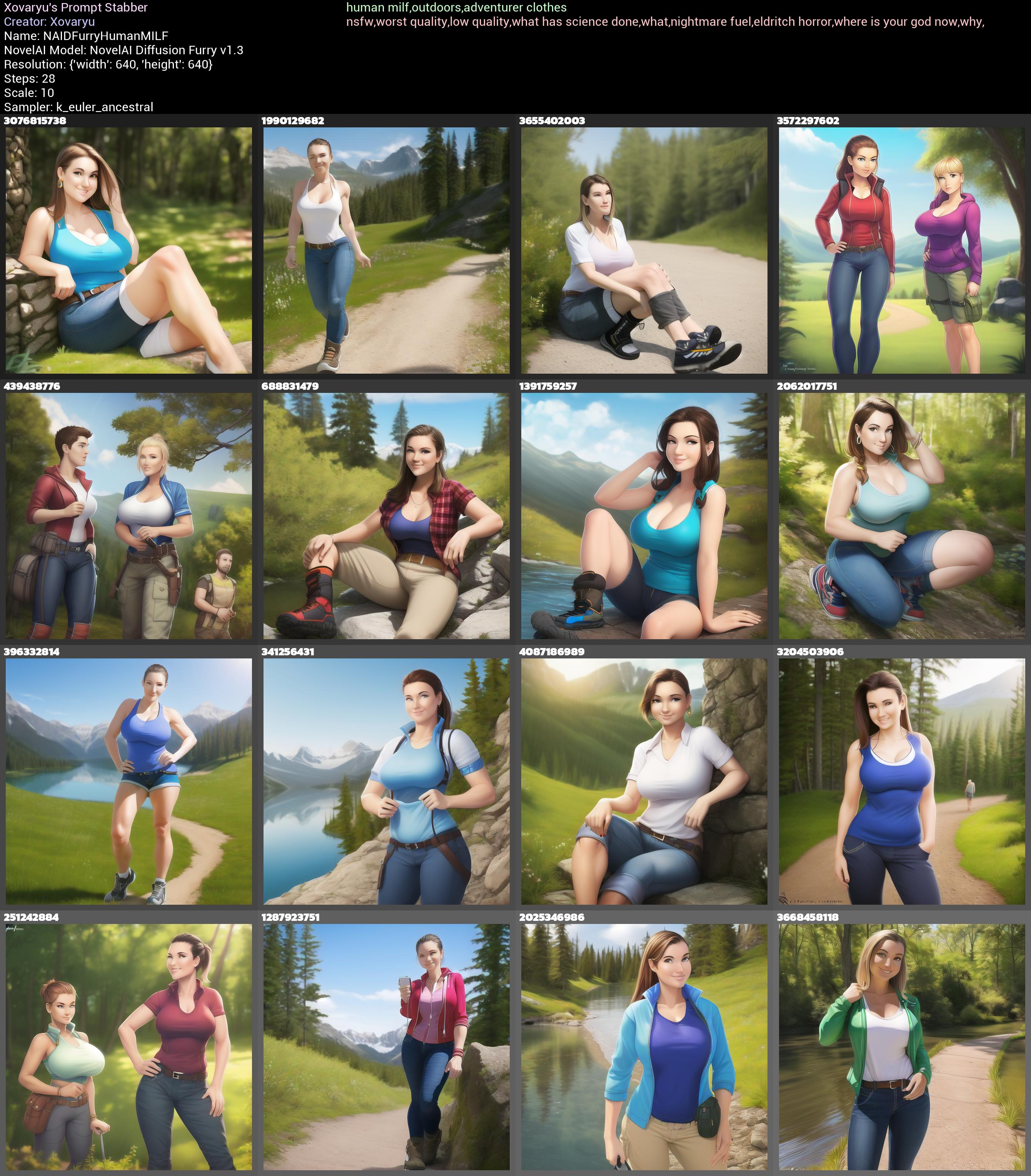
...I can't say I'm a fan. It's a severe deviation from NAID Furry's base style. The cursed eyes... That semi-realistic style that's suddenly creeping in is not something I'm digging at all, no judgement if you do. Sure, you can try and throw anime at it, put 3d into the UC... and those can help to a degree. But I have never found them to just work. And now we're going to... you guessed it, throw that symbol sequence at it.
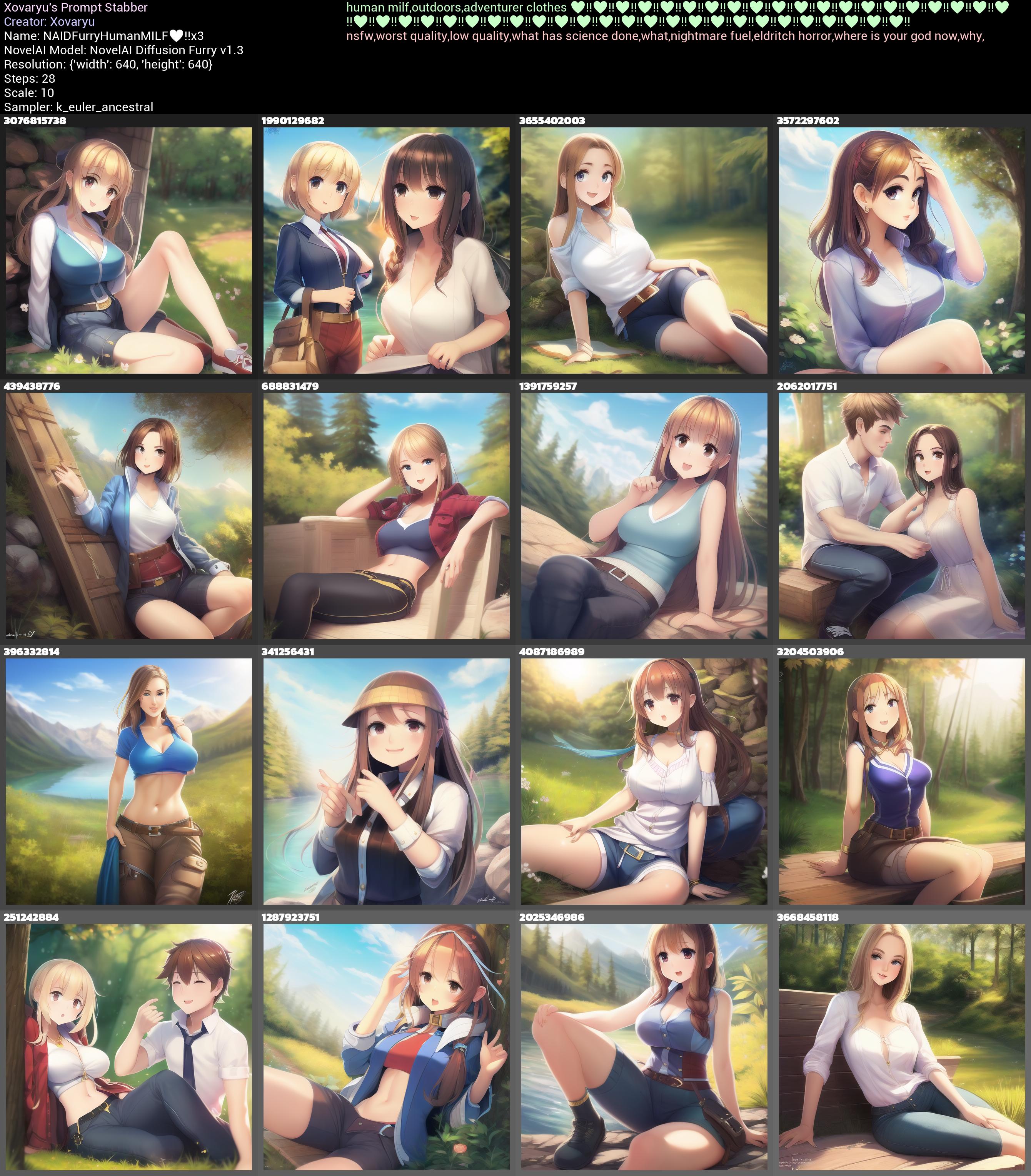
And... yup. I prefer this a whole ton. Sure, without finely adjusting the pictures a couple of the faces are messed up, some anatomy is off, but that's all easily fixable by writing an actually good prompt and UC, maneuvering the adjacent latent space and possibly some more direct img2img refinement. Not to mention that for both these humans and the kitsune previously there is so much room left to improve the prompt and UC.
Okay, let's theorize a little bit here. What I think (not know with certainty) is happening here is this: Many symbols have a pretty strong tendency towards a certain style. Specifically many heart symbols, not just ♥, and some symbols expressing excitement, here ‼ seem to give the AI the idea of specific styles. That's in this case a cutesy anime style the likes of which I very much jive with. These sequences have a pretty strong influence on that style, however they also cave easily on the content. Kitsune in that style aren't animals, they are foxy ladies, so you get that decontaminating effect in NAID Full. The same counts for humans and older characters in the Furry model. For my personal use cases at least that makes these symbol sequences frankly vastly more useful than trying to affect the style in other ways. Using these sequences always has a baseline predictable effect that is far more often than not precisely what I'm looking for, and with very little hassle. It's a decontaminator, quality vector and style enforcer all at once.
And that's just a sequence of 2 symbols. There is a whole ton of other options, and no doubt more things that do useful, or at least interesting stuff. A sequence of ♾▽ comes with a strong proclivity towards green scenes in general. Using a sequence of spaces and Left-To-Right Marks has a very strange proclivity towards red, reality glitches and melting faces... in V1. In V3 it may produce bratty demon girls instead because... reasons. If you have the time to experiment in a systematic manner, there's certainly more to be found.
Separators/Connectors
What about commas?
Are AI's like these trained on generally neatly comma-separated tags the way you'd find it on source image boards? Generally yes. Now what exactly is a comma even to such an image board? What is a tag?
Tags are IDs attached to an image, denoting the presence of some content within that picture. When searching for images on an image board the comma splits the text in such a way that the strings before and after can be attributed to a specific tag and ID. So say hat has ID 1 and shorts has ID 2, then searching for hat,shorts basically just translates into "find me all pictures that have
tags with the ID 1 and 2 attached". The comma acts as both a separator and connector. Simple logic.
For an image generating AI commas between words also work like connectors and separators at the same time... but it's not even remotely as trivial and clear cut. Why don't we just test and see what happens if we replace all commas with other stuff. Is it gonna mess everything up?
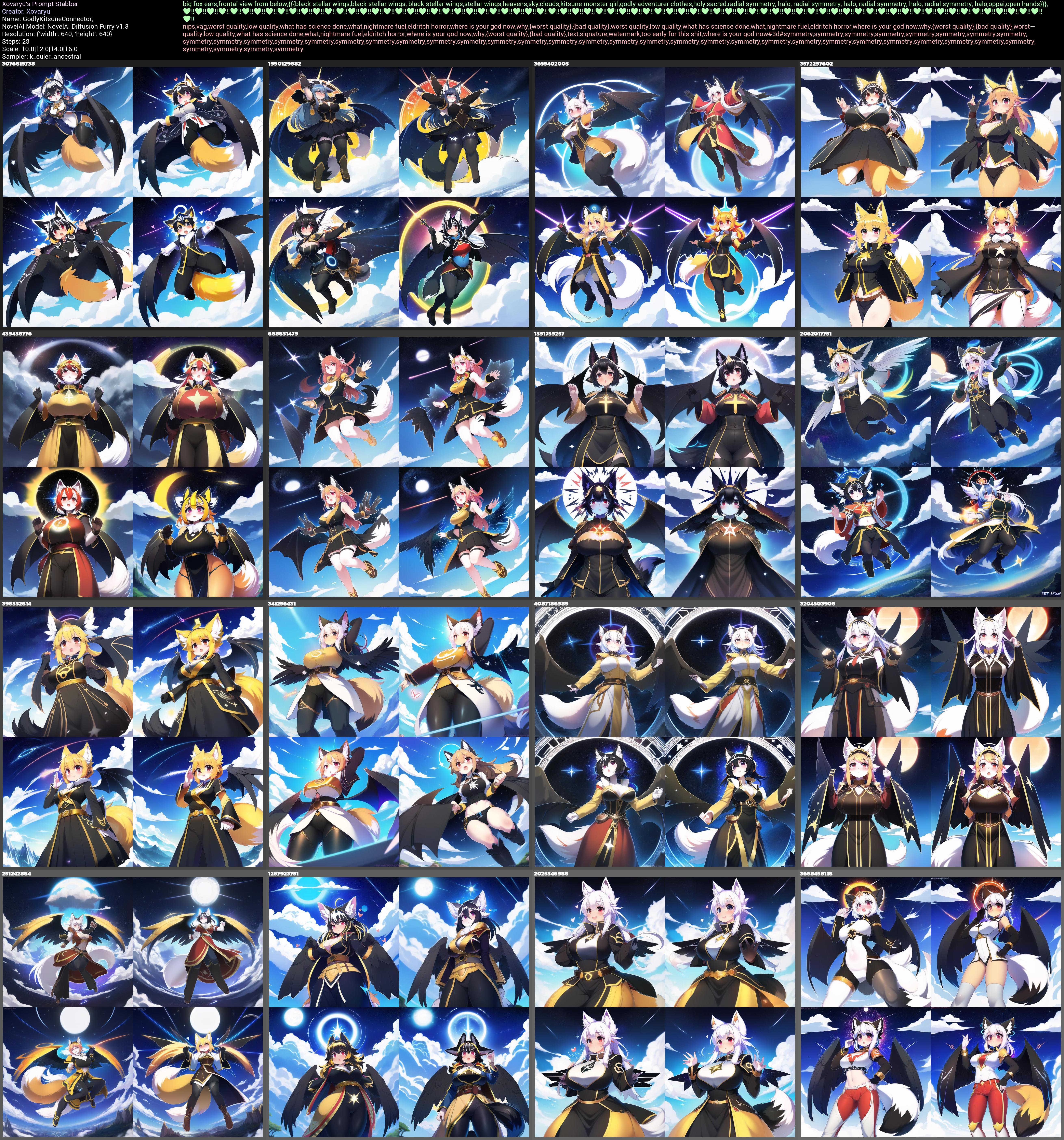
Well here's a comma separated prompt: big fox ears,frontal view from below,{{{black stellar wings,black stellar wings,black stellar wings,stellar wings,heavens,sky,clouds,kitsune monster girl,godly adventurer clothes,holy,sacred,radial symmetry,halo,radial symmetry,halo,radial symmetry,halo,radial symmetry,halo,oppai,open hands}}},♥‼♥‼♥‼♥‼♥‼♥‼♥‼♥‼♥‼♥‼♥‼♥‼♥‼♥‼♥‼♥‼♥‼♥‼♥‼♥‼♥‼♥‼♥‼♥‼♥‼♥‼♥‼♥‼♥‼♥‼♥‼♥‼♥‼♥‼♥‼♥‼♥‼♥‼♥‼♥‼♥‼♥‼♥‼♥‼♥‼♥‼♥‼♥‼♥‼♥‼♥‼♥‼♥‼♥‼♥‼♥‼♥‼♥‼♥‼♥‼♥‼♥‼♥‼♥‼♥‼♥‼♥‼♥‼♥‼♥‼♥‼♥‼♥‼♥‼
Of course we need something to compare it to. Let's replace all commas with something that honestly really has no business there, the "Right-Pointing Double Angle Quotation Mark": big fox ears»frontal view from below»{{{black stellar wings»black stellar wings»black stellar wings»stellar wings»heavens»sky»clouds»kitsune monster girl»godly adventurer clothes»holy»sacred»radial symmetry»halo»radial symmetry»halo»radial symmetry»halo»radial symmetry»halo»oppai»open hands}}}»♥‼♥‼♥‼♥‼♥‼♥‼♥‼♥‼♥‼♥‼♥‼♥‼♥‼♥‼♥‼♥‼♥‼♥‼♥‼♥‼♥‼♥‼♥‼♥‼♥‼♥‼♥‼♥‼♥‼♥‼♥‼♥‼♥‼♥‼♥‼♥‼♥‼♥‼♥‼♥‼♥‼♥‼♥‼♥‼♥‼♥‼♥‼♥‼♥‼♥‼♥‼♥‼♥‼♥‼♥‼♥‼♥‼♥‼♥‼♥‼♥‼♥‼♥‼♥‼♥‼♥‼♥‼♥‼♥‼♥‼♥‼♥‼♥‼♥‼
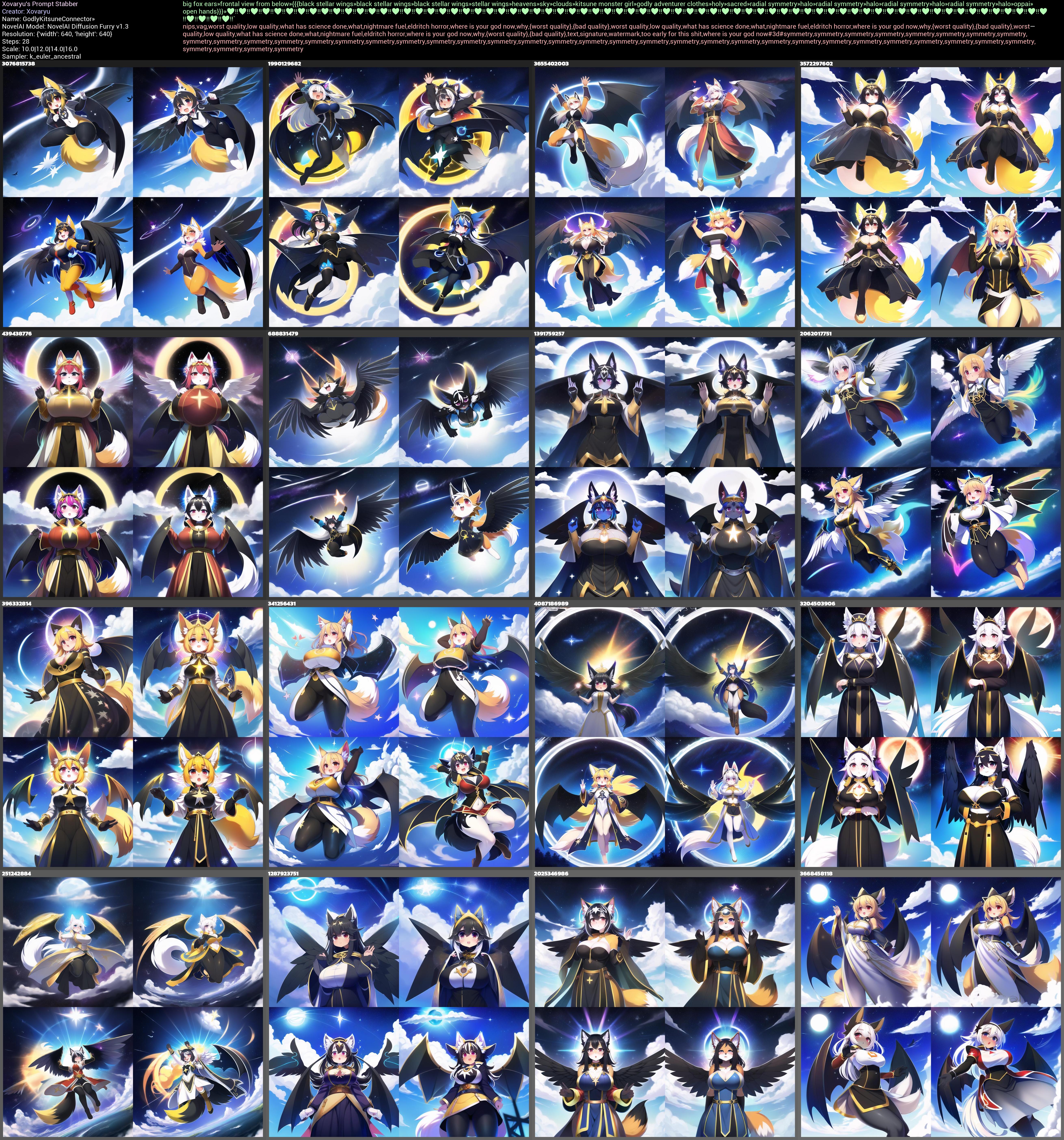
Is it an improvement? Honestly, no it's not. I suppose a couple of pictures look better, but overall quality rather has taken a small hit. But that's also just the thing. Even with a really random symbol out there the hit to the quality isn't really that big. The comma... is just a symbol. Using it is by no means mandatory. Still... there's not really a good reason to replace it with the ».
But could there be symbols it can be replaced with and get the same or better quality? Certainly. Once again ♥ is an option, and I've got some decent examples where it overall improved the picture a little and even fixed up anatomy. But let's go with a different symbol here, the heart exclamation ❣️. So now our prompt will be: big fox ears❣️frontal view from below❣️{{{black stellar wings❣️black stellar wings❣️black stellar wings❣️stellar wings❣️heavens❣️sky❣️clouds❣️kitsune monster girl❣️godly adventurer clothes❣️holy❣️sacred❣️radial symmetry❣️halo❣️radial symmetry❣️halo❣️radial symmetry❣️halo❣️radial symmetry❣️halo❣️oppai❣️open hands}}}❣️♥‼♥‼♥‼♥‼♥‼♥‼♥‼♥‼♥‼♥‼♥‼♥‼♥‼♥‼♥‼♥‼♥‼♥‼♥‼♥‼♥‼♥‼♥‼♥‼♥‼♥‼♥‼♥‼♥‼♥‼♥‼♥‼♥‼♥‼♥‼♥‼♥‼♥‼♥‼♥‼♥‼♥‼♥‼♥‼♥‼♥‼♥‼♥‼♥‼♥‼♥‼♥‼♥‼♥‼♥‼♥‼♥‼♥‼♥‼♥‼♥‼♥‼♥‼♥‼♥‼♥‼♥‼♥‼♥‼♥‼♥‼♥‼♥‼♥‼
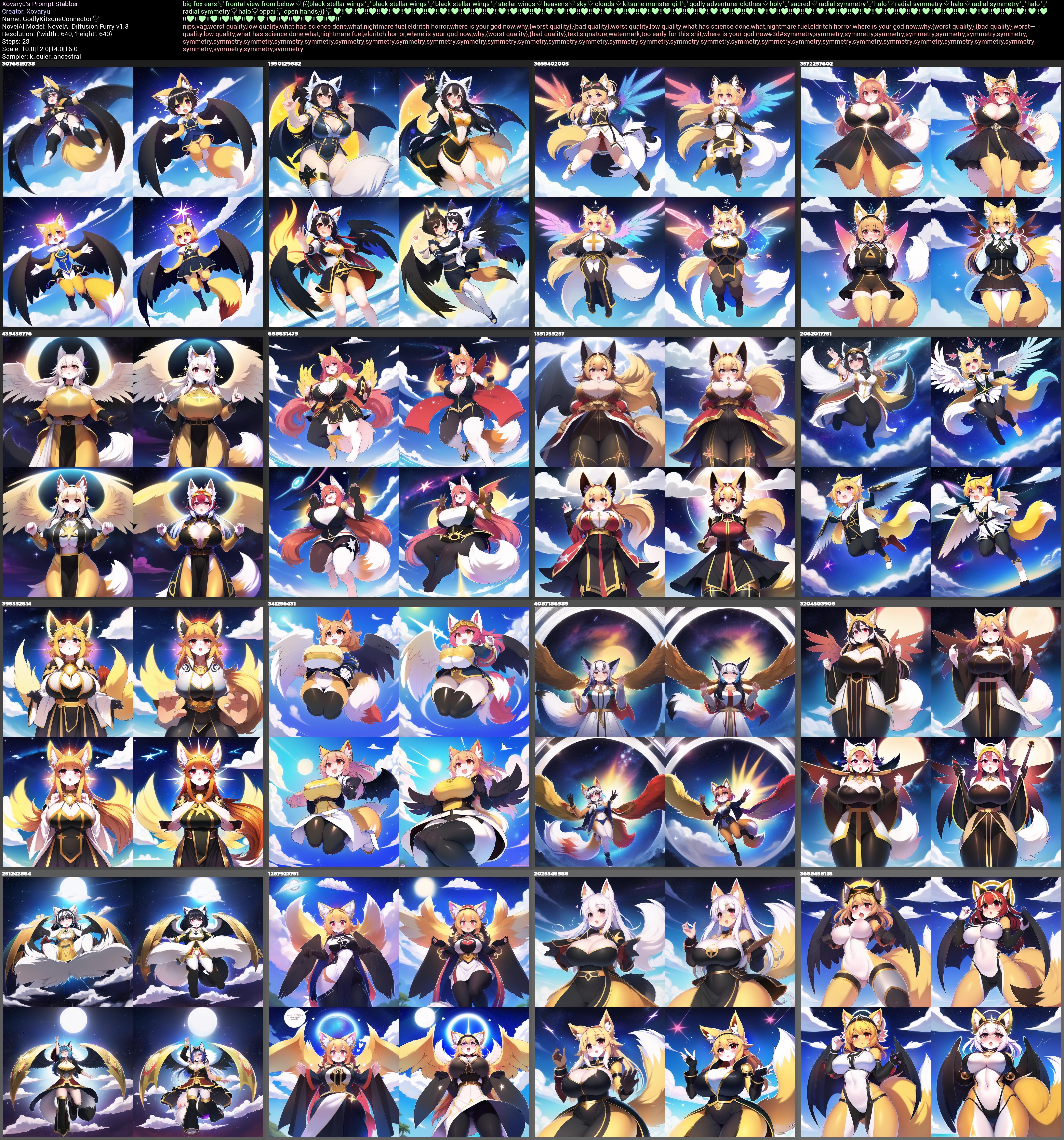
And this time things are different. Is that a quality improvement? On average I'd actually argue it is.
(One of the pictures actually went
nude, but without any of the other tags it drew no sensitive bits... so I won't bother changing that.)
Now do keep in mind, averages count, and individual pictures count. There is no such thing as that one symbol or thing that always works best. What's good with all settings being the same here could be worse with a different seed there. Figuring out what is placebo and what isn't is hard in this case. Experimentation is worth it, but don't go assuming this or that does miracles too easily. If you really want to know if an effect you think you see isn't placebo... then at least for NAID generations I'd invite you to grab my script and make at least a hundred comparable pictures.
These collages have 64 pictures each, but still let's see if there is one effect we can tell that isn't placebo. How about the color? Using the ❣️ has pretty clearly affected the average colors and the generations just look more colorful. We see notably more reds and oranges. And if we're being really weird here for a second... the first collage with , has 1.139.864 colors. The variant with » has 1.133.482 colors. However the variant with ❣️ has 1.217.981 colors. The results don't just look more colorful, they objectively are by nearly 7%. Not really something I expected, but there it is. Whether that's truly better in this case, considering that the prompt tries to get black stellar wings, and these symbols made much of the wings far more colorful instead is up to subjective interpretation. But then again, you could also just use the ❣️ when you know you want stuff more colorful. Or ensure more reds and oranges in it? See I know that it does stuff and that stuff can very much be worthwhile, but pinning down the exact expected effects is hard.
So, you really do not have to use commas as separators/connectors at all. And if we consider the myriad of options out there, there's almost always going to be a better option. And still... don't get bogged down in trying to finely adjust every single symbol. Use other symbols when you want to experiment, when you need to explore adjacent latent spaces, or when you already know that a certain symbol is going to do you better services on average. But stay vigilant against placebo effects, and try to use stuff in such a manner that it improves the quality of your workflow and outputs. Don't pick up bad habits that eventually just cost you time. Like I said at the beginning, second-guess yourself, and second-guess what you're taking away from this too.
Connectors in compound words
Let's move on. If commas and other symbols then aren't clean separators, how bad is that? Well, let's finally start using my favorite love-hate word in image generation. Pint-sized. Let's briefly make ourselves aware of how weird that word really is. It's an adjective made from pint, a noun commonly used to refer to beer glasses, and sized, an adjective generally combined with other words to indicate a certain size. Pint-sized refers to something being small or very small. And... that makes this word rather peculiar for usage in an AI image generator. Will it put beer pints into pictures? Shrink characters? Both? Neither? All of that, depending on what symbol you stuff in between. Now I'm not going to molest you with the whole bunch of collages I have made (that's a whopping 36 collages with 9 seeds and 9 scales per seed, for a whole 2916 generations, those are on my Discord server though). But I'll put a couple here so you can get the idea.
First we have a base prompt without any variant of pint-sized in there:
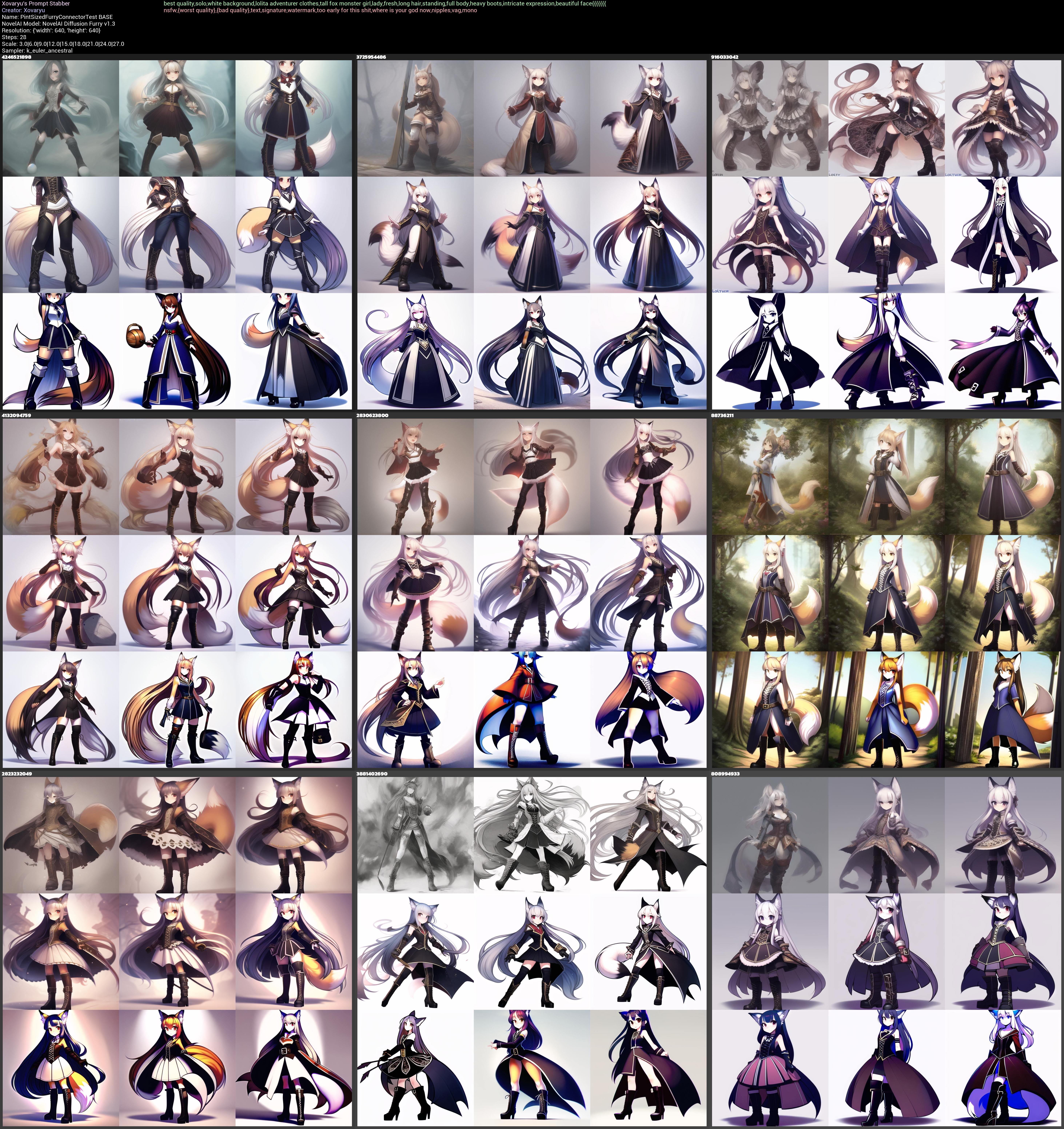
Next we need something to compare it to, and that'll be pint sized:
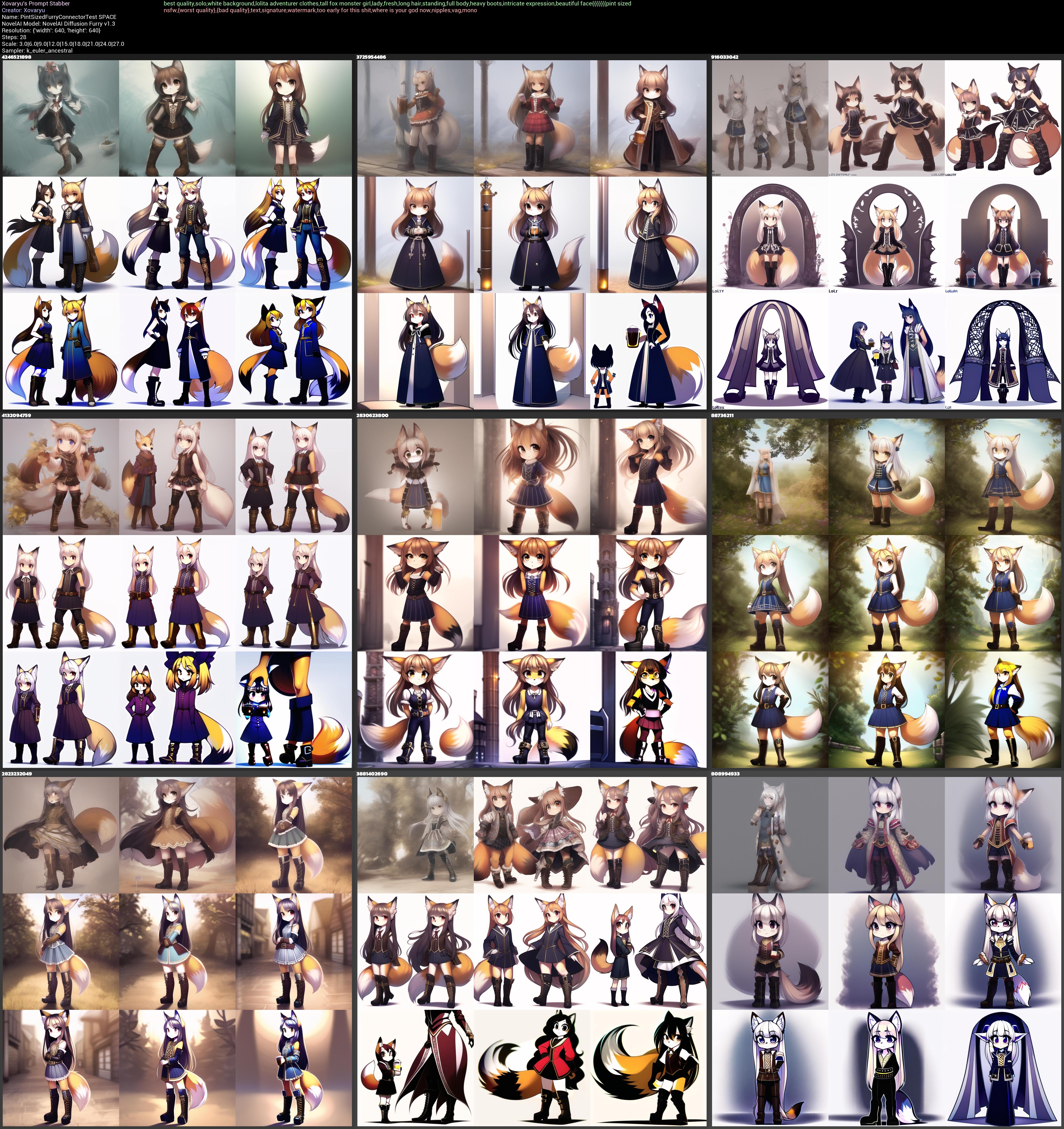
What we find here is that it both shrinks characters and puts in beer themes. There's some distillery pipes and a couple of images have beer pints in them. This effect can be... made much more dramatic with some variants.
As for pintsized...
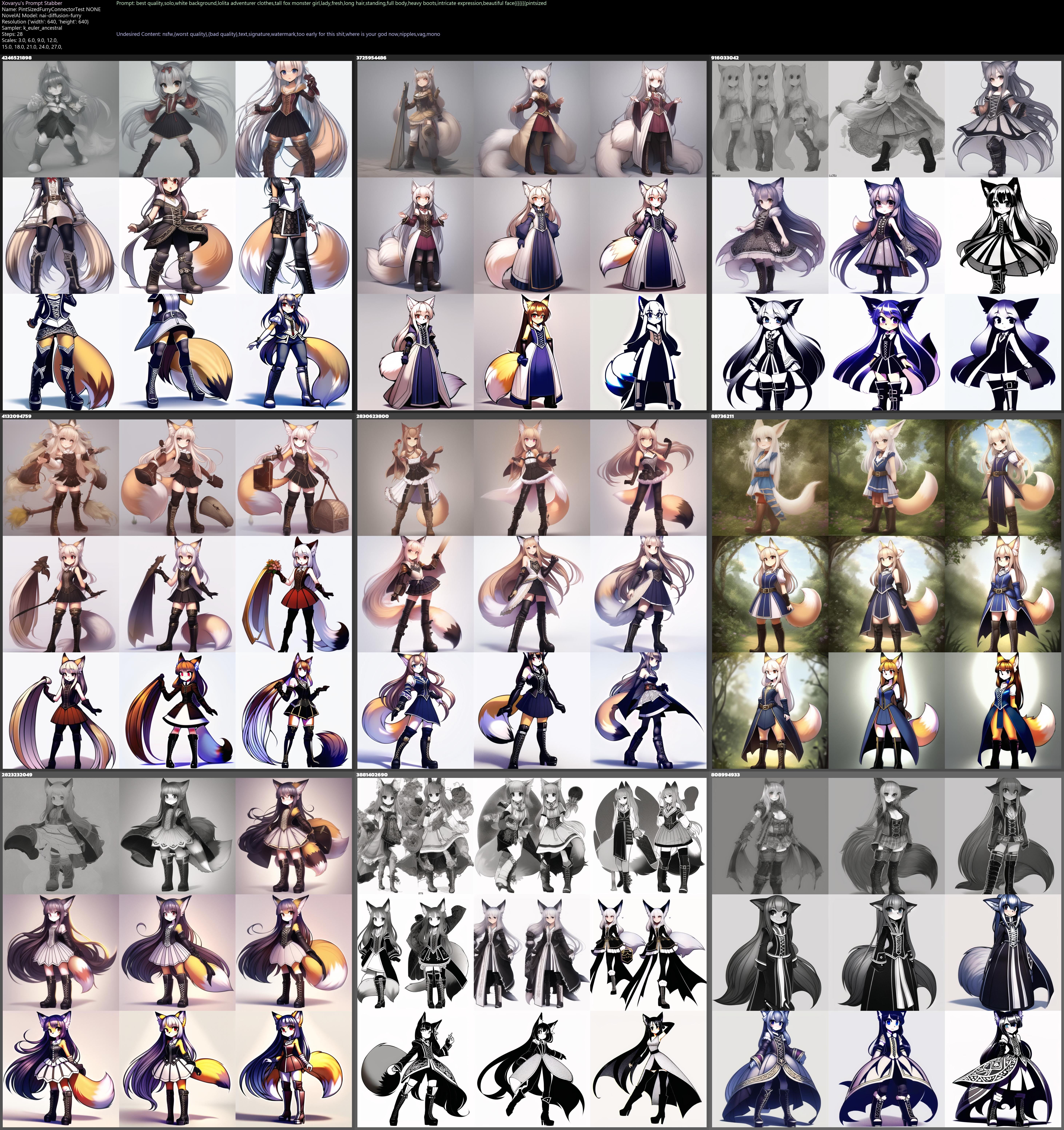
...We'll find that it actually does most of the shrinking too but without any of the beer stuff if we omit the space. Spaces between stuff matter, and not exactly always in a straightforward manner. While you still can get some beer themes out of pintsized if you really push the envelope, the effect is just far weaker.
Alright, is pint,sized then going to cleanly split stuff apart? If so, we'd expect it not to shrink characters.
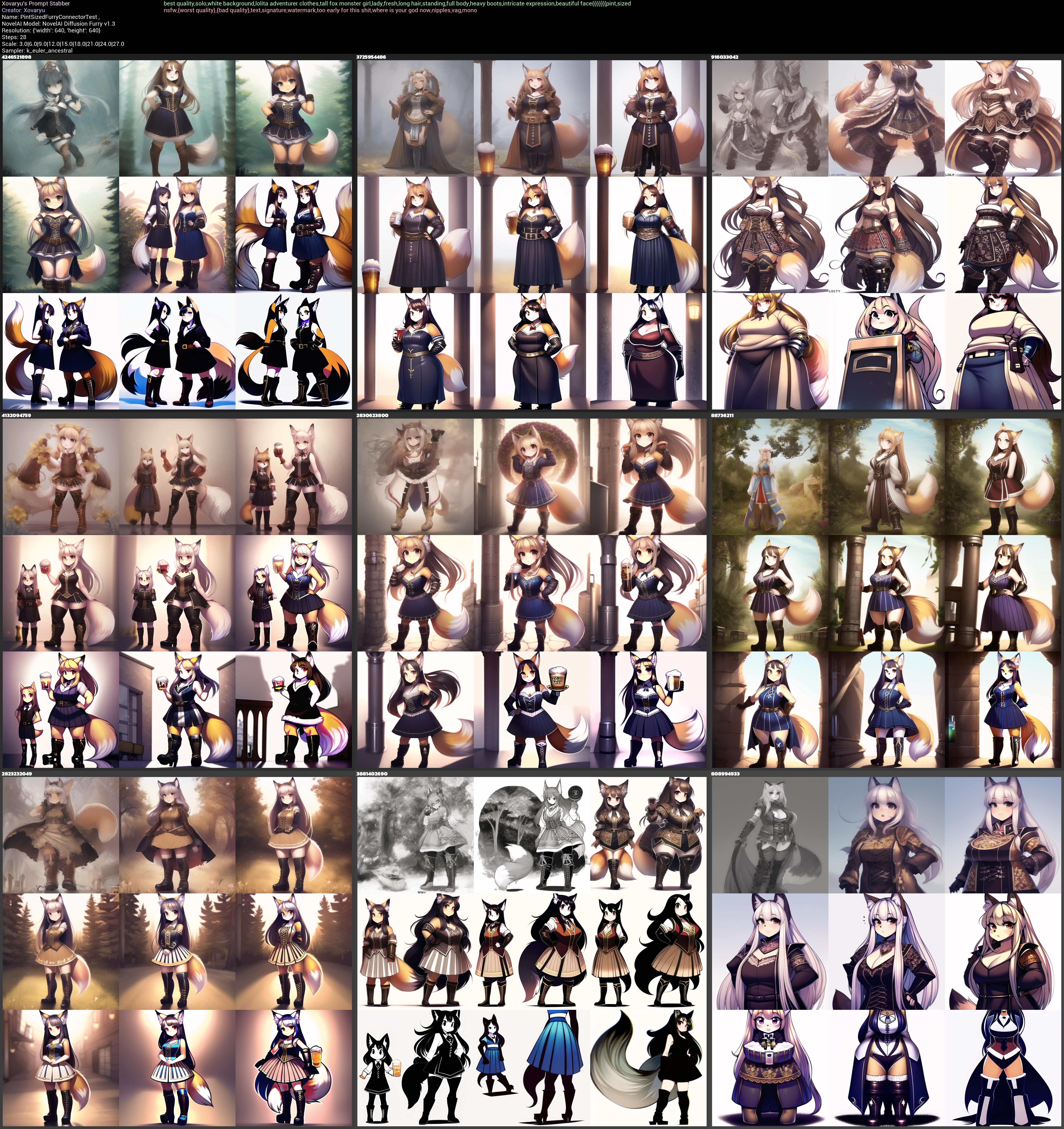
That's... a no, chief. It's just kind of inconsistent but still can very much shrink.
However pint&sized as well as pint??!!??sized actually will remove the shrinking effect for the most part. Let's have a look at the latter:
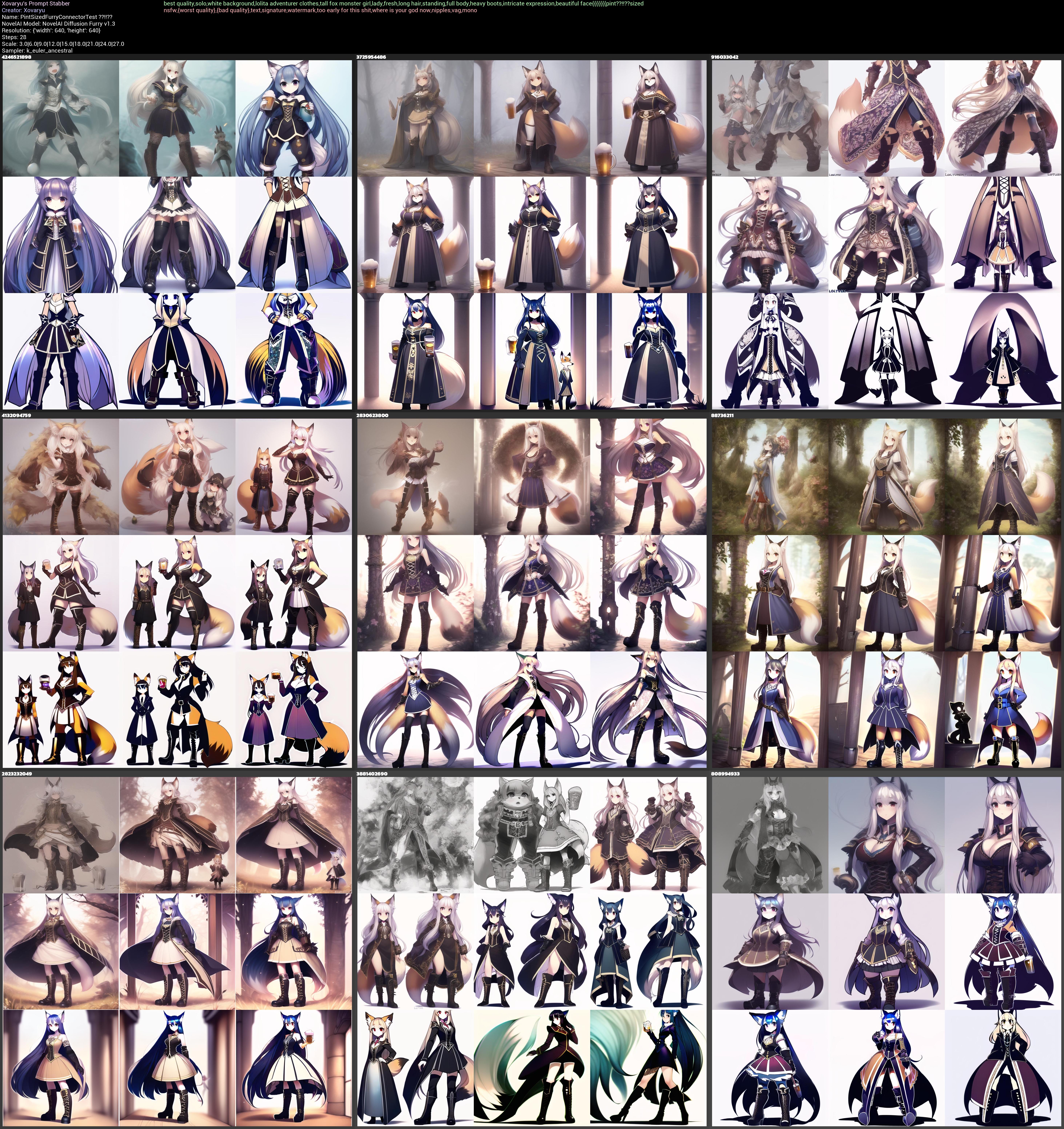
What about a symbol in between that really doubles down on the shrinking? pint$sized:
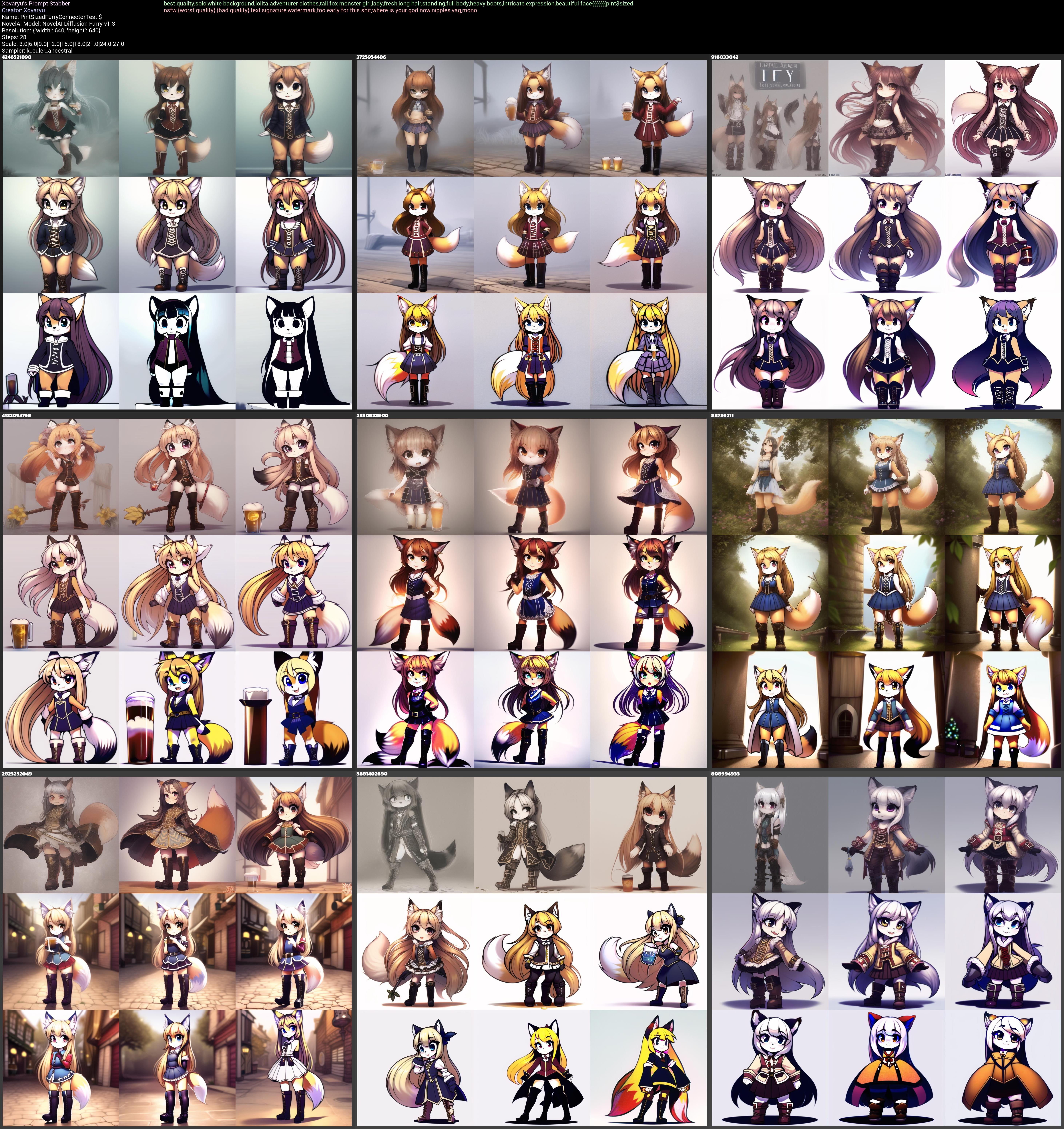
That's a dramatic difference. It has even affected and cutefied the style. And has created a nigh perfect single character focus too. Strange and unexpected... but not useless.
The point behind this is non-trivial. The entire prompt gets put together into one vector and different symbols between different words, likely especially compound words, can change results dramatically. Just by having different symbols between pint and sized we can vastly strengthen the shrinking or all but remove it, and having no symbol in between at all nearly removes the otherwise occurring beer contamination.
What about spaces?
Well you can probably imagine what's coming now. What if we just write a prompt without spaces and commas? Obviously... don't write proper prompts like that. Separating and connecting words properly is key to making good prompts. All the same, knowledge is power, so let's do what we normally shouldn't
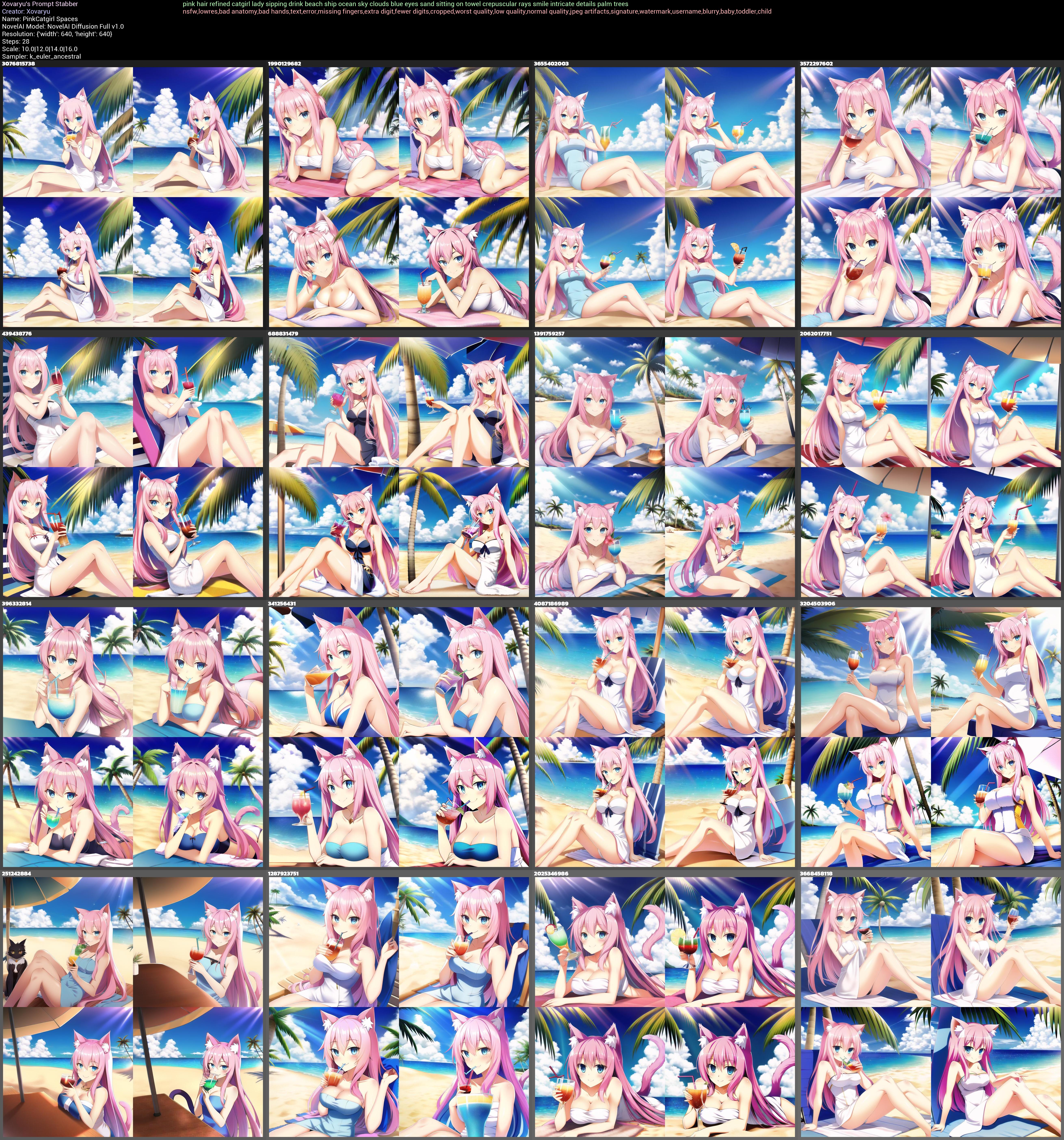
to learn a bit. We'll compare a prompt that has words only separated with spaces with one that has all words and letters just smashed right together. And if your initial instinct now is "that'll break some stuff but won't ruin the prompt completely" then you'll find that confirmed in a moment.
With spaces:
Without spaces:
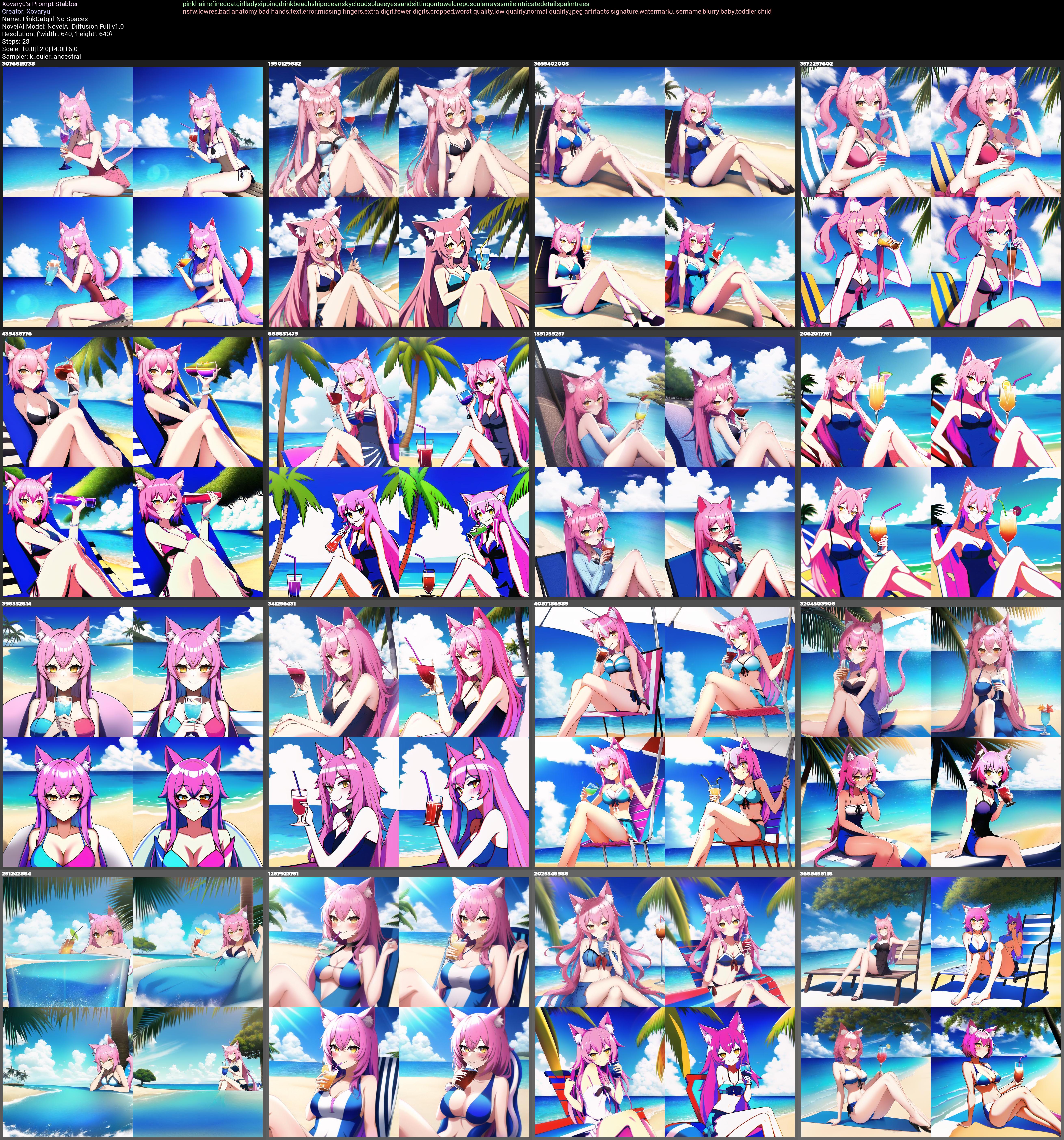
While the version without spaces is still surprisingly sane and close, it's obviously and as expected not doing us any favors. Overall quality has clearly tanked and we get flatter colors and worse anatomy, the requested eye color has stopped working altogether, and there's just less of the requested stuff in the results. So yeah, missing the odd space probably won't kill your generations. Sometimes you may deliberately try writing certain words together like in the case of pintsized so removing the one or the other space if you know what you're doing or are willing to experiment may be beneficial. But generally speaking, if you should put space between certain letters in normal writing, then you'll certainly want to do the same in your prompts.
Resolution
Resolution matters a lot for generative AI as it stands right now, and not always in very obvious ways. Base SD's handling of resolutions in training was... let's put it very gently and call it "suboptimal". NovelAI has complained about that rightfully here: https://blog.novelai.net/novelai-aspect-ratio-bucketing-source-code-release-mit-licensed-c33fdd25e4ad
So AI's back then handled resolutions and aspect ratios kinda horribly. Thankfully with the days of V2/3 the worst of the issues here are fixed. Some caveats remain though.
-You can't adjust resolutions finely, they come in steps of 64px. So 640px, 704px... there's no setting it to 688px or something
-There's no such thing as changing resolutions and getting more or less the same output even if all other settings are the same. Changing the resolution is in that sense almost like you change the seed as well
-Resolution also in part informs the content. Wider resolutions will have somewhat more of a proclivity towards multiple characters and landscapes for instance.
And last but not least, higher resolutions used to struggle a lot with generating cohesive images instead of weird limb salad and odd repetitions. NAI has addressed this exact issue with SMEA back then in V1, and V2/3 are trained in higher resolutions and with more smarts to begin with, so this all isn't that much of an issue anymore.
Though this is somewhat legacy content, this is the difference SMEA made back in V1. Using 100% the same settings except the sampler this is what we get out of good ol' k_euler_ancestral at 1792x1728:
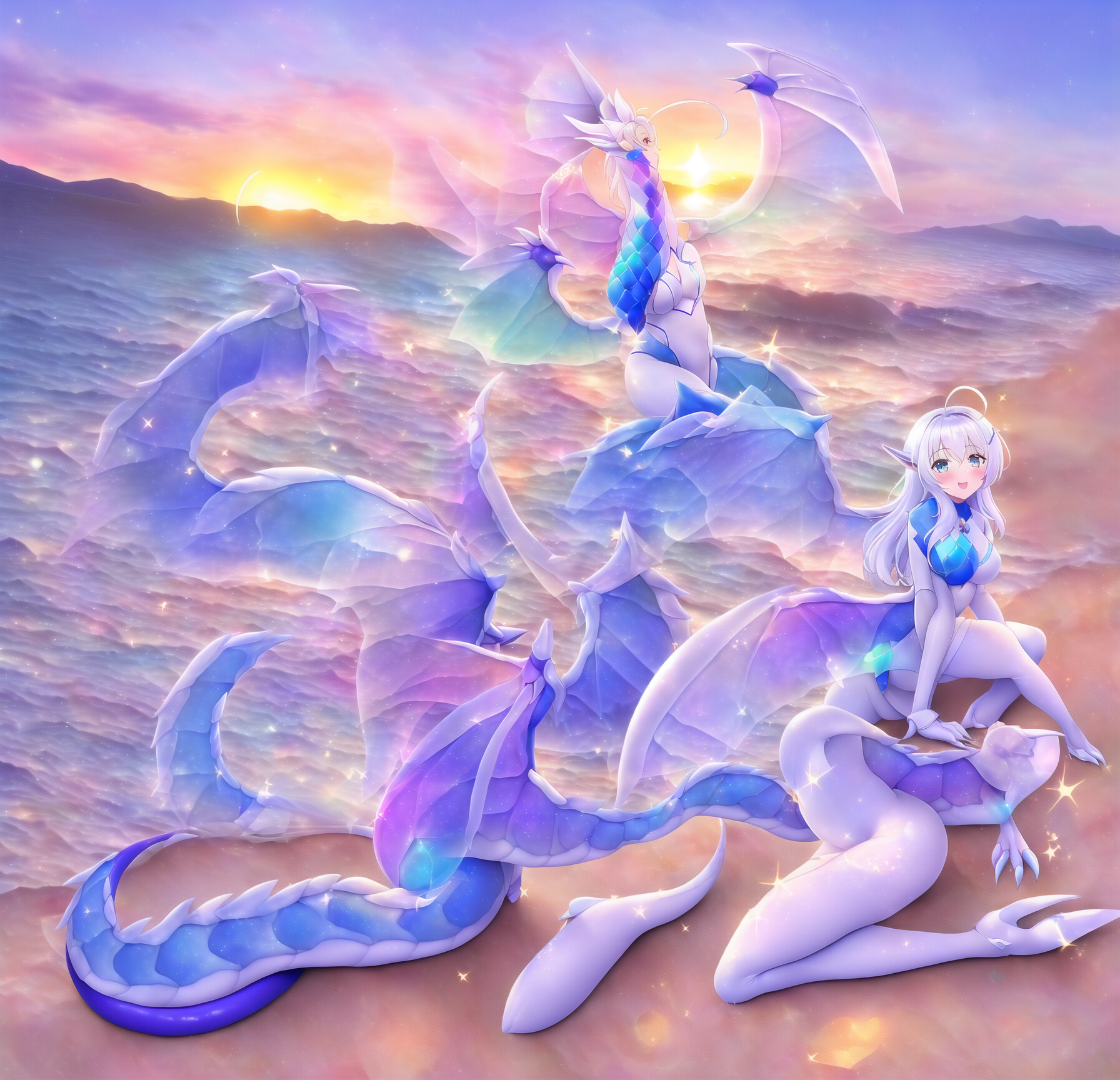
Like I said. Limb salad. You can improve your prompts even with the older samplers to some degree, but at those resolutions, getting really good and cohesive results is... banging your head against an expensive wall with probably little return of investment.
But the new samplers do actually work even at maximum resolutions. Here's nai_smea_dyn:
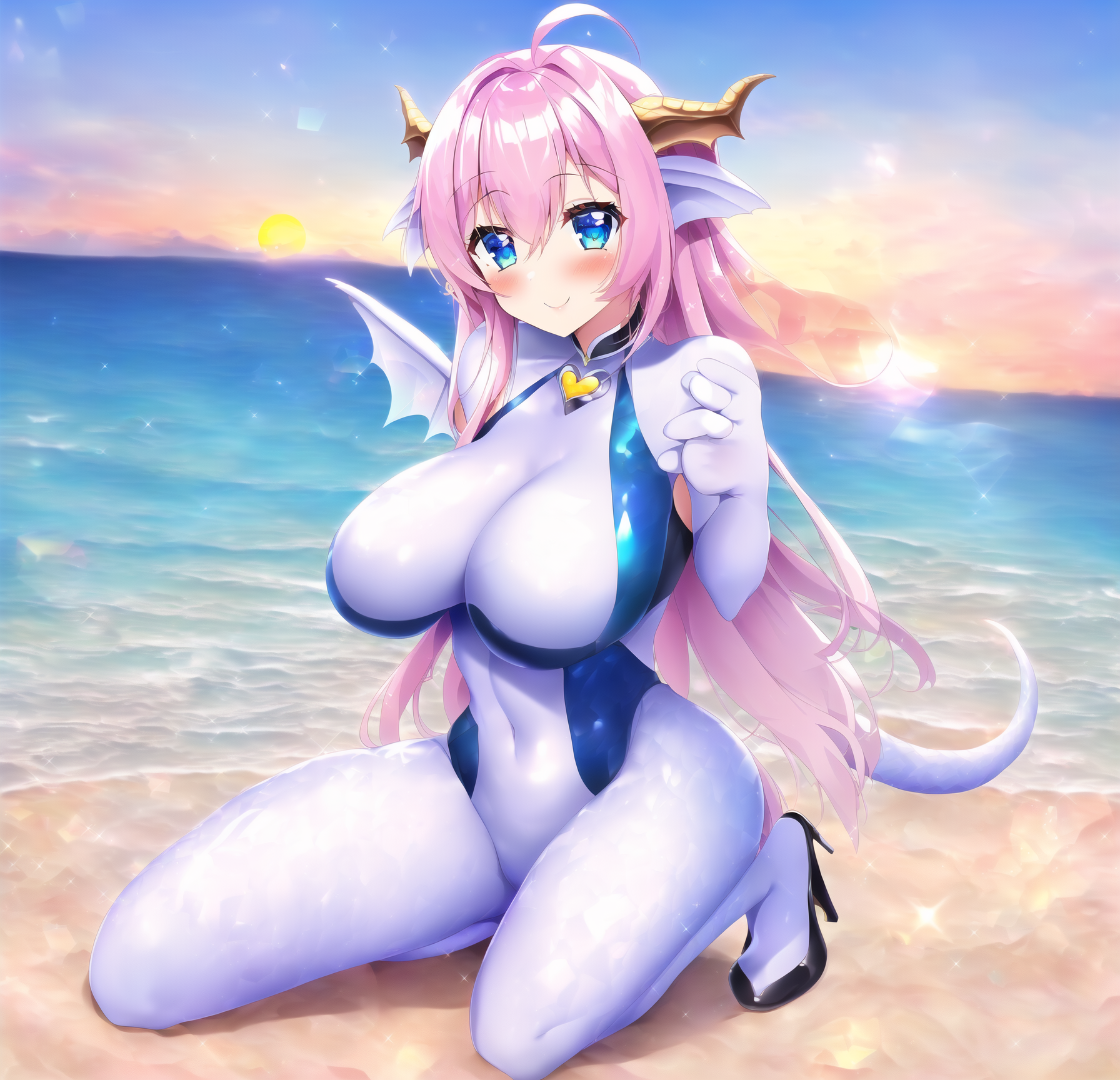
A damn big difference. Though there still are a few more damning issues left, there just isn't even any contest.
However the non-dyn variant...
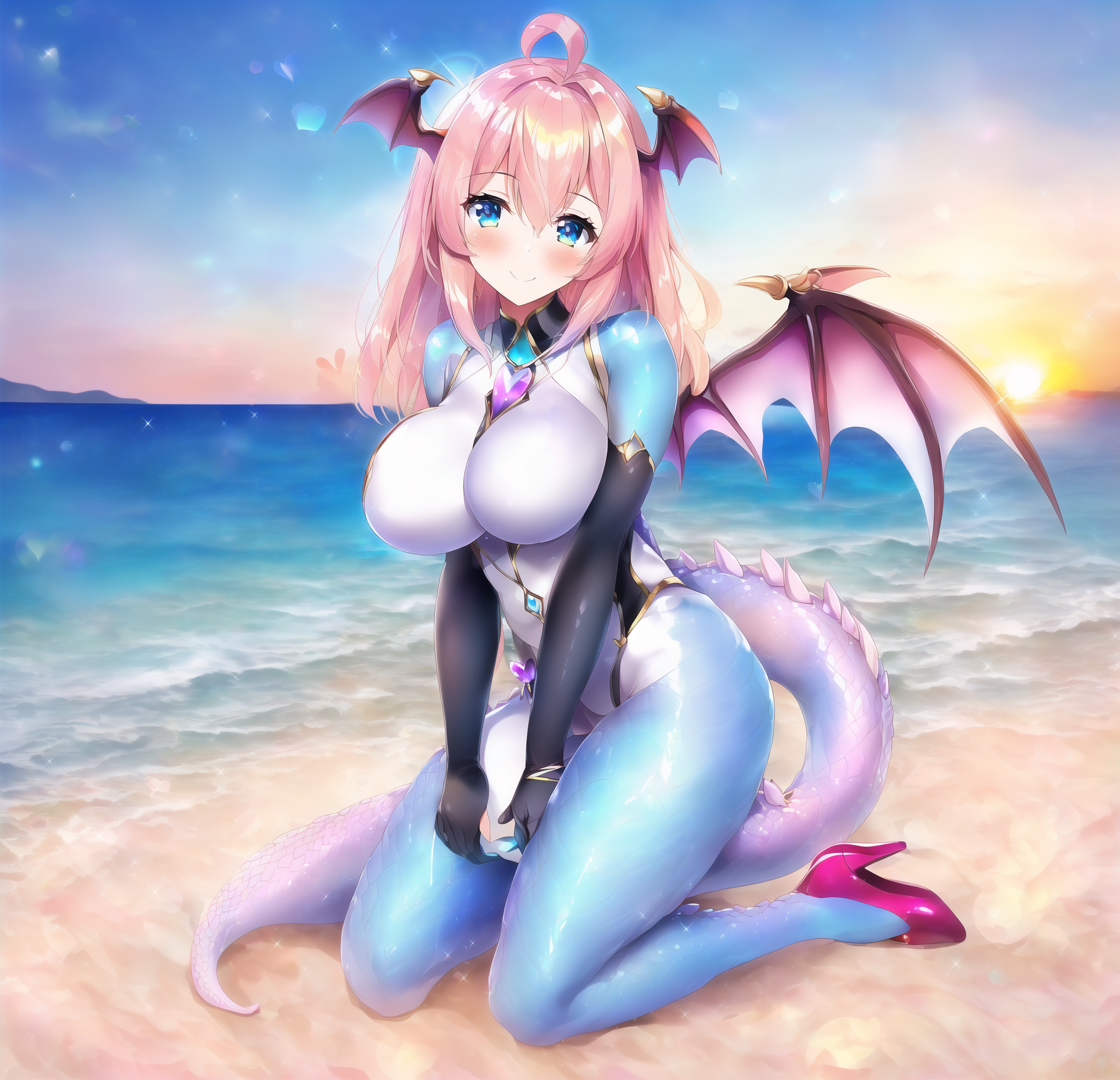
...really get's so, so close to nailing the entire thing. The hands, as so often, are just a tiny little off, and the tail suffers from a refraction issue and comes out bigger on the other side of her than it should. But otherwise it's pretty damn solid, and can no doubt be refined and fixed at this point without any great pain.
So to close it out, here's a few more notes on the new samplers:
-nai_smea and nai_smea_dyn are the exact same at or below resolutions of 1024² pixels
-SMEA and Dyn improve stuff at high resolutions
-Both are a little more expensive in terms of computation and hence cost extra Anlas at higher resolutions, with Dyn being even more expensive among the two
-Dyn is probably the better choice right after resolutions of 1024² or a bit higher, while nai_smea is not just cheaper but also very likely better at the extreme ends of possible resolutions