🌱 PvZ Fusion: Modded Edition by Dyna~
This modpack wants to serve as your one-stop solution to get all those clickbait-y plants in one place without having to scour the web for them.
Includes English and Vietnamese translations. English translations done by Dyna, and Vietnamese translations made by Shion and their team.
ℹ️ Important
It's important to note that when you apply this modpack and run the game, the game will most likely run very slow or glitchy. This is because of the large amount of mods that your computer/the game might not be able to handle. Make sure your device is powerful enough to run all of these mods or pick-and-choose what you want to install and delete those you're not too particularly fond of. Personally, I get the fastest performance when only using the Infinite75 group of mods, or HengMing's mods.
🚩 Disclaimer
I did not make these mods, I merely packaged them together for convenience and made the English translation for them. All rights belong to the original author of the PvZ Fusion fangame and the authors of the mod. You can get the original files through their Bilibili pages linked at the bottom of this page.
It takes just 2 minutes to read the whole thing.
📝 Notes
- This is just a hobby for me, no copyright infringement is intended. I take no donations or any sort of compensation for making these. All credits belong to the original authors of the game and the mods.
- This modpack is for the BepInEx mod manager only. It is also only available for PC (Windows). I haven't tested on a Mac or Linux.
- Mods are translated in groups by their original author. Some of them might have similar names.
- Updates depend on whether I'm motivated to do them. Do not incessantly ask for updates as you're just gonna be ignored.
- Be careful adding additional mods not from this modpack as it may result in incompabilities, such as their fusion formulas or ID's. Make sure your mod is updated for the latest version of PvZ Fusion.
- Some mods from specific authors might be severely laggy depending on the specs of your device. Be on the lookout for these and remove these mods as you see fit. Having so many mods might lag your game and in worse cases crash your game. Delete mods that you're not particularly fond of to try and improve your speed.
📥 Download & Installation
Please make sure you've read the Notes section above properly.
Patch Download Link(s):
Transfer.It (Recommended) OR Google Drive OR MEGA OR PixelDrain
Last Update:
December 06, 2025
Version: 4.0
Updated For:
Version 3.1.1
Open
PvZ Fusion Modded - Credits & Changelog.txtfor the full changelog.
Installation Steps:
- Download the base PvZ Fusion 3.1.1 for PC.
- Extract the archive (use 7zip) to
C:\GamesorD:\Gamesor anywhere as long as it's not on the following folders:

- Make sure your game path doesn't contain special characters. Check
#"FAQ | Errors"in the Blooms server for more info.
- Download the patch using the link above.
- Open the patch archive, go inside the
Extract These Files to Base Fusion 3.1.1folder and extract the contents of it inside your Base PvZ Fusion installation. Make sure your game folder looks like the image on the right: - Run the game. Keep in mind that it might take a while for the game to open because of the large amount of mods. Just wait patiently or start removing mods that you don't like.
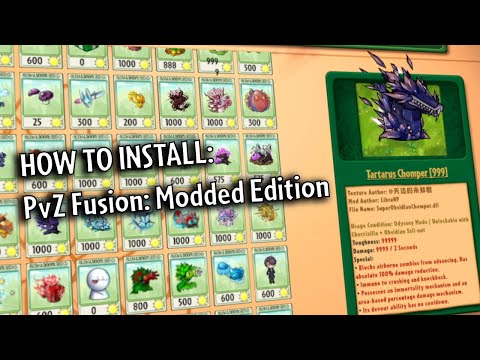
Click the image below to go to a video tutorial instead, made by Cassidy:
Known Issues
- Untranslated logo on the main menu.
- In the
View Modifiersscreen, the last three (pairs) of Epic Fusion Modifiers and Epic Modifiers have different plant previews. - LibraHP's zombie mods break Abyss Level 8 or other parts of the game: Now disabled by default. If you wish to re-enable these mods, remove the
.DISABLEDon the file name. Keep in mind that these mods' possible intentions is to be used on Custom Levels / Clickbait, and not as part of the regular playthrough. - Similar to LibraHP's zombie mods, Infinite75's zombie mods break certain levels as well. Disabled by default.
- LibraHP's SniperDLC mods (I think specifically
SniperZombie.dll) breaks the Settings menu, particularly the Language buttons. Disabled by default. - Prometheus Cabbage appears to have ugly textures around its projectile: Safe to ignore.
- Solar Snipea is missing its seed packet preview: Safe to ignore, plant still usable.
- Magician Zombie not appearing in the Almanac: Either its file needs to be at the root level of the
pluginsfolder otherwise it will be skipped, or another mod is messing with it. - Untranslated string in Challenge Mode: Modded Levels
- Untranslated string in Settings: Sniper Commando Zombie (If it appears during playthrough or no.)
📚 Extra Resources
PvZ Fusion: Modded Edition Compendium linked here! 
Useful for: easy to look at Fusion Formula's, More Hammer & More Shovel info, etc..
Huge thanks to John (@discordneko) for helping me out with this!
💯 General Credits
- Modiverse Community Server for the mod archives.
- Blooms Multi-Language Translation Server
- Shion and TunaInTheNull for help with the translation.
- Cassidy for the BepInEx port of the Multi-Language version.
🚀 Mods Credit List
Translation Mods (Do Not Remove)
- ✓ AudioImportLib.BepInEx.dll
- ✓ BetterFusionSuite-BepInEx.dll
- ✓ PvZ_Fusion_Translator__BepInEx_.dll
Requirement Mods (Do Not Remove)
- ✓ CustomizeLib.BepInEx.dll
- ✓ SkinLoader.dll
- ✓ HengMingModsLib.dll for HengMing's Mods
- ✓ PlantIDExpand.dll for HengMing's Mods
Custom Mods
- ✓ Modified-Plus.dll - Adds
PreviousandNextbuttons to navigate theCustom Plantsin theSelect Your Plantsscreen. Also adds custom cheat/sandbox hotkeys. Disabled by default, enable by removing.DISABLEDin the filename. - ✓ MoreHammer.BepInEx.dll — Adds custom hammers. (Press Tab to switch hammers)
- ✓ MoreShovel.BepInEx.dll - Adds custom shovels. (Press Left-Shift + Z or Left-Ctrl + Z to switch shovels)
💥 Mod Authors on Bilibili
- LibraHP → https://space.bilibili.com/1117414477
- Infinite75 → https://space.bilibili.com/672619350
- MC屑鱼 → https://space.bilibili.com/3493077316536784
- 慕容孤晴-Murong → https://space.bilibili.com/3546765187877288
- 屿秋MirAcle → https://space.bilibili.com/414936719
- WuXuan → https://space.bilibili.com/3493111820978227
- HengMing → https://space.bilibili.com/646773179
- StarClan → https://space.bilibili.com/3546794699000270
- 林秋-AutumnLin → https://space.bilibili.com/1634775623/
🌷 Server Links
- Blooms Multi-Language Translation Server → https://discord.gg/yFWbt3AvVj
- Modiverse Community → https://discord.gg/hBXG5pzGmp
Re: Mistranslations, Name Suggestions
Contact me in the Blooms server, #fusion-modding channel. Do NOT contact me for ETA's on future updates or error reports related to mods, I do not code them and I will likely just ignore your or time you out.